
If you made a commit to your git local repository and you want to undo it, you should make use of the git reset command.
There are three flags or options you may use depending upon what your use case is.
We have done two commits:$ touch File1.txt File2.txt
$ git add File1.txt
$ git commit -m "Commit 1"
$ git add File2.txt
$ git commit -m "Commit 2"
$ git log --oneline
341ab47 (HEAD -> main) Commit 2
3291fc9 Commit 11. Undo the Last Commit completely with a hard reset
If you do not want the files that were committed in the last commit to your local repository make use of the --hard option.
$ git reset --hard HEAD^1
HEAD is now at 3291fc9 Commit 1
Note this case you will lose the files that were committed as the modifications you made to the existing file.
$ ls
File1.txt

$ git status
On branch main
nothing to commit, working tree clean
2. Undo Last Commit with a soft reset
If you want to undo your last commit, but want to retain the files that were committed in the last commit make use of the --soft flag.
$ git reset --soft HEAD^1

$ ls
File1.txt	File2.txt

$ git status
On branch main
Changes to be committed:
  (use "git restore --staged ..." to unstage)
	new file:   File2.txt
Note that changes you made or the new files added will remain in the staged area.

3. Undo Last Commit with a mixed reset
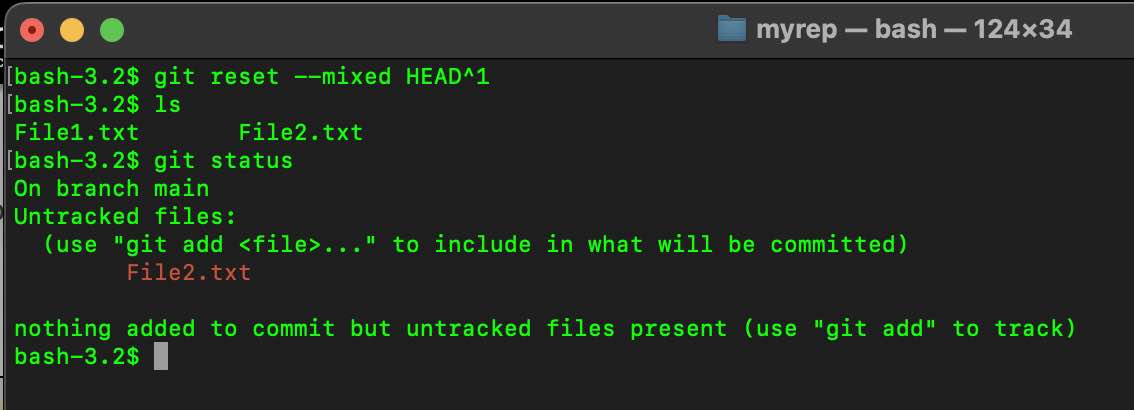
If you want to undo your last commit, but want to retain the files that were committed in the last commit in the working area make use of the --mixed flag.
$ git reset --mixed HEAD^1

$ ls
File1.txt	File2.txt

$ git status
On branch main
Untracked files:
  (use "git add ..." to include in what will be committed)
	File2.txt

nothing was added to commit but untracked files are present (use "git add" to track)
As you can see the new file that was committed is now moved to the working area and is untracked.
Provide Feedback For This Article
We take your feedback seriously and use it to improve our content. Thank you for helping us serve you better!
😊 Thanks for your time, your feedback has been registered!
Comments & Discussion
Facing issues? Have questions? Post them here! We're happy to help!