
In order to access SharePoint using Office 365 (now Windows 365) on a Web Browser (Chrome/Edge/Safari) follow the below steps,
- Go to https://www.office.com and login with your Work (Business) or School Microsoft 365 Account,
- Now click on the App Launcher icon on the top right side of the Microsoft Office Home page, you should see the Sharepoint Icon.
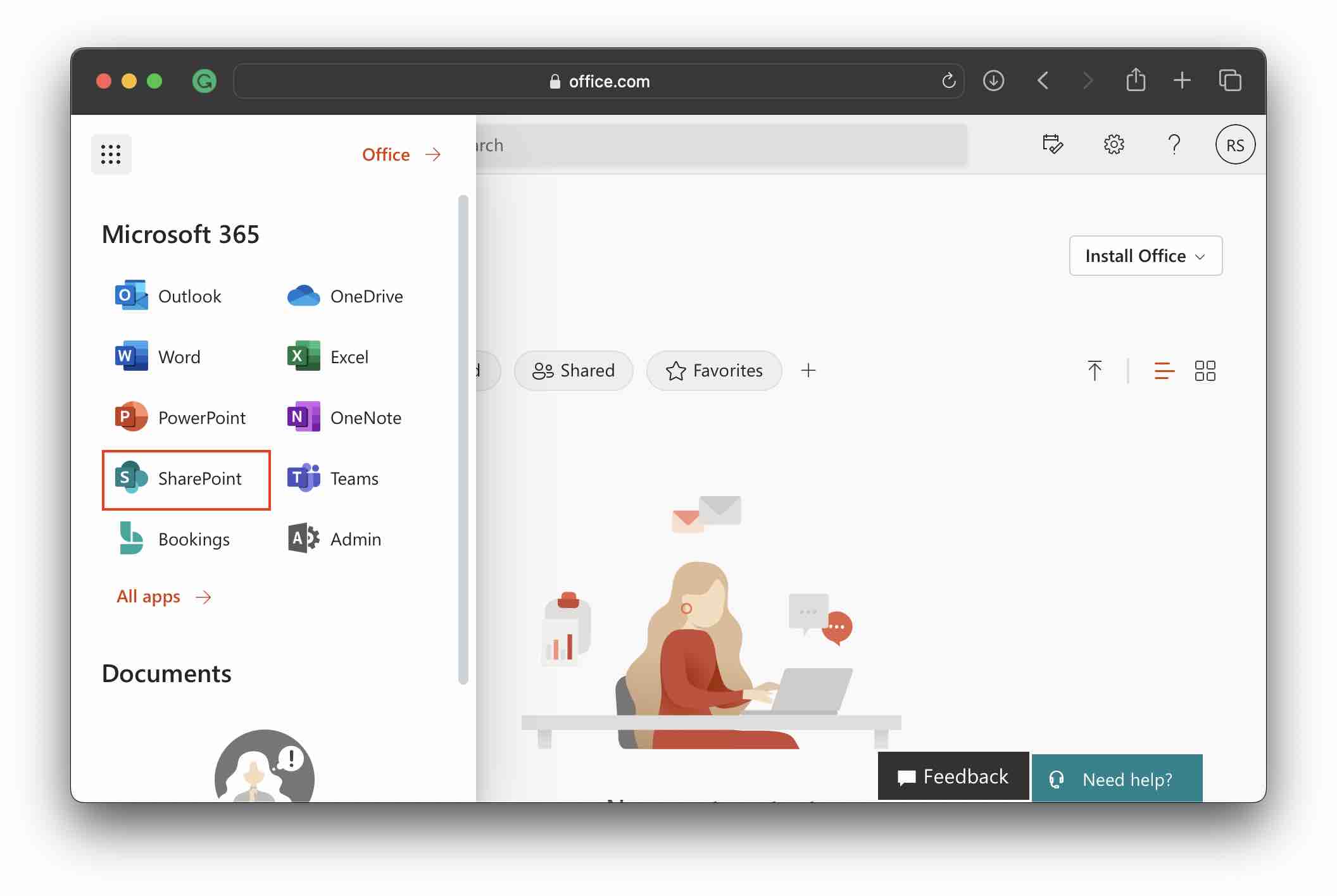
- Click on it and your SharePoint Dashboard will be opened in a new browser tab.
If you are unable to locate the SharePoint Icon then it's most likely that you do not have a SharePoint Subscription in your plan, you can check them by going to View Account -> Subscriptions and checking that licenses show SharePoint (Plan X)

Provide Feedback For This Article
We take your feedback seriously and use it to improve our content. Thank you for helping us serve you better!
😊 Thanks for your time, your feedback has been registered!
Comments & Discussion
Facing issues? Have questions? Post them here! We're happy to help!