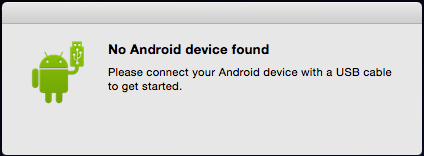
If you are trying to transfer data from your Android device to your Mac OS X computer and you get "No Android device found" dialog then here are a few troubleshooting steps you can try out :
- Check if the USB cable is well connected.
- Check if you have turned on USB Mass Storage (or Connect as media storage).
- Go to Settings -> Storage -> USB Computer Connection -> Check Media device (MTP) : It lets you transfer media files using Android File Transfer.
If none of the above worked for you then its reason might be a faulty USB cable. Also, make sure that you used USB cable provided by your phone manufacturer only.

This is not an AI-generated article but is demonstrated by a human.
Please support independent contributors like Code2care by donating a coffee.
Buy me a coffee!
Comments & Discussion
Facing issues? Have questions? Post them here! We're happy to help!