
Let's see how we can add Checkboxes to an Alert Dialog box, we will create multiple checkboxes that can be selected with an OK and Cancel button with the help of setMultiChoiceItems listener on AlertDialog.Builder object.
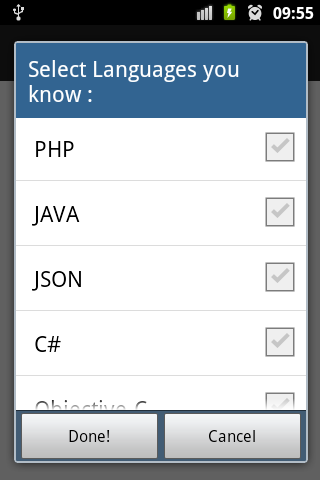
Steps 1 : Create a Dialog object
Step 2 : Create a String Array to hold Items for Checkboxes and an ArrayList to hold items selected
Step 3 : Create AlertDialog.Builder object
Step 4 : Set the Title for AlertDialog
Step 5 : Now on builder object call setMultiChoiceItems
Step 6 : Set setPositiveButton and setNegativeButton button actions.
Step 7 : set dialog = builder.create(); and to display it call dialog.show();
Provide Feedback For This Article
We take your feedback seriously and use it to improve our content. Thank you for helping us serve you better!
😊 Thanks for your time, your feedback has been registered!
Comments & Discussion
Facing issues? Have questions? Post them here! We're happy to help!