
By default when you install and launch Eclipse IDE and you create or open a file in it, you should be able to see the line numbers at the right side of each line in the file - at the gutter area, if for any reason you are unable to see the line number, you can try the below steps to enable them,
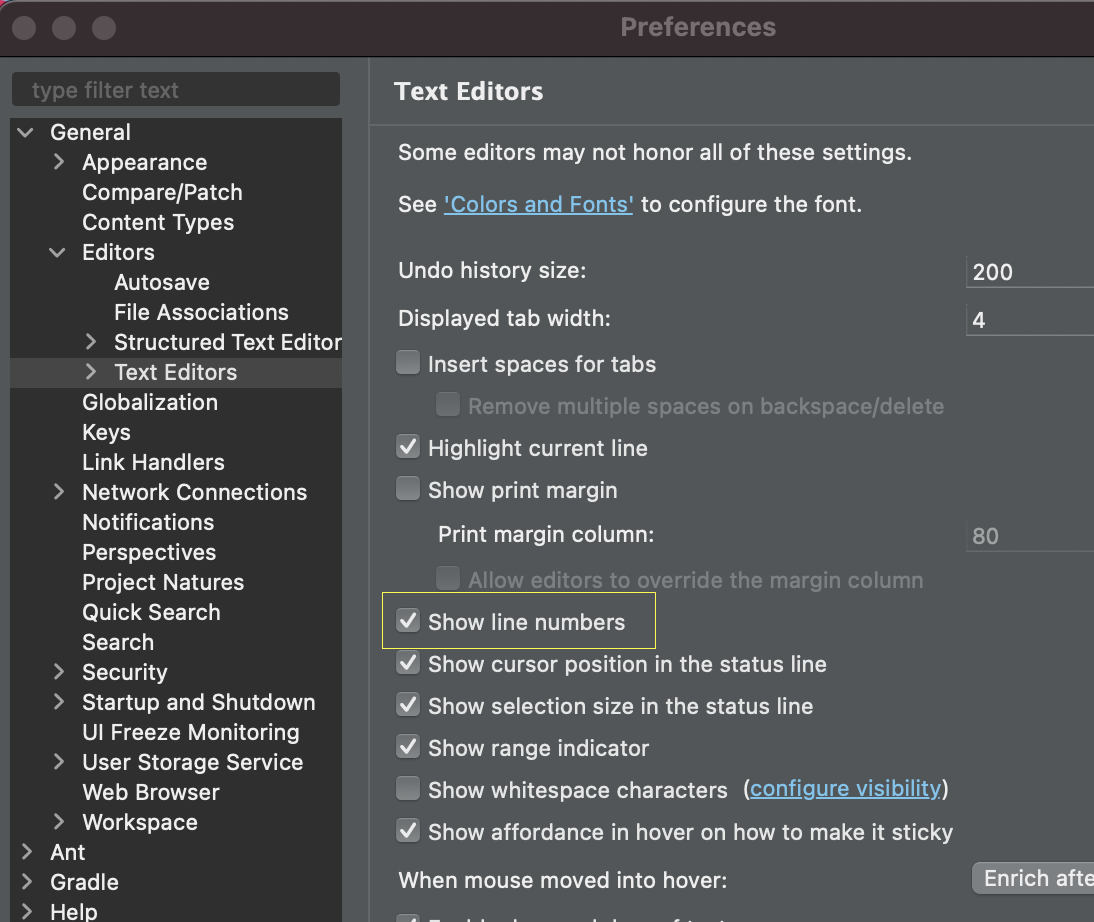
If you are using Eclipse on Windows Operating System: Go to Windows → Preference → General → Editors →Text Editors, now check the checkbox against "Show line numbers"
If you are on macOS then there is a slight variation,
- Open Eclipse,
- Go to Eclipse → Preference..,
- Go to General → Editors,
- Go to Text Editors,
- Check - "Show line numbers"
- Click Apply & Close
As you can see in the below image, line numbers are visible in eclipse,

Have Questions? Post them here!
Provide Feedback For This Article
We take your feedback seriously and use it to improve our content. Thank you for helping us serve you better!
😊 Thanks for your time, your feedback has been registered!
Comments & Discussion
Facing issues? Have questions? Post them here! We're happy to help!