
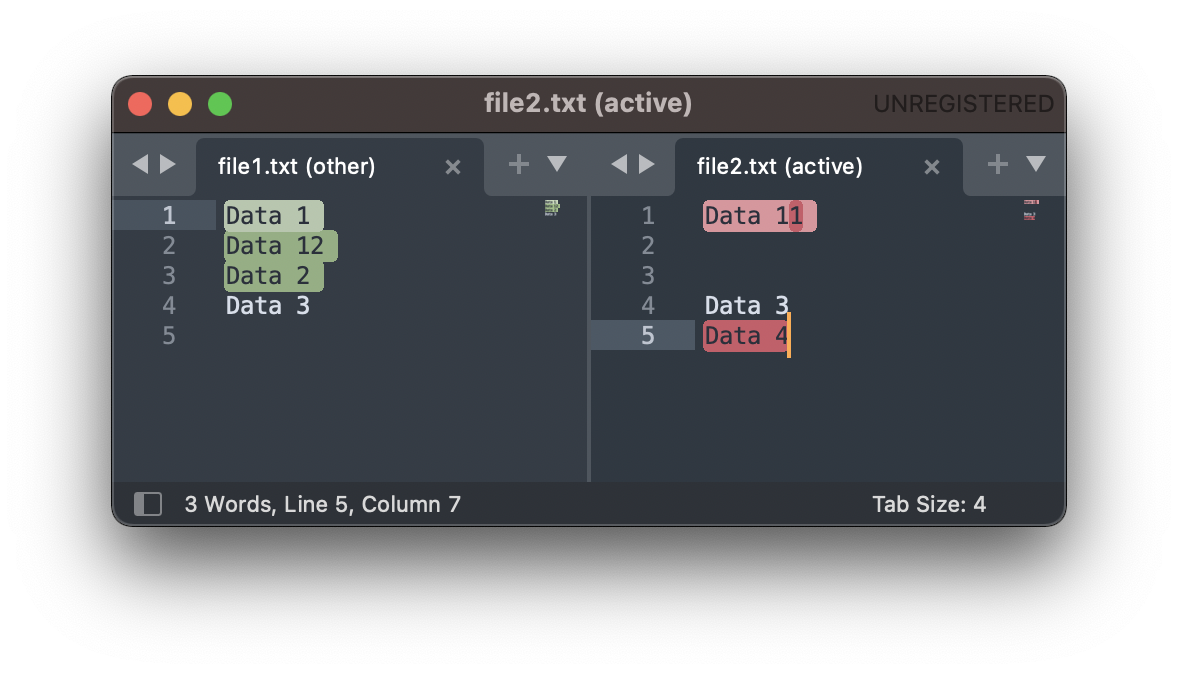
If you want to compare two files in Sublime Text Editor, you will need to get a plugin installed,
Steps:
- Open Sublime Text and Open Command Palatte.. to install the package,
- Type: Install Package to open Package Control and look for: Compare Side-By-Side, and get it installed,
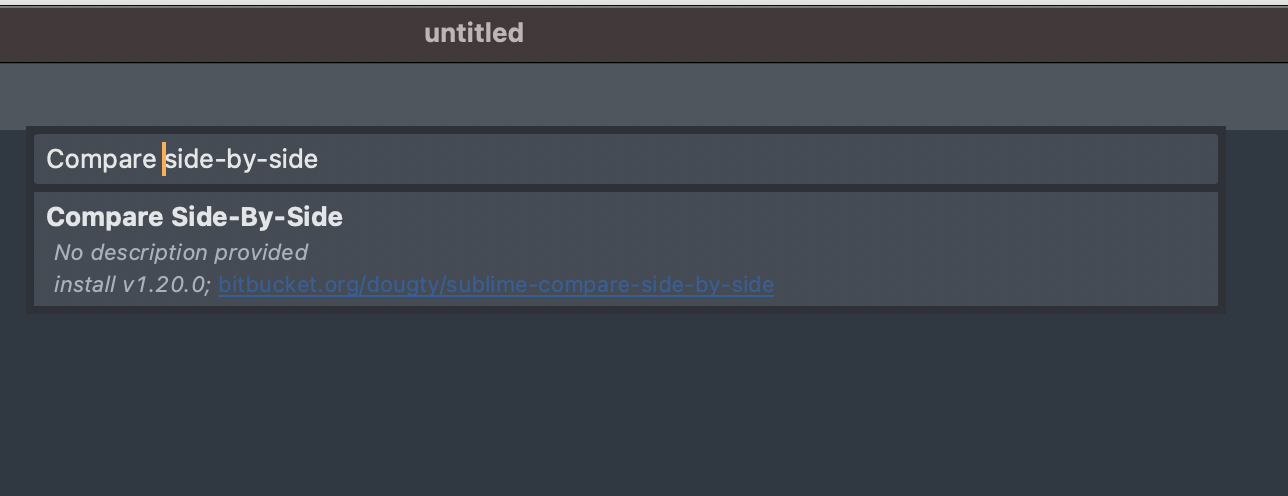
Compare Side-by-Side plugin for Sublime Text - Open both the files in Sublime Text,
- Now Open Command Palatte again and type Compare with,
- Now both the files will be compared side-by-side and displayed in a new window.
✏️ You can use the keyboard shortcut: Command + Shift + P on macOS or Control + Shift + P on Windows to open Command Palette.
Have Questions? Post them here!
Provide Feedback For This Article
We take your feedback seriously and use it to improve our content. Thank you for helping us serve you better!
😊 Thanks for your time, your feedback has been registered!
Comments & Discussion
Facing issues? Have questions? Post them here! We're happy to help!