
If you have a Gradle project in Idea IntelliJ IDE and you want to run a simple Java class with the main method just like a standalone java application without Gradle kicking off the build process (can take up a lot of time when you are having multi-project dependencies), follow the below steps,
- Go to Menu: View -> Tool Windows -> Gradle,
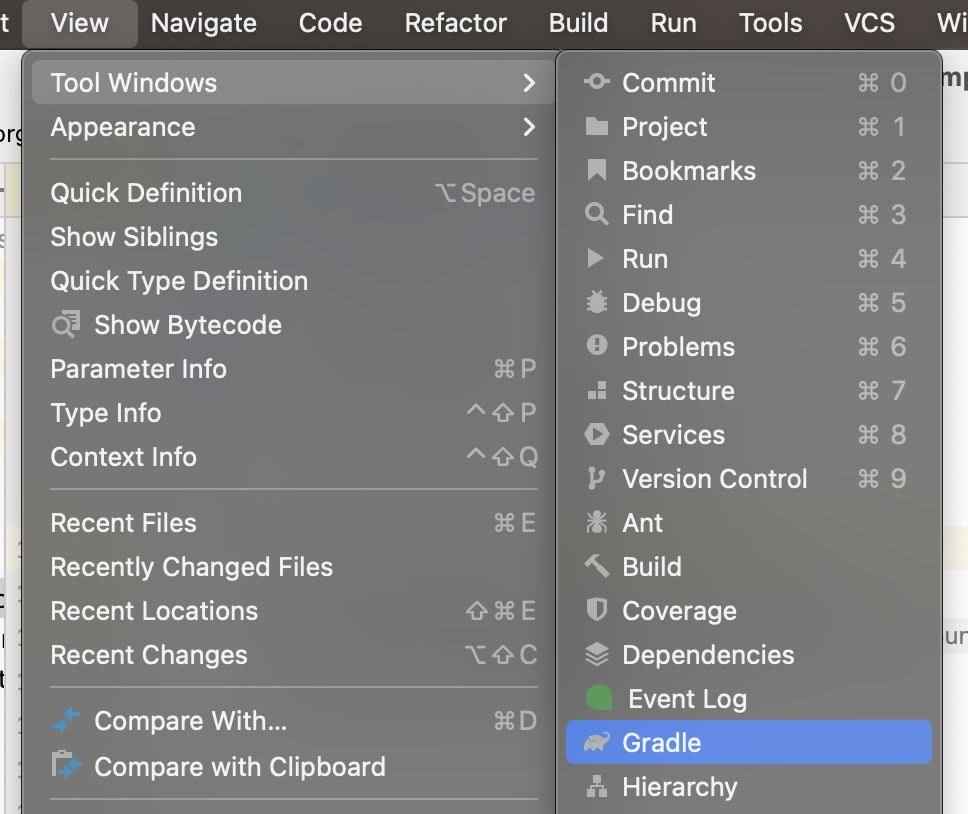
- Now, Click on the gear icon and select: Gradle Settings..

- Now under Build and run select Build and run using IntelliJ IDEA instead of Gradle (default)
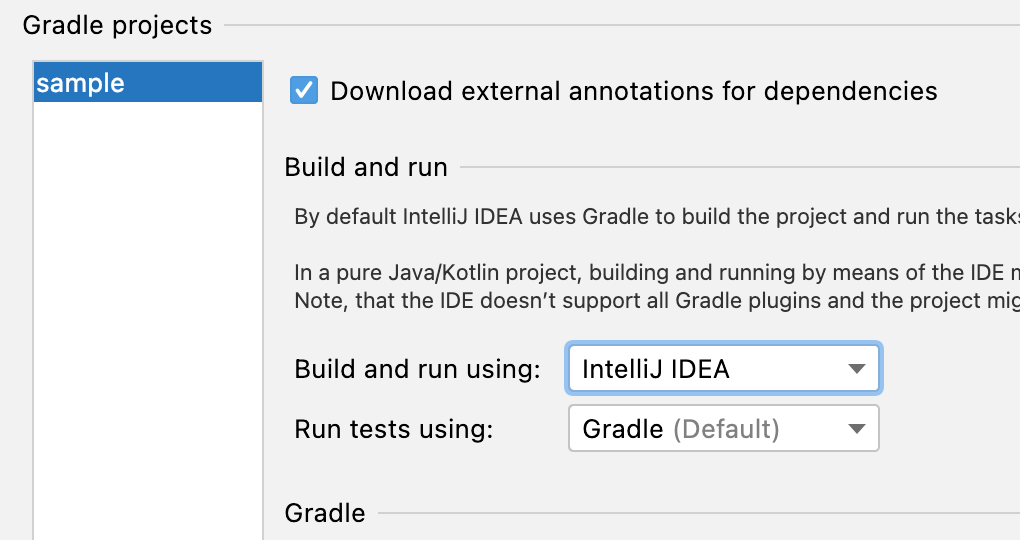
Now when you will run your Java main method the Gradle build will not happen and your execution will be super quick!
Provide Feedback For This Article
We take your feedback seriously and use it to improve our content. Thank you for helping us serve you better!
😊 Thanks for your time, your feedback has been registered!
Comments & Discussion
Facing issues? Have questions? Post them here! We're happy to help!