
Invalid Gradle JDK configuration found. Could not find the required JavaSDK.
Open Gradle Settings
Change JDK location
To resolve this issue, follow these steps:
- Click on "Open Gradle Settings".
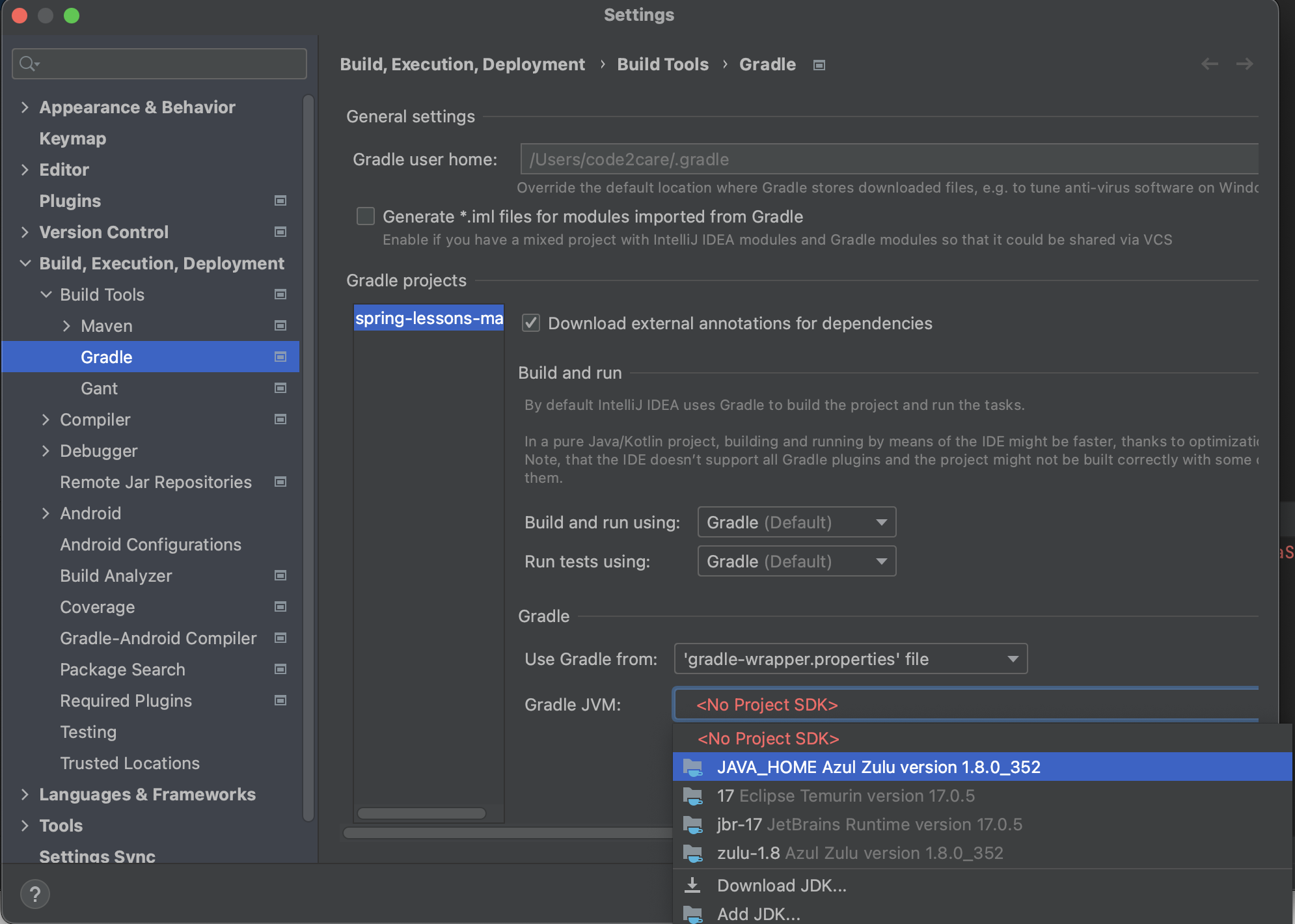
- This should open up the settings for Gradle.
- In the Gradle settings, look for the dropdown menu labeled "Gradle JVM".
- Select a JVM that you have installed on your device from this dropdown menu.
Open the build.gradle file and do a refresh, once done, go to Menu: Build -> Build Project
By following these steps, you should be able to resolve the Gradle build error and continue working with the project in IntelliJ IDEA.
Provide Feedback For This Article
We take your feedback seriously and use it to improve our content. Thank you for helping us serve you better!
😊 Thanks for your time, your feedback has been registered!
Comments & Discussion
Facing issues? Have questions? Post them here! We're happy to help!