
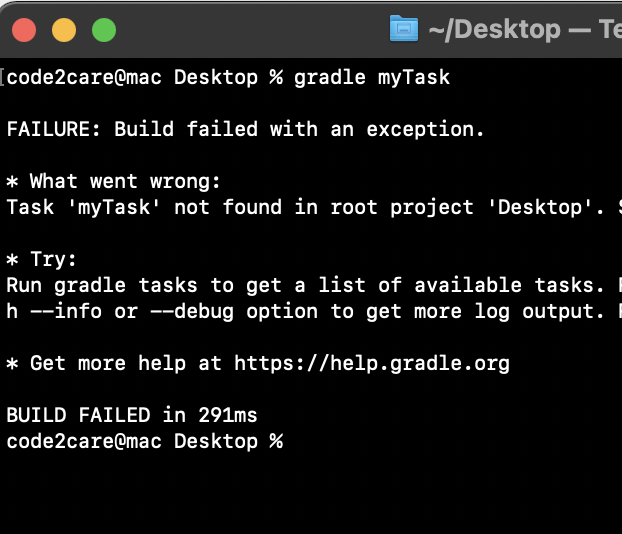
code2care@mac Desktop % gradle myTask

FAILURE: Build failed with an exception.

* What went wrong:
Task 'myTask' not found in root project 'my-java-project'. Some candidates are: 'tasks'.

* Try:
Run gradle tasks to get a list of available tasks. Run with --stacktrace option to get the stack trace.
Run with --info or --debug option to get more log output. Run with --scan to get full insights.

* Get more help at https://help.gradle.org

BUILD FAILED in 318ms
If you ran into the above error while trying to build your Java code using Gradle, the reason could be one of the following,
- Make sure that the task that you are trying to run is available in your build.gradle file.
- The build.gradle file maybe missing in your project folder, make sure it is available under the root folder, example: if my-java-project is my project folder, just inside it you must have your build.gradle file.
- Did you spell the Gradle build file right: If you created your build script manually make sure its spelled right.
Solution: The above error was solved when I placed the below build.gradle file in my-java-project folder,
task helloWorld {

 doLast {
  println 'Hello World!'
 }

}code2care@mac gradle-examples % gradle helloWorld
> Task :helloWorld
Hello World!
BUILD SUCCESSFUL in 606ms
1 actionable task: 1 executedProvide Feedback For This Article
We take your feedback seriously and use it to improve our content. Thank you for helping us serve you better!
😊 Thanks for your time, your feedback has been registered!
Comments & Discussion
Facing issues? Have questions? Post them here! We're happy to help!