
You can install AWS Toolkit for Visual Studio Code (VS Code) using the extension option,
Steps:- Open Visual Studio Code,
- Click on the Extensions icon (or go to Preferences -> Extensions)
- Type: AWS Toolkit
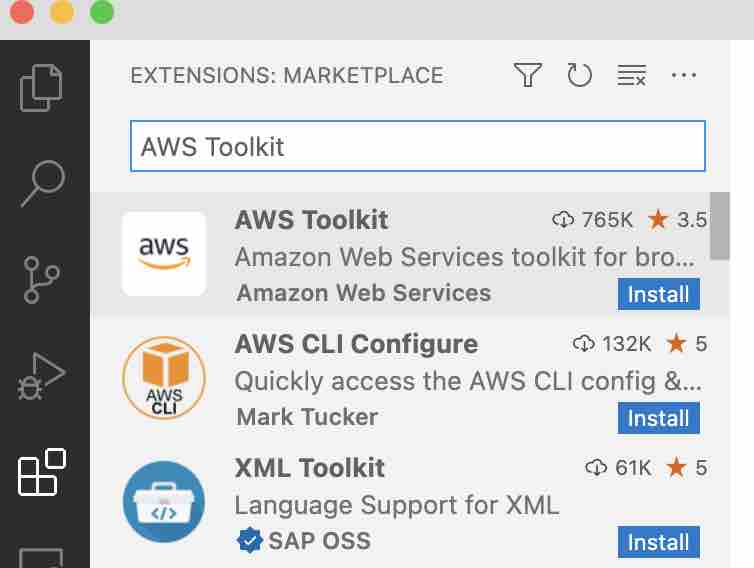
- Click on the install button
- Once AWS toolkit is installed you should see a notification: You are now using AWS Toolkit 1.49.0
Once the Toolkit is installed you will see an AWS Icon on your VS Code Menu,
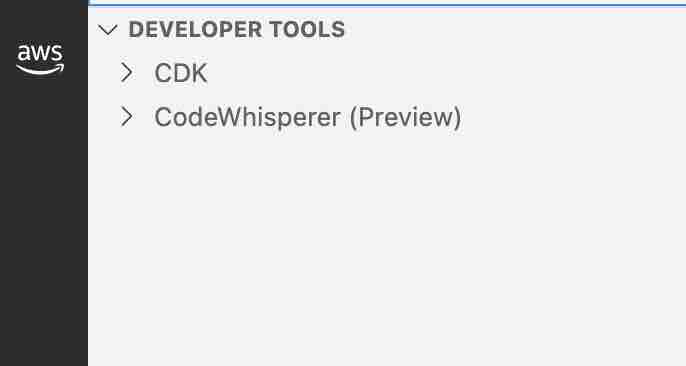

You can also you this direct link to reach to the Toolkit: https://marketplace.visualstudio.com/items?itemName=AmazonWebServices.aws-toolkit-vscode
AWS Toolkit Extension Details:
Name: AWS Toolkit
Id: amazonwebservices.aws-toolkit-vscode
Description: Amazon Web Services toolkit for browsing and updating cloud resources
Version: 1.49.0
Publisher: Amazon Web Services
VS Marketplace Link: https://marketplace.visualstudio.com/items?itemName=AmazonWebServices.aws-toolkit-vscodeProvide Feedback For This Article
We take your feedback seriously and use it to improve our content. Thank you for helping us serve you better!
😊 Thanks for your time, your feedback has been registered!
Comments & Discussion
Facing issues? Have questions? Post them here! We're happy to help!