
Below are the list of AWS CLI 2 command options that you make use of with S3 ls command,
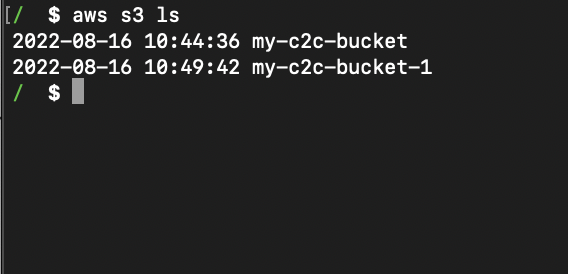
Example 1: To get a list of all S3 buckets in your AWS account,
% aws s3 ls2022-08-16 10:44:36 my-code2care-bucket-1
2022-08-16 10:49:42 my-code2care-bucket-2Example 2: To get a list of all objects within a specific S3 bucket,
% aws s3 ls s3://my-code2care-bucket-12022-08-16 11:13:09 13 test.txt
2022-08-16 11:13:23 131 myfile.txtExample 3: To get a list of all s3 buckets that match the regex,
Note: Though this is not a completely s3 command but a combination of grep to filter out what you want to see,
% aws s3 ls | grep my*

2022-08-16 10:44:36 my-cod2care-bucket-1
2022-08-16 10:49:42 my-code2care-bucket-2
Example 4: List all the Recursively prefixes and objects in a bucket --recursive
% aws s3 ls s3://my-code2care-bucket-1 --recursive

2022-08-16 11:53:12          0 myfiles/a.txt
2022-08-16 11:53:12          0 myfiles/b.txt
2022-08-16 11:53:12         13 test.txt
Example 5: Limit the number of results returned by the ls command, --page-size (default 1000)
% aws s3 ls --page-size 50Example 6: Display objects/file size in human-readable format: --human-readable
% aws s3 ls s3://my-code2care-bucket-1 --human-readable
                           PRE myfiles/
2022-08-16 11:53:12   13 Bytes test.txt
Example 7: Display the total number of objects and size of the bucket
% aws s3 ls s3://my-code2care-bucket-1 --summarize
                           PRE myfiles/
2022-08-16 11:53:12         13 test.txt

Total Objects: 1
Total Size: 13
Example 8: Display the total number of objects and size of the bucket in human-readable sizes Bytes/MiB/KiB/GiB/TiB/PiB/EiB
% aws s3 ls s3://my-code2care-bucket-1 --summarize --human-readable
                           PRE myfiles/
2022-08-16 11:53:12   13 Bytes test.txt

Total Objects: 1
Total Size: 13 BytesProvide Feedback For This Article
We take your feedback seriously and use it to improve our content. Thank you for helping us serve you better!
😊 Thanks for your time, your feedback has been registered!
Comments & Discussion
Facing issues? Have questions? Post them here! We're happy to help!