If you are looking for the location where JDK is installed or want to change the default location set in Android Studio then follow the below-given steps :
- One Android Studio, You would get the Welcome Screen.
- Under Quick Start, select Configure.
- Now click on Project Defaults.
- Click on Project Structures.
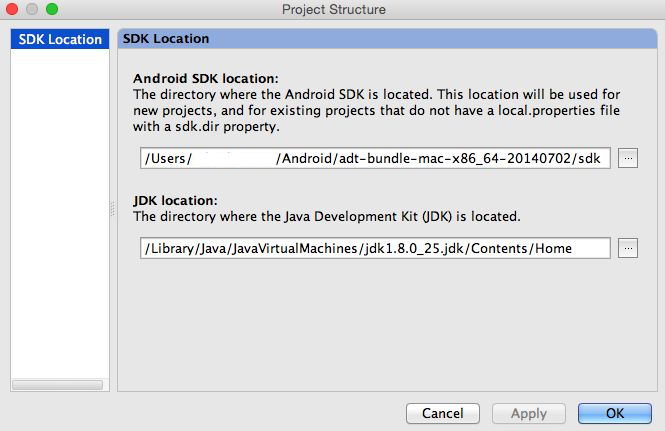
- Now you with get a window with JDK Location, if you are on Mac OS X the location is something like /Library/Java/JavaVirtualMachines/jdk1.8.0_25.jdk/Contents/Home
- Change the location and Apply Changes.

This is not an AI-generated article but is demonstrated by a human on an M1 Mac running macOS Sonoma 14.0.
Please support independent contributors like Code2care by donating a coffee.
Buy me a coffee!
Comments & Discussion
Facing issues? Have questions? Post them here! We're happy to help!