
As you may have noticed in the recent Android Studio versions, the Emulator is attached to the IDE window. If you want to show the Emulator on a separate pop-out window follow the below steps,
- Run the Emulator,
- Now, Click on the Gear Icon,
- View Mode -> Window
- The Emulator should open-up in a separate Window.
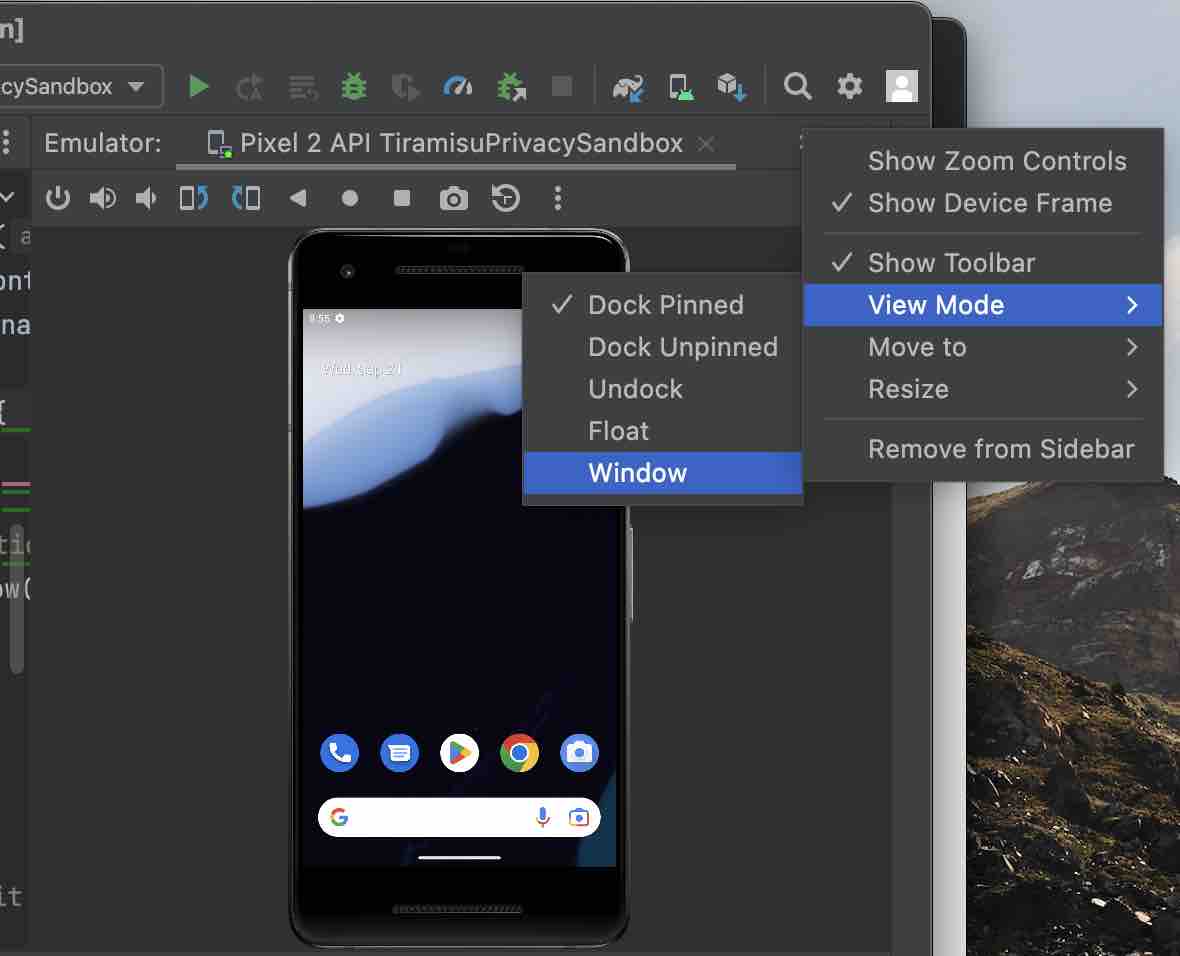
View Points available for the Emulator
- Dock Pinned
- Dock Unpinned
- Undock
- Float
- Window
Provide Feedback For This Article
We take your feedback seriously and use it to improve our content. Thank you for helping us serve you better!
😊 Thanks for your time, your feedback has been registered!
Comments & Discussion
Facing issues? Have questions? Post them here! We're happy to help!