If you do not want the spell check feature that is enabled by default in IntelliJ Android Studio IDE then follow the below-given steps,
- Go to Android Studio -> Preferences on your macOS (Should be Window -> Preferences on Windows OS)
- Now look for Inspections (if you can't trace it just use the Search)
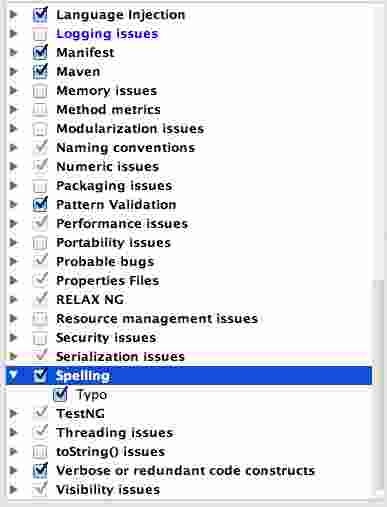
- Now look for the Spellings check box and uncheck it (this also unchecks the Typo)
- Apply and Close
- That's it!! You would now not see any Typo or spelling correction highlights in Android Studio

This is not an AI-generated article but is demonstrated by a human on an M1 Mac running macOS Sonoma 14.0.
Please support independent contributors like Code2care by donating a coffee.
Buy me a coffee!
Comments & Discussion
Facing issues? Have questions? Post them here! We're happy to help!