
A new command line tool trurl (tr stands for translate or transpose) has been recently released by Daniel Stenberg, the developer of cURL.
This tool makes working with URLs in shell scripts easier to parse URLs and address security problems associated with them while working with shell scripts.
⛏️ trurl stands for "translate or transpose URLs"
One of the great things about trurl is that it uses the libcurl URL parser, so it understands URLs in the same way that cURL, the popular command line tool, does. This makes it the perfect companion tool for curl users who want to parse and manipulate URLs more efficiently.
trurl is more than just a URL parser. It also helps to solve the many security problems associated with working with URLs. With trurl, you can feel confident that you're working with URLs safely and securely.
How to pronounce trurl? It's simple – just say "trurel", as if an 'e' existed between the r and l at the end.
How to install trrul
If you are on the Mac (macOS) or Linux (Ubuntu or other distributions) you can make use of homebrew package manager.
Installation Command:brew install trurltrurl Examples
man command
% man trurl

trurl(1)                                     trurl Manual                                     trurl(1)

NAME
       trurl - transpose URLs

SYNOPSIS
       trurl [options]

DESCRIPTION
       trurl parses, manipulates and outputs URLs and parts of URLs.

       It uses the RFC 3986 definition of URLs and it uses libcurl's URL parser to do so, which
       includes a few "extensions".

       Typically you set a few inputs and decide what of that you want output.
To know the version
% trurl --version
trurl version 0.2 libcurl/7.86.0
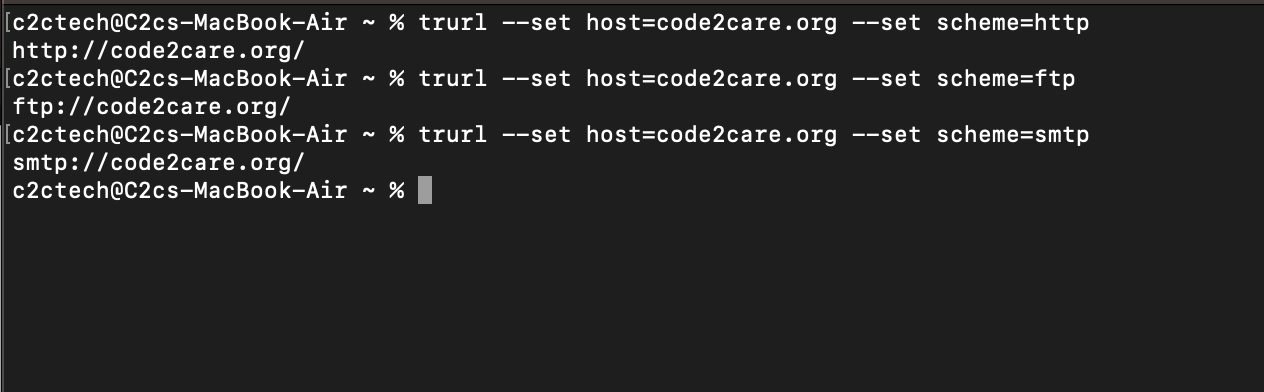
Create a URL using --set option
% trurl --set host=code2care.org --set scheme=http
http://code2care.org/

% trurl --set host=code2care.org --set scheme=ftp
ftp://code2care.org/

% trurl --set host=code2care.org --set scheme=smtp
smtp://code2care.org/
Use -s or --set to set the URL component. Note: Setting blank string ("") will clear it from the URL.
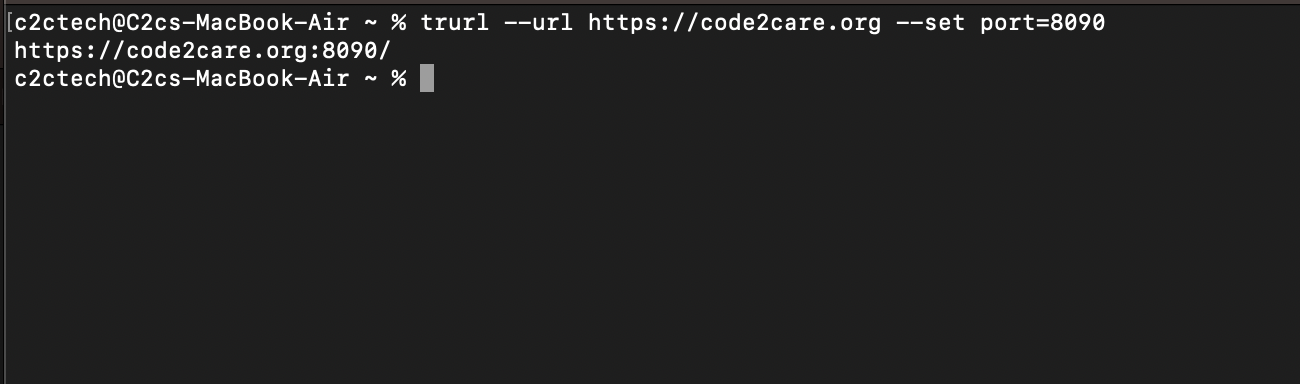
Change PORT of a URL
https://code2care.org:8090% trurl --url https://code2care.org --set port=8090--url option: To set the input URL to work with.
Replace the host name of a URL
% trurl --url https://code2care.org --set host=example.com
https://example.com/
Extract the path from a URL
% trurl --url https://code2care.org/tools/json --get '{path}'
/tools/json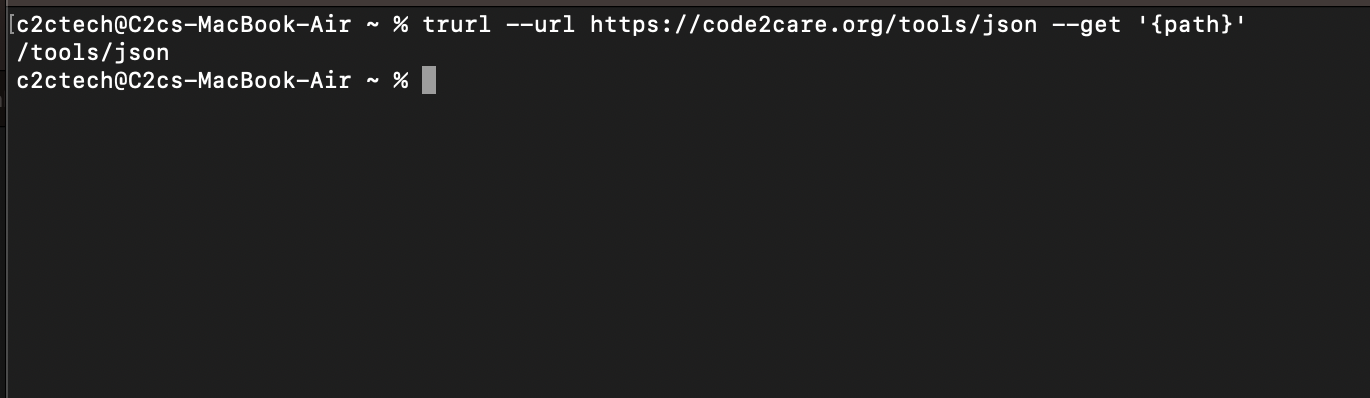
Append to a path of a URL
trurl --url https://code2care.org/year --append path=2023
https://code2care.org/year/2023
Append a query string to a URL
% trurl --url "https://code2care.org?topic=java" --append query=year=2023
https://code2care.org/?topic=java&year=2023
Read URLs from stdin (Example: A file)
cat urls.txt | trurl --url-file -
https://code2care.org/
https://example.com/
Make use of -f or --url-file to read URLs from the given file. Use the file name "-" to let trurl read the URLs from stdin.
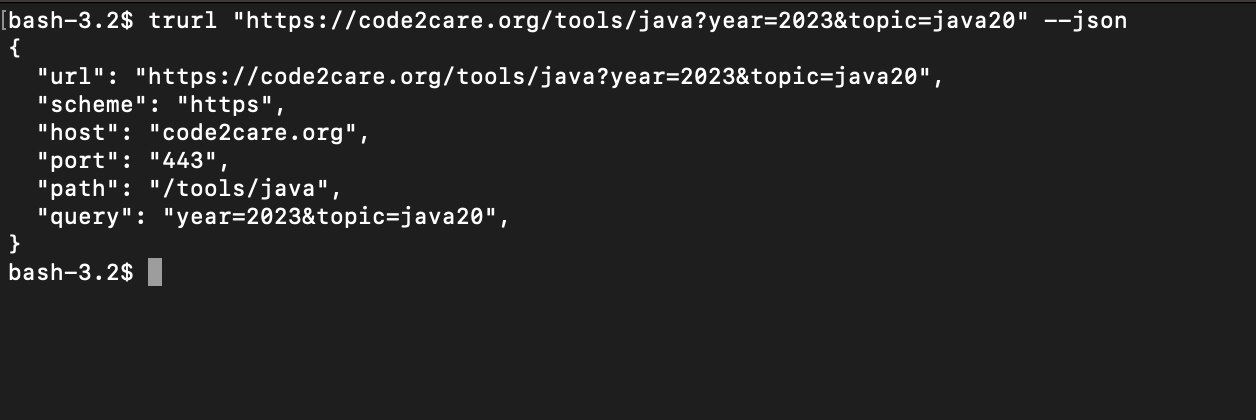
Output JSON for a URL
Use --json flag to output all components of the URL as a JSON object.
trurl "https://code2care.org/tools/java?year=2023&topic=java20" --json
{
  "url": "https://code2care.org/tools/java?year=2023&topic=java20",
  "scheme": "https",
  "host": "code2care.org",
  "port": "443",
  "path": "/tools/java",
  "query": "year=2023&topic=java20",
}
References & Related Articles:
1) Official Webpage of trurl: https://curl.se/trurl/
2) GitHub repository: https://github.com/curl/trurl
3) trurl man page: https://curl.se/trurl/manual.html
4) Blog Post by https://daniel.haxx.se/blog/2023/04/03/introducing-trurl/
5) tr (Unix) Wiki: https://en.wikipedia.org/wiki/Tr_(Unix)
6) Install Homebrew on macOS https://code2care.org/howto/install-brew-m1-m2-arm-macProvide Feedback For This Article
We take your feedback seriously and use it to improve our content. Thank you for helping us serve you better!
😊 Thanks for your time, your feedback has been registered!
Comments & Discussion
Facing issues? Have questions? Post them here! We're happy to help!