
To unzip a zip file in Ubuntu Linux Terminal, you will need to make sure you have the unzip binary installed.
# unzip -v

bash: unzip: command not found
If you get back "unzip command not found" then you do not have unzip installed (you can also try using which command).
Installing unzip package
Open the Terminal app and run the below command.
# sudo apt install unzip

Reading package lists... Done
Building dependency tree... Done
Reading state information... Done
Suggested packages:
  zip
The following NEW packages will be installed:
  unzip
0 upgraded, 1 newly installed, 0 to remove and 0 not upgraded.
Need to get 171 kB of archives.
After this operation, 360 kB of additional disk space will be used.
Get:1 http://ports.ubuntu.com/ubuntu-ports jammy-updates/main arm64 unzip arm64 6.0-26ubuntu3.1 [171 kB]
Fetched 171 kB in 1s (237 kB/s)
debconf: delaying package configuration, since apt-utils is not installed
Selecting previously unselected package unzip.
(Reading database ... 4457 files and directories currently installed.)
Preparing to unpack .../unzip_6.0-26ubuntu3.1_arm64.deb ...
Unpacking unzip (6.0-26ubuntu3.1) ...
Setting up unzip (6.0-26ubuntu3.1) ...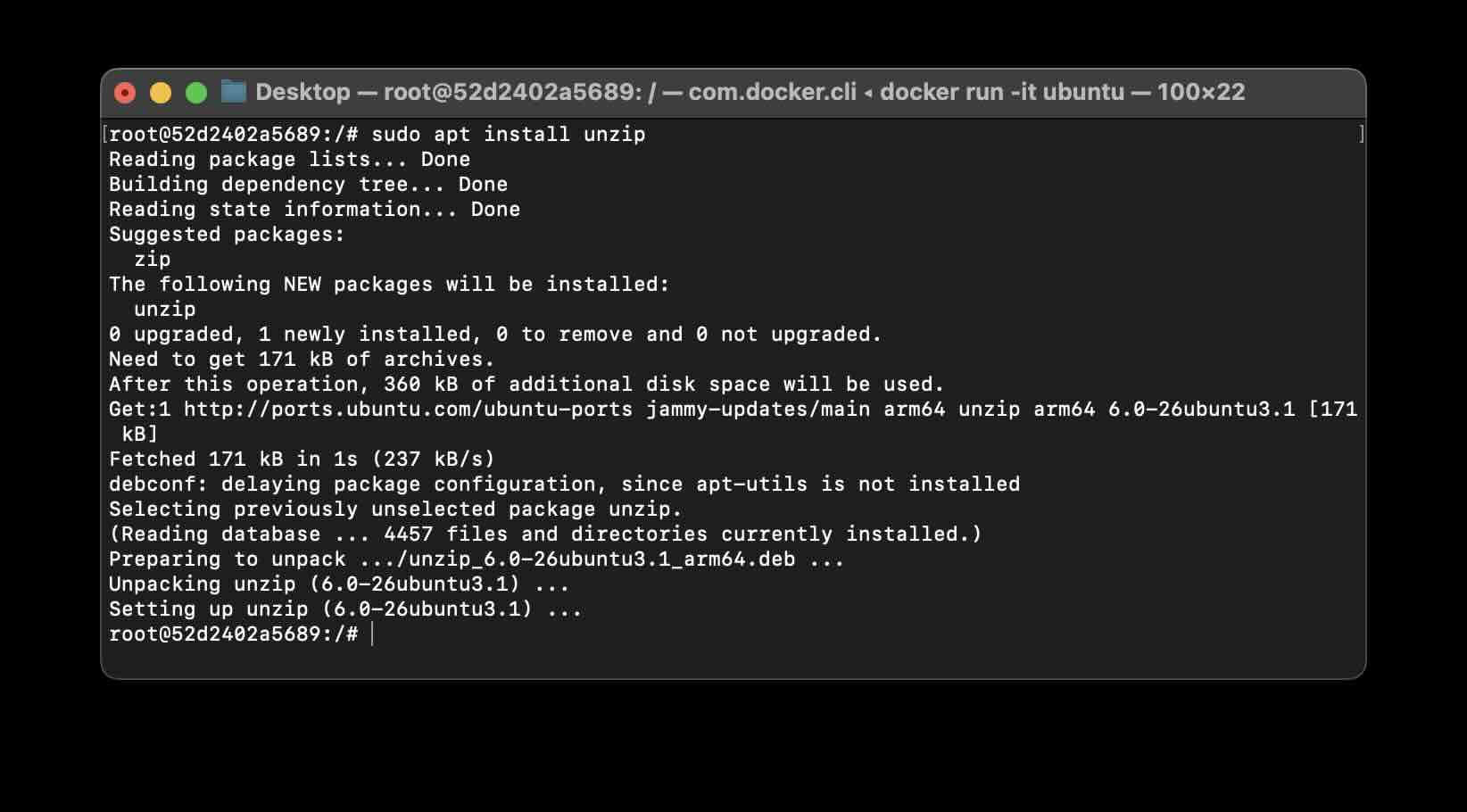
Now let's try the version command again,
# unzip -v

UnZip 6.00 of 20 April 2009, by Debian. Original by Info-ZIP.

Latest sources and executables are at ftp://ftp.info-zip.org/pub/infozip/ ;
see ftp://ftp.info-zip.org/pub/infozip/UnZip.html for other sites.

Compiled with gcc 11.2.0 for Unix (Linux ELF).
We are good to make use of this unzip a zip file using our Linux Terminal.
Unzipping a file
Syntax:
unzip zip-file-name.zip -d destination-directoryExample:
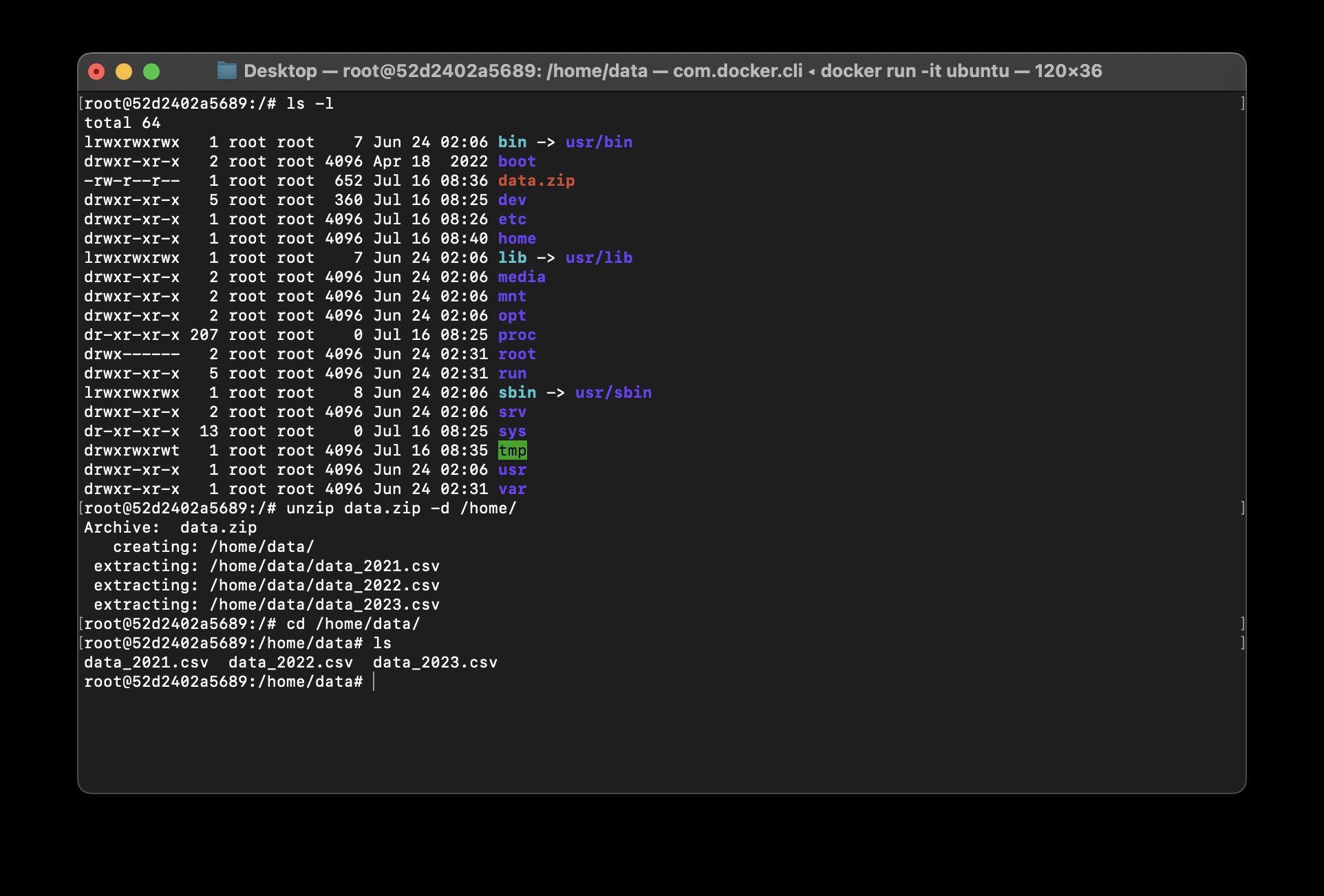
# ls -l
total 64
lrwxrwxrwx   1 root root    7 Jun 24 02:06 bin -> usr/bin
drwxr-xr-x   2 root root 4096 Apr 18  2022 boot
-rw-r--r--   1 root root  652 Jul 16 08:36 data.zip
drwxr-xr-x   5 root root  360 Jul 16 08:25 dev
drwxr-xr-x   1 root root 4096 Jul 16 08:26 etc
drwxr-xr-x   2 root root 4096 Apr 18  2022 home
lrwxrwxrwx   1 root root    7 Jun 24 02:06 lib -> usr/lib
drwxr-xr-x   2 root root 4096 Jun 24 02:06 media
drwxr-xr-x   2 root root 4096 Jun 24 02:06 mnt
drwxr-xr-x   2 root root 4096 Jun 24 02:06 opt
dr-xr-xr-x 207 root root    0 Jul 16 08:25 proc
drwx------   2 root root 4096 Jun 24 02:31 root
drwxr-xr-x   5 root root 4096 Jun 24 02:31 run
lrwxrwxrwx   1 root root    8 Jun 24 02:06 sbin -> usr/sbin
drwxr-xr-x   2 root root 4096 Jun 24 02:06 srv
dr-xr-xr-x  13 root root    0 Jul 16 08:25 sys
drwxrwxrwt   1 root root 4096 Jul 16 08:35 tmp
drwxr-xr-x   1 root root 4096 Jun 24 02:06 usr
drwxr-xr-x   1 root root 4096 Jun 24 02:31 var

root@52d2402a5689:/# unzip data.zip -d /home/

Archive:  data.zip
   creating: /home/data/
 extracting: /home/data/data_2021.csv
 extracting: /home/data/data_2022.csv
 extracting: /home/data/data_2023.csv
In the below example, we unzipped the data.zip file under the /home directory, as you can see in the unzip logs, we extracted 3 files.
Provide Feedback For This Article
We take your feedback seriously and use it to improve our content. Thank you for helping us serve you better!
😊 Thanks for your time, your feedback has been registered!
Comments & Discussion
Facing issues? Have questions? Post them here! We're happy to help!