Below are the steps to install Java 21 JDK on Windows 11 PC.

Note: We will be installing Oracle OpenJDK Java 21 Standard Edition (SE)
Start typing to search commands...
Press Enter to search or Esc to close
Below are the steps to install Java 21 JDK on Windows 11 PC.
Note: We will be installing Oracle OpenJDK Java 21 Standard Edition (SE)

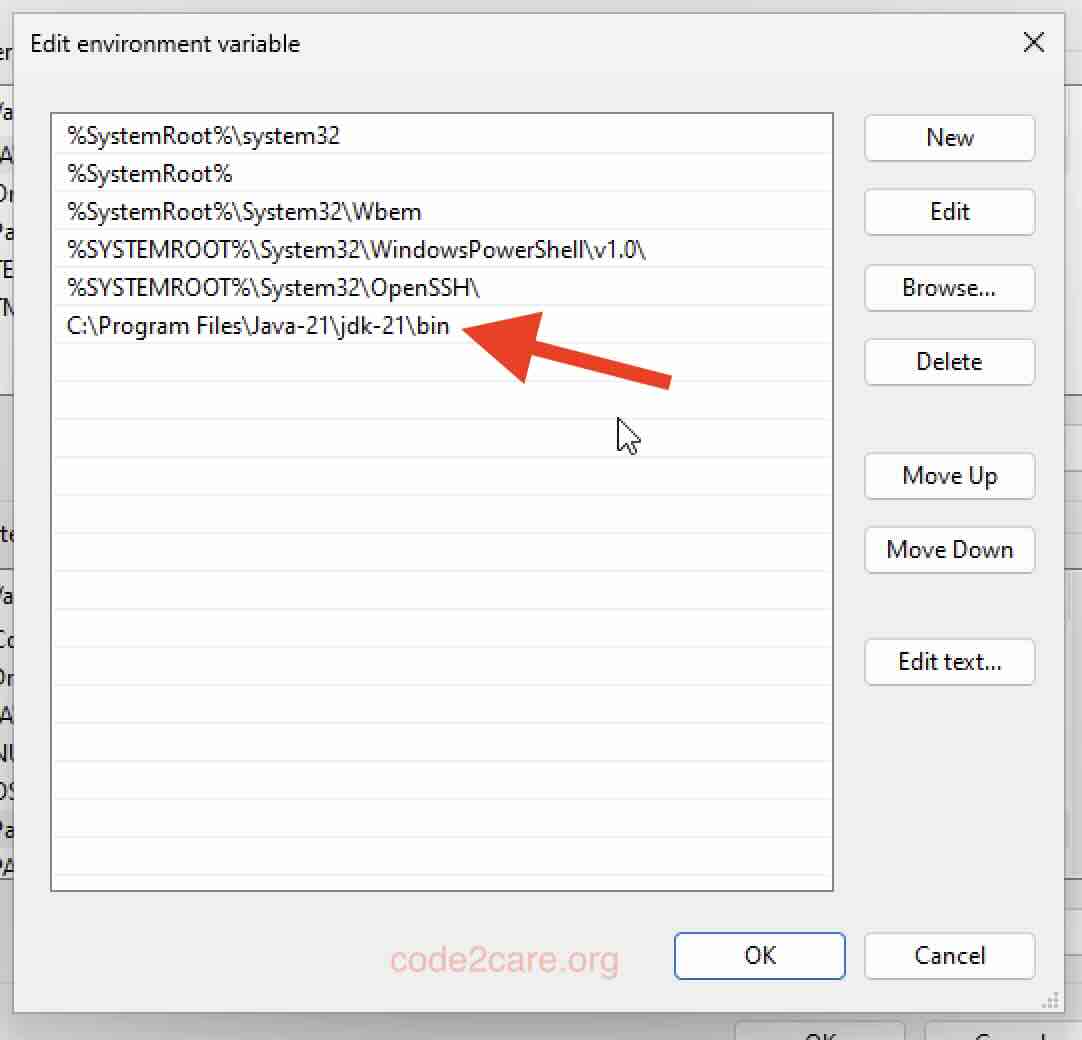
java --version

openjdk212023-69-19
OpenJDK Runtime Environment (build 21+35-2513)
OpenJDK 64-Bit Server VM (build 21+35-2513, mixed mode, sharing)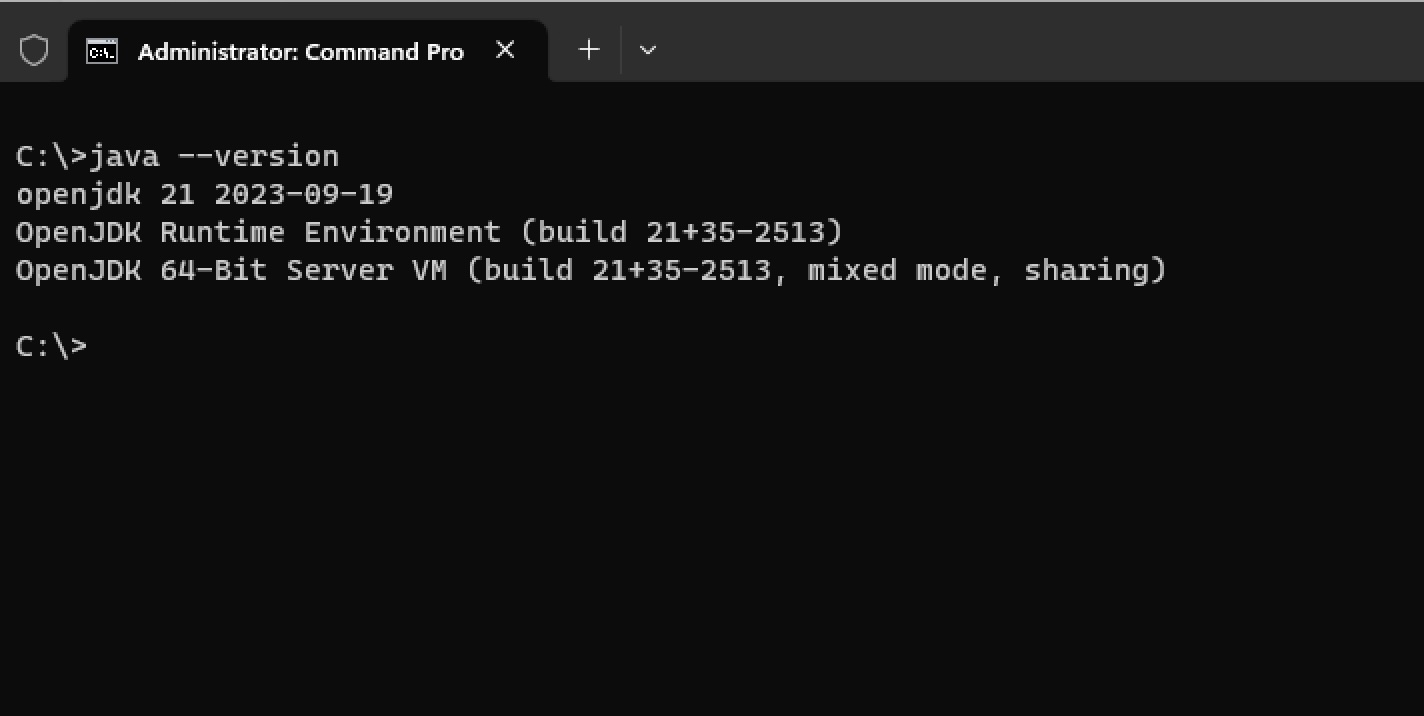
Thats all!
Note: If you have multiple Java JDKs installed on your PC, you may want to also set JAVA_HOME
We take your feedback seriously and use it to improve our content. Thank you for helping us serve you better!
😊 Thanks for your time, your feedback has been registered!
Comments & Discussion
Facing issues? Have questions? Post them here! We're happy to help!