
If you have ever used a Windows Operating System (especially windows 98, XP, and 2000 series OS) then you surely know what a “Blue screen of Death” or a “Blue screen of Doom” is! Every time you encounter this screen, you know there is something seriously wrong with either the hardware or the software. Similarly, we have a “Gray Screen of Death” for the Mac OS X which I didn’t know until I encountered it.

I recently upgraded my Mac Mini from 10.9.3 Mavericks to 10.9.4. After the upgrade, the system seemed to be quite sluggish and almost hanged at times!!. The next day after the upgrade I was working with Eclipse IDE and Safari window was open, the system hanged!, I waited for some time (though maybe some Build activity was consuming up the resources) but nothing seemed to be happening, so I did a Forced Restart by holding down the Start button.
After restarting my Mac, I could see a Gray Screen with the Apple logo as usual, but there was also a Gray Color Spinner and a Progress Bar which we normally see when system restarts after upgrades. The Spinner was stuck in a loop for a long time.
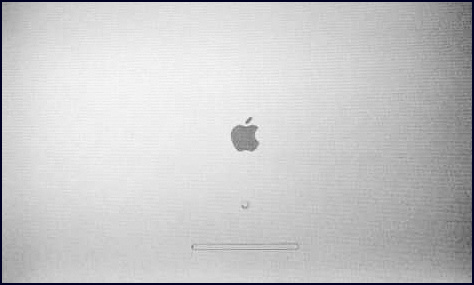
Just a few minutes later (25% completion of the progress bar) the Monitor went black and the Mac turned off. I did a restart again, but it was all the same, Gray Spinner and the Progress-Bar reaching unto 25% and the screen goes blank. Now I knew that I was in big trouble. First thing I realized that I didn’t do my weekly backup! If it turns out to be an OS crash or HDD failure I would lose all my data.
Recovery & Troubleshooting Mac Mini/Mac Book
I did some google search and found out that many people were facing this issue. Everything pointed out that I could be that the Hard-disk is dying.
It took me 2 days to restore my Mac Mini and to get all my data back. I am putting down all my experience here so that someone may find it useful.
Apple Startup Key Combinations (Intel-based Macs)
Note : Before we talk about this a really important note if you have a wireless Apple keyboard ( or maybe any other brand wireless keyboard) boot key combinations won’t work (though it may work for newer versions, mine is 2012 make). You have to get a wired keyboard preferably apple one ( i borrowed a Microsoft USB keyboard but it too did work, then I got a Logitech keyboard and it did work)
Initial Troubleshooting Steps
This may sound weird, but it does works sometimes. Turn off your PC and remove all connections. USB devices, HDMI cables, Mouse & Keyboard, etc, and the power cords. Reconnect your system after 10-20 mins with minimum peripherals ( keyboard and mouse ) and see if things get back to normal.
Force Shut down
Press and hold the Power Button on your Mac Mini ( or equivalent on your Mac Book, Mac Book Air) for 5-10 secs. Note that if you do a Force Shutdown when your system is running you may lose all your unsaved data, but not in our case as the OS is not getting loaded on the first-hand :P
Resetting PMU :
Power Management Unit (PMU) is a chip responsible for Mac's power management i.e. controlling HDD spin down, sleep and wake up and devices that are attached to the computer. Resetting PSU can resolve hardware failures related to power management. Resetting PMU also resets PRAM settings and it should be tried only after none of the below works,
1. Force Quit (Option + Command + Escape)

2. Restart (Control + Command + Power)

3. Force Shut down (Pressing Power button for 10 secs)Provide Feedback For This Article
We take your feedback seriously and use it to improve our content. Thank you for helping us serve you better!
😊 Thanks for your time, your feedback has been registered!
Comments & Discussion
Facing issues? Have questions? Post them here! We're happy to help!