
If you are new to Mac OS X Operating System and you just got-in a new Mac Mini, Mac Book, or a Mac Book Air, the first thing that you may have noticed is that the Scroll works opposite to that on a Windows Operating System. i.e. When you scroll Down the page scrolls Up and when you scroll Up the page scrolls Down.

If you want to change this setting follow the below steps,
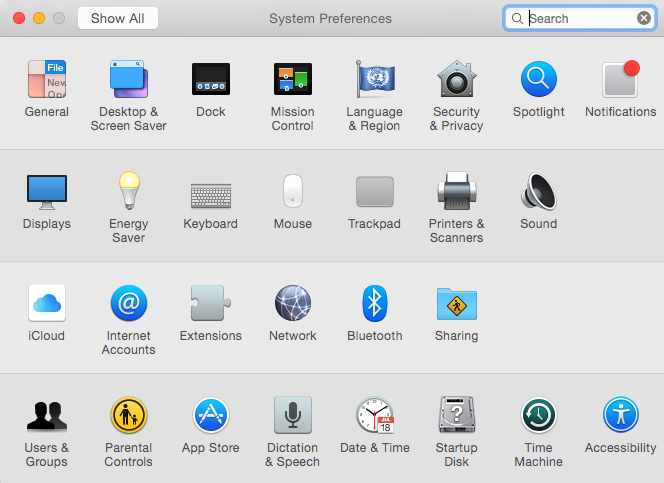
- Go to Spotlight Search, and type System Preferences, and Open it
- Now Click on Mouse, Deselect Scroll direction : natural Checkbox.
- That's it!, now try scrolling a webpage you will see that scroll down on mouse wheel will scroll the page down and vice-versa.

Provide Feedback For This Article
We take your feedback seriously and use it to improve our content. Thank you for helping us serve you better!
😊 Thanks for your time, your feedback has been registered!
Comments & Discussion
Facing issues? Have questions? Post them here! We're happy to help!