
In order to perform Cut, Copy and Paste operations on Nano editor you can make use of the keyboard combinations that you will see at the bottom of Nano text editor.

To better understand, follow the below gif demo,
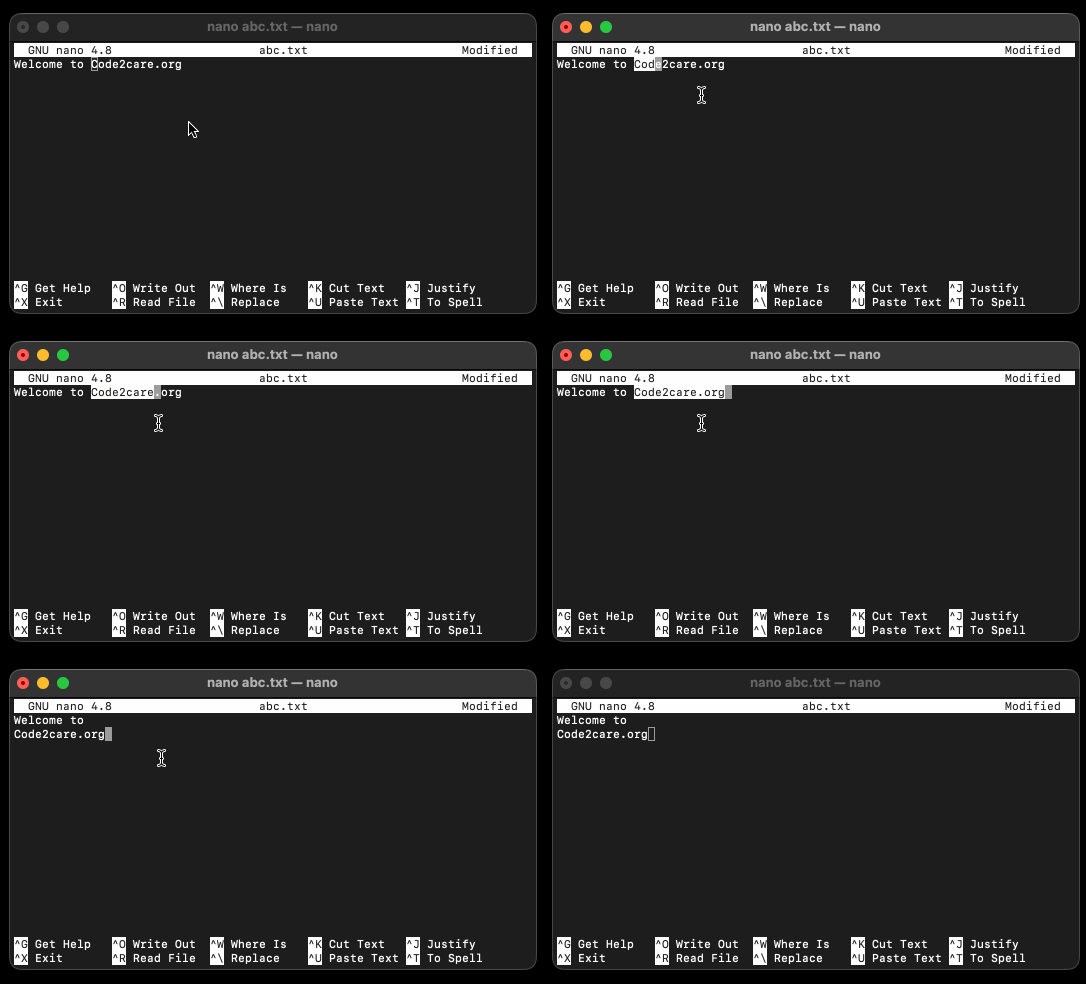
Step 1: Select/Highlight the text:
To select text to cut you can make use of Shift + Arrow Keys
Step 2: Cut the selected text:
After you select the text, press Control + K button to cut the text to the clipboard
Step 3: Paste the text from clipboard:
Move your cursor where you want to paste the text and press Control + U button
✌️In order to just copy the text in the clipboard, select the text and press Alt + 6 (this may not work on macOS)
Provide Feedback For This Article
We take your feedback seriously and use it to improve our content. Thank you for helping us serve you better!
😊 Thanks for your time, your feedback has been registered!
Comments & Discussion
Facing issues? Have questions? Post them here! We're happy to help!