
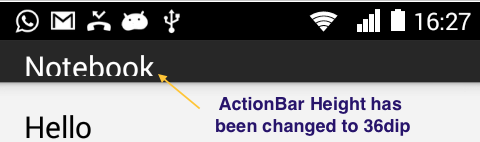
To change the Height of Android ActionBar,
1. Go to style.xml under values folder.
style.xml<resources>
<!-- Base application theme. -->
<style name="AppTheme" parent="Theme.AppCompat.Light.DarkActionBar">
<!-- set the height of Action Bar . -->
<item name="actionBarSize">36dip</item>
</style>
</resources>2. Now, add <item name="actionBarSize">36dip</item>
3. Go to AndroidManifest.xml and within <application> check that android:theme is set as name-value in style tag ( AppTheme in my case)
Provide Feedback For This Article
We take your feedback seriously and use it to improve our content. Thank you for helping us serve you better!
😊 Thanks for your time, your feedback has been registered!
Comments & Discussion
Facing issues? Have questions? Post them here! We're happy to help!