In order to format and to perform schema validation of XML files or text in Notepad++ you will need to make use of the XML Tools plugin which you can download using the Plugins Admin...,
Steps to install XML Tools
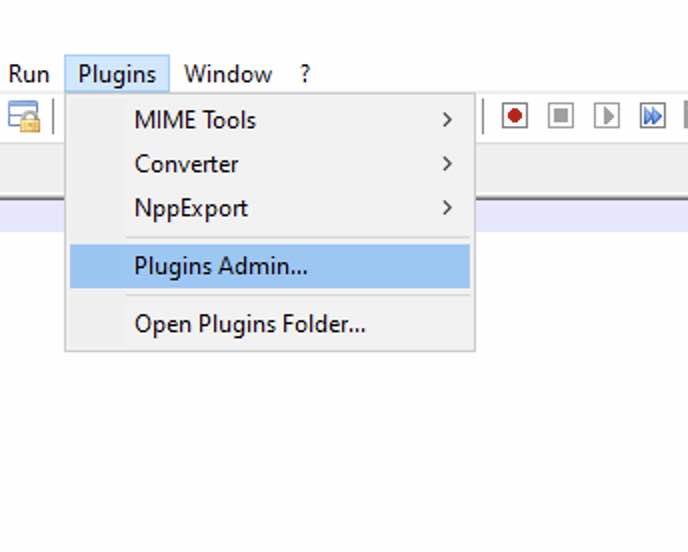
- Go to Menu: Plugins -> Plugin Admin...
- Search for XML Tools,
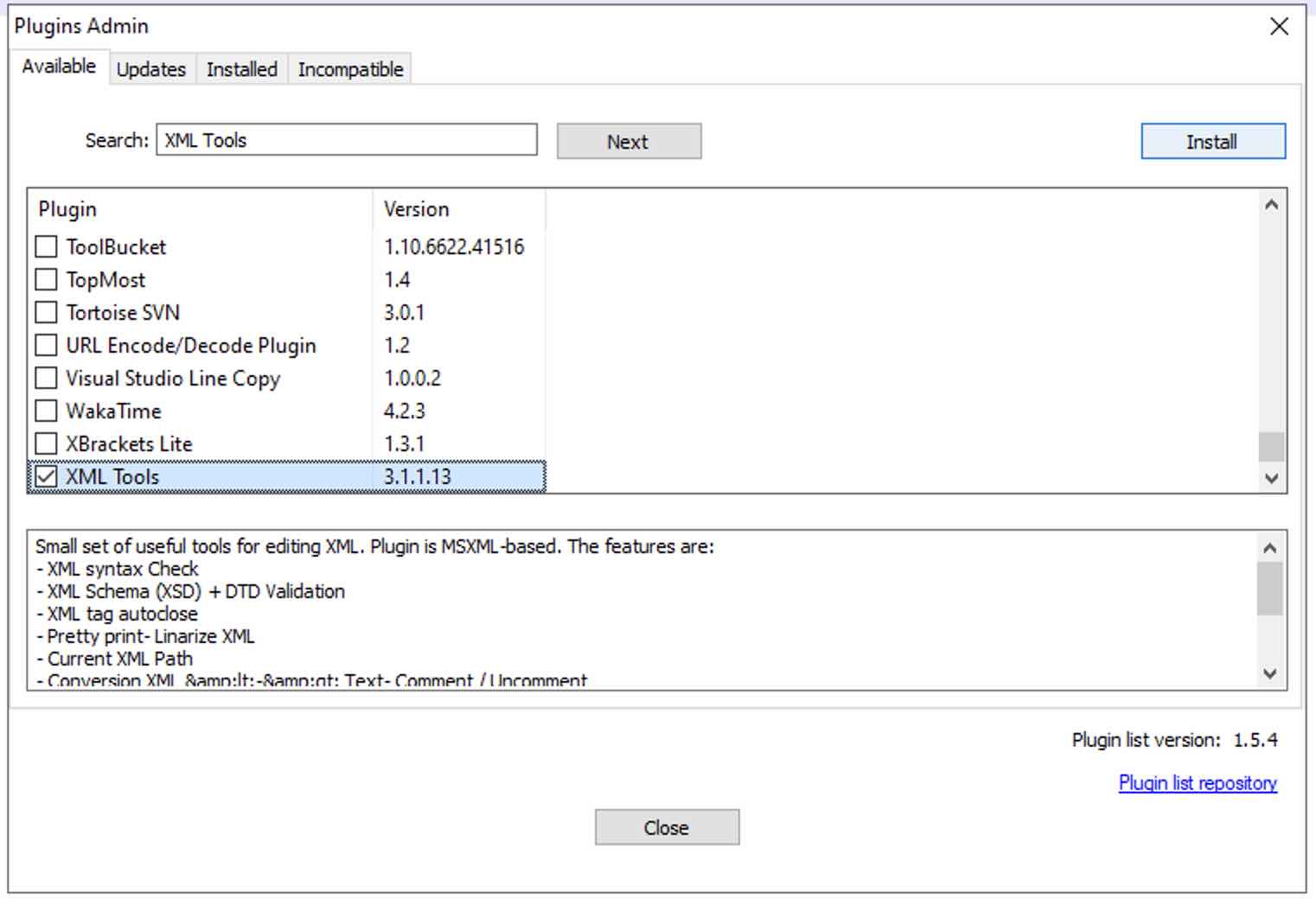
- Click on Install,
- Notepad++ will restart,
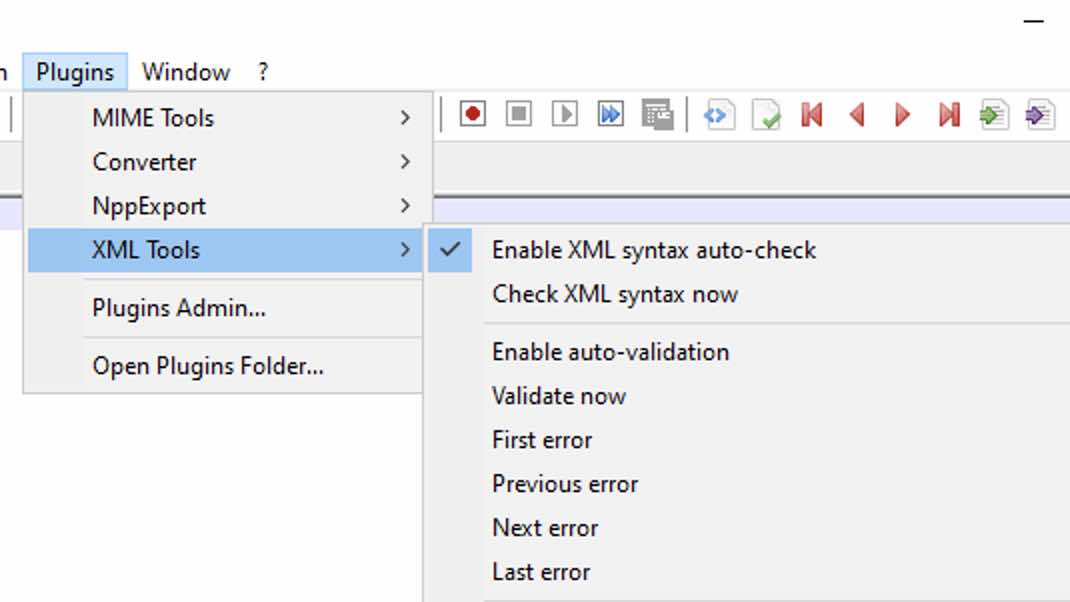
- Now under Plugins you should see an option of XML Tools,
Small set of useful tools for editing XML.

The plugin is MSXML-based.

The features are:
- XML syntax Check
- XML Schema (XSD) + DTD Validation
- XML tag autoclose
- Pretty print
- Linarize XML
- Current XML Path
- Conversion XML <-> Text
- Comment / Uncomment
- XPath expression evaluation

Author: Nicolas Crittin
Homepage: https://github.com/morbac/xmltools
This is not an AI-generated article but is demonstrated by a human on a Windows 11 device.
Please support independent contributors like Code2care by donating a coffee.
Buy me a coffee!
Comments & Discussion
Facing issues? Have questions? Post them here! We're happy to help!