
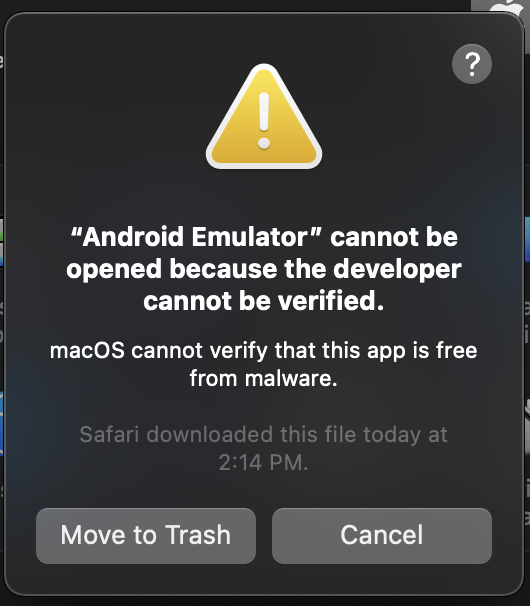
I recently downloaded the Android Emulator that could run natively on an M1 Silicon Mac computer, when I installed the DMG file and ran it for the first time, I got the below error,
⚠️

“Android Emulator” cannot be opened because
the developer cannot be verified.

macOS cannot verify that this app is free from malware.

Safari downloaded this file today at 2:14 PM.

Move to Thrash   Cancel
I downloaded the dmg file from a know Github repo - Well this is common behavior on Apple macOS, where when you download an application setup from the internet, it blocks it for security reasons. now, how can I get pass through this warning and run the emulator!
Steps to fix this warning:- Click on Cancel on the message,
- Now go to Apple Menu: System Preferences...
- Click on Security & Privacy,
- Go to Genrals Tab,
- Here you should see "Allow apps downloaded from: "Android Emulator" was blocked from use. because it is not from an identified developer.
- Click on the lock to Autenticate and make changes:
- Click on open Anyways
- You will again see a warning: Just click on Open button
macOS cannot verify the developer of “Android Emulator”.
Are you sure you want to open it?

By opening this app, you will be overriding system security
which can expose your computer and personal information
 to malware that may harm your Mac or compromise your
 privacy.

Safari downloaded this file today at 2:14 PM.

Open
Move to Trash
Cancel
You would see that the emulator window opens up, you will see a message to how to connect this emulator with Android Studio,
Could not automatically detect an ADB binary. Some emulator functionality will not work until a custom path to ADB is added. This can be done in Extended Controls (...) > Settings > General tab > 'Use detected ADB location'
Have Questions? Post them here!
Provide Feedback For This Article
We take your feedback seriously and use it to improve our content. Thank you for helping us serve you better!
😊 Thanks for your time, your feedback has been registered!
Comments & Discussion
Facing issues? Have questions? Post them here! We're happy to help!