
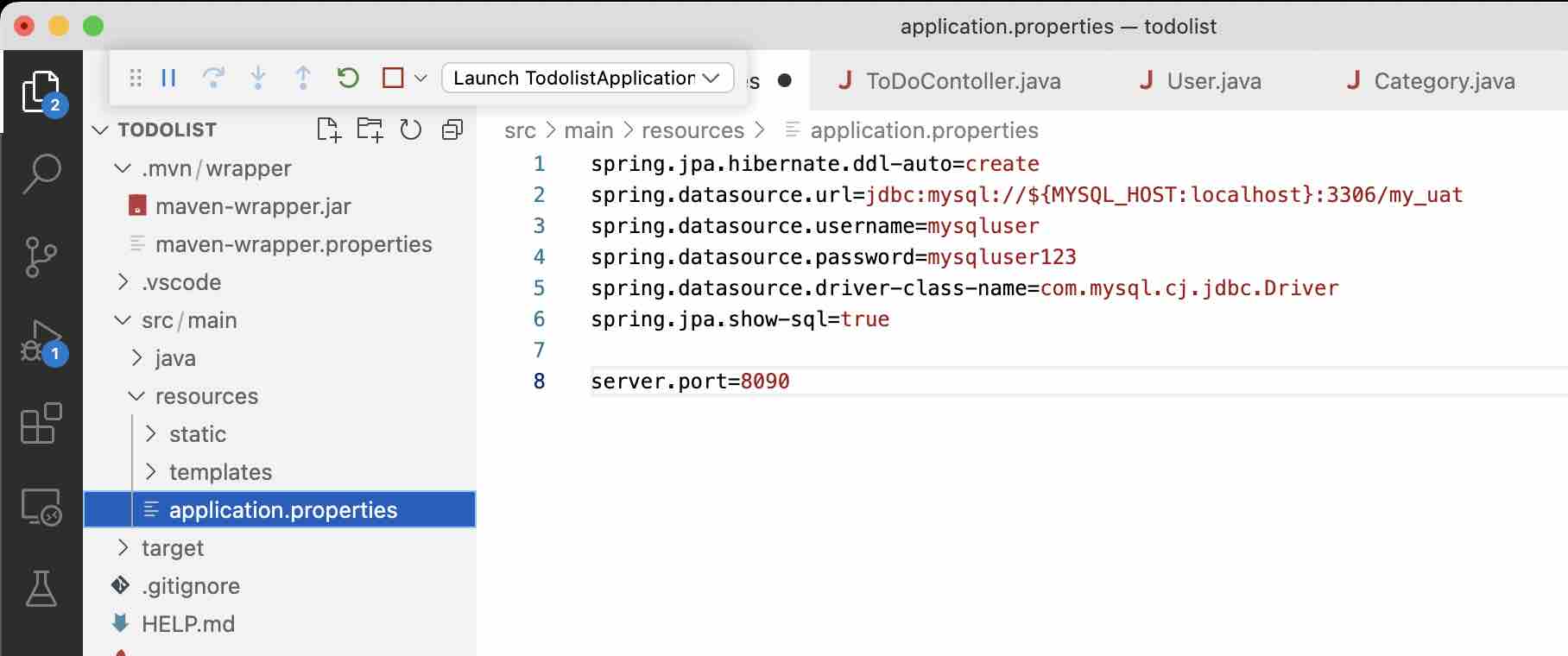
By default, all applications that you create using Spring Boot will run on Port 8080, if you want your application to run on some other port, you need to add server.port property in the application.properties file located in the resources folder.
1. Change default 8080 Port using configuration file
- Go to src > main > resources package in your project,
- If you have a application.properties file,
server.port=<custom_port_no>
- If you have application.yml file,
server:
port: <custom_port_no> - Save the file.
- Run your Spring Boot app and it should now run on the custom port you set.
2. Change default 8080 Port using VM Argument in IDE
You can also change the default port using the VM Argument, add it to your IDE,
IntelliJ IDE- Go to Menu: Run,
- Select Edit Configurations.
- Now in VM options add -Dserver.port=<custom_port_number>
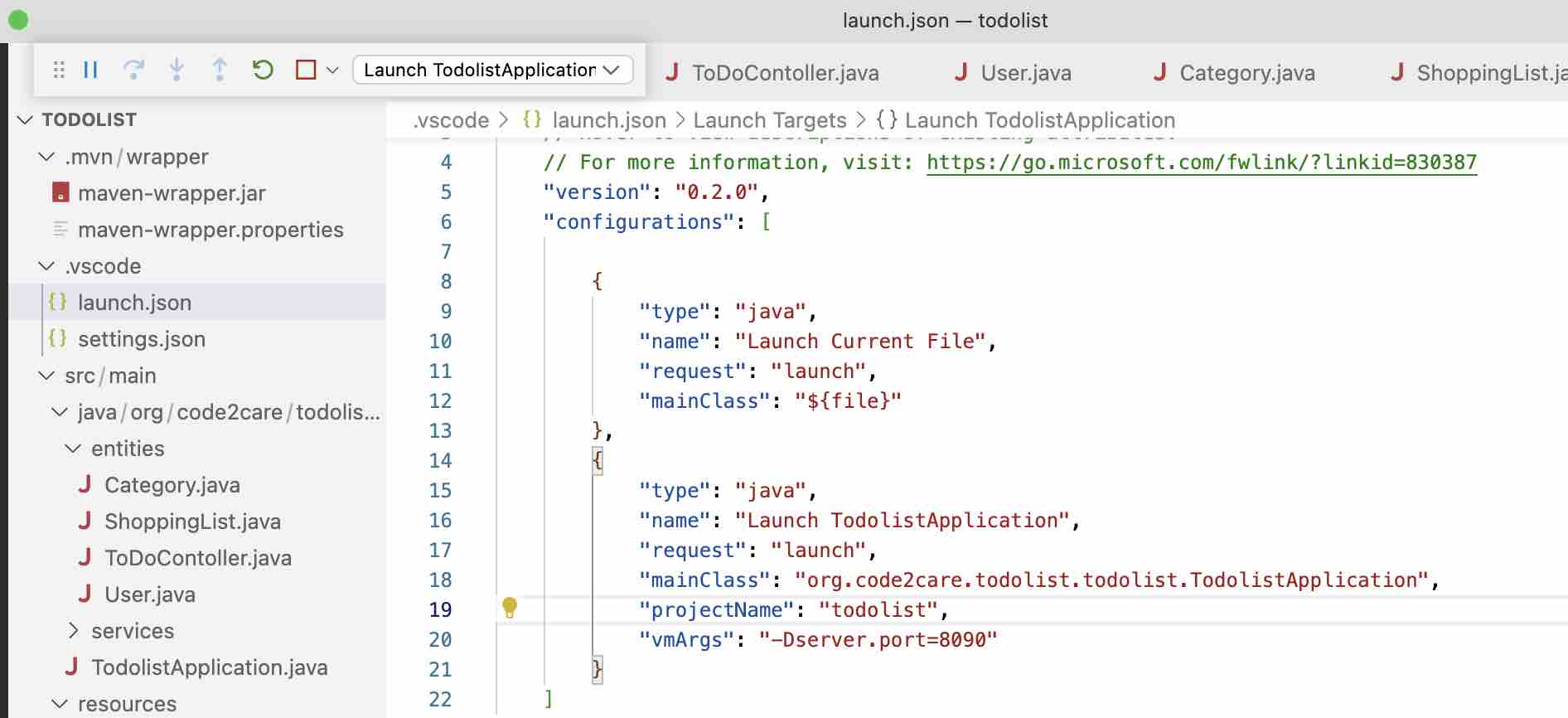
Visual Studo Code IDE:
- Open launch.json file under .vscode directory
- Add the below "vmArgs": "-Dserver.port=<custom_port_number>"
Eclipse IDE
- Right Click on your Project,
- Select Run Configurations,
- Add "-Dserver.port=<custom_port_number>" under VM Arguments
3. Change default 8080 Port while running the jar file:
When you are executing your jar file app, you can pass the option --server.port
Example:
% java -jar my/jar/path/my-boot-app.jar --server.port=8070Provide Feedback For This Article
We take your feedback seriously and use it to improve our content. Thank you for helping us serve you better!
😊 Thanks for your time, your feedback has been registered!
Comments & Discussion
Facing issues? Have questions? Post them here! We're happy to help!