
There is no status bar for TextEdit Application on the Mac, so it is not straightforward to find the count of the number of words in a file, you will need to make use of the find option as a workaround to get the count.
- Open the file in TextEdit App.
- Now go to Menu: Edit -> Find -> Find....
- Now click on the find icon (search) and select insert pattern.
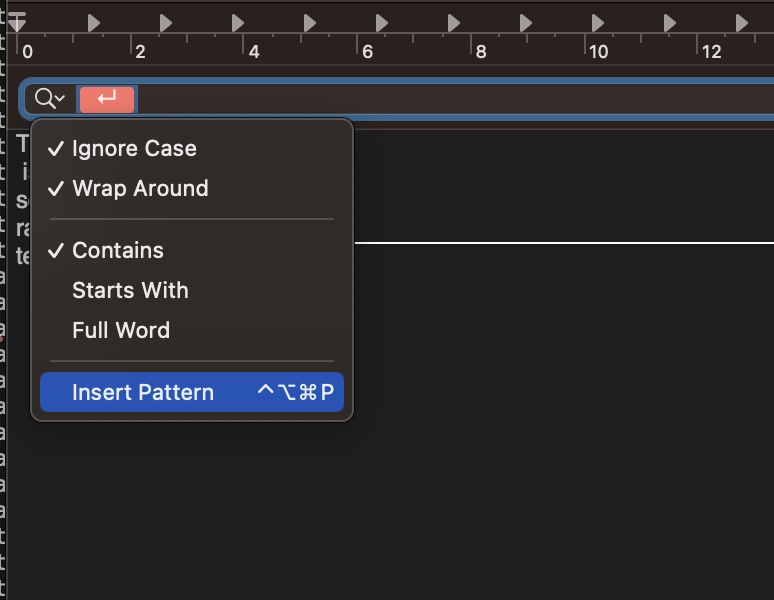
- Select "Any Word Characters"
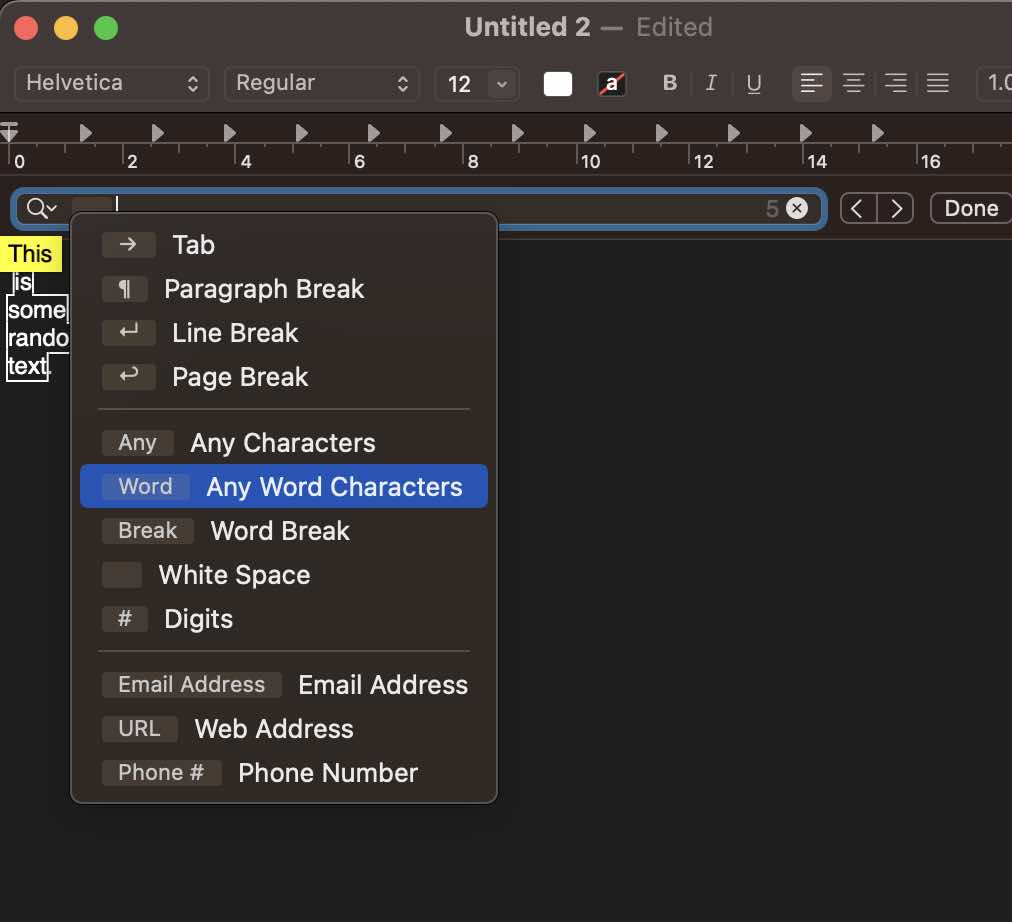
- This should select all words in the file and give you a count.

Provide Feedback For This Article
We take your feedback seriously and use it to improve our content. Thank you for helping us serve you better!
😊 Thanks for your time, your feedback has been registered!
Comments & Discussion
Facing issues? Have questions? Post them here! We're happy to help!