If you have a text file or draft that you have created on the default Windows 10/11 Notepad application and you want to save it as a PDF document, here are some steps that can help you do so.
Step 1: Open the Notepad file.
Step 2: Now Go to File -> Print (or press Control + P).
Step 3: Click on Print.
Step 4: You will see an option "Save Print Output As" option
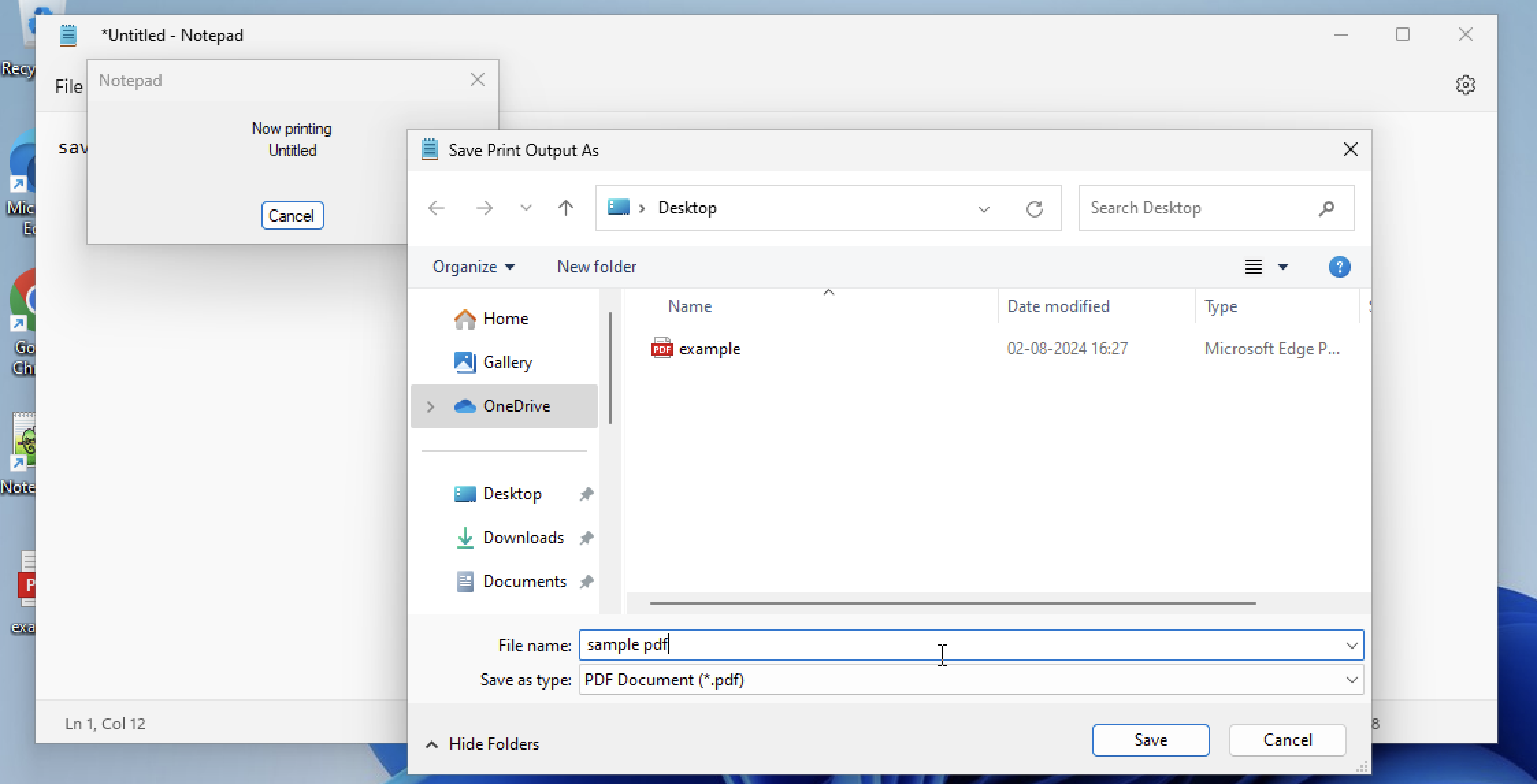
Step 5: Give it a file name and make sure that Save as option "PDF Document (*.pdf)" is selected.
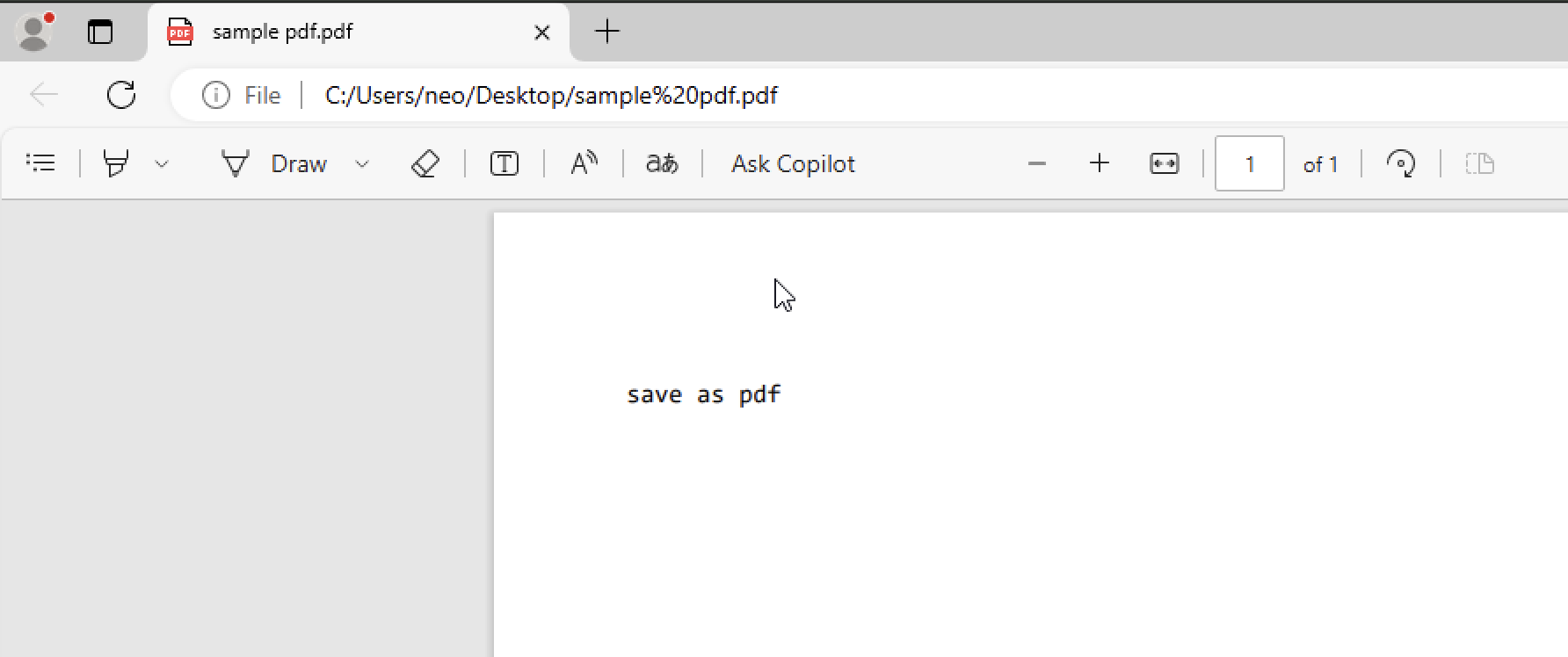
As you can see in the above image, the notepad file was saved and viewed as a pdf.

This is not an AI-generated article but is demonstrated by a human on a Windows 11 PC.
Please support independent contributors like Code2care by donating a coffee.
Buy me a coffee!
Comments & Discussion
Facing issues? Have questions? Post them here! We're happy to help!