Steps to Delete a Project in Eclipse IDE on macOS and Windows
- Open Eclipse.
- In the Project Explorer, locate the project you want to delete.
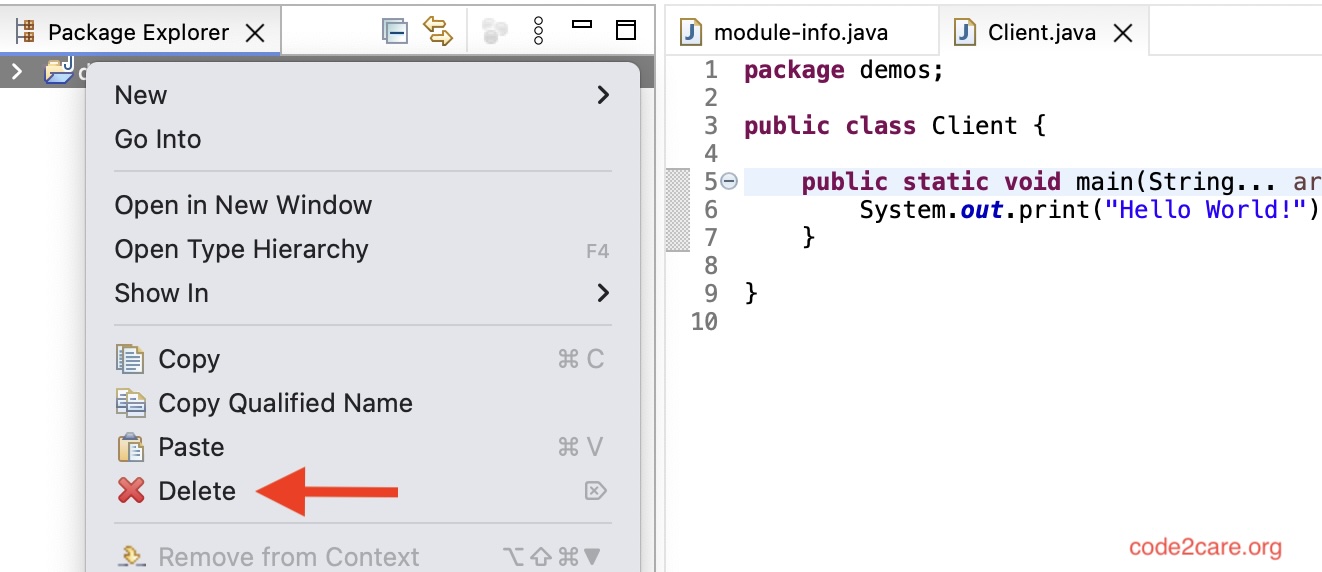
- Right-click on the project name.
- Select "Delete" from the context menu.
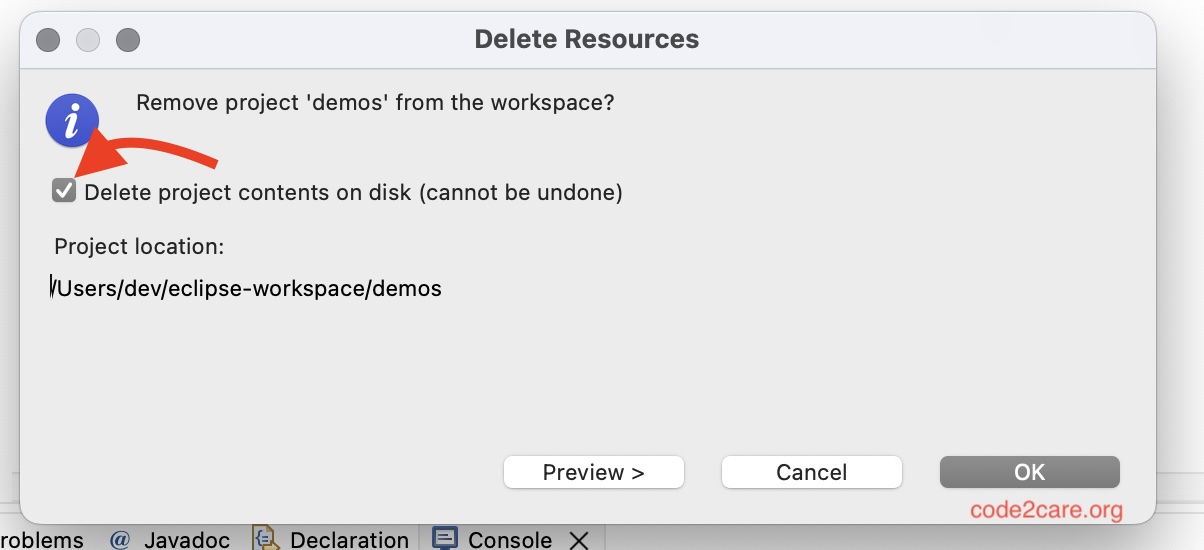
- In the confirmation dialog, choose whether to delete the project contents on the disk.
- Click "OK" to confirm the deletion.
Permanently Deleting a Project
To permanently delete a project in Eclipse:
- Follow the steps above to delete the project.
- At step 4 - make sure to check - Delete project contents on disk (cannot be undone, will not find it in recycle bin or trash).

This is not an AI-generated article but is demonstrated by a human on an M1 Mac running macOS Sonoma 14.0.
Please support independent contributors like Code2care by donating a coffee.
Buy me a coffee!
Comments & Discussion
Facing issues? Have questions? Post them here! We're happy to help!