
Code Example:
public class JavaExamples {

    public static void main(String[] args) {
        char myChar = 'a;
    }
}javac JavaExamples.java
JavaExamples.java:6: error: unclosed character literal
char myChar = 'a;
^
1 errorYou will get the unclosed character literal if you do not enclose a character value within single quotes, or if you have more than one character enclosed within a character literal.
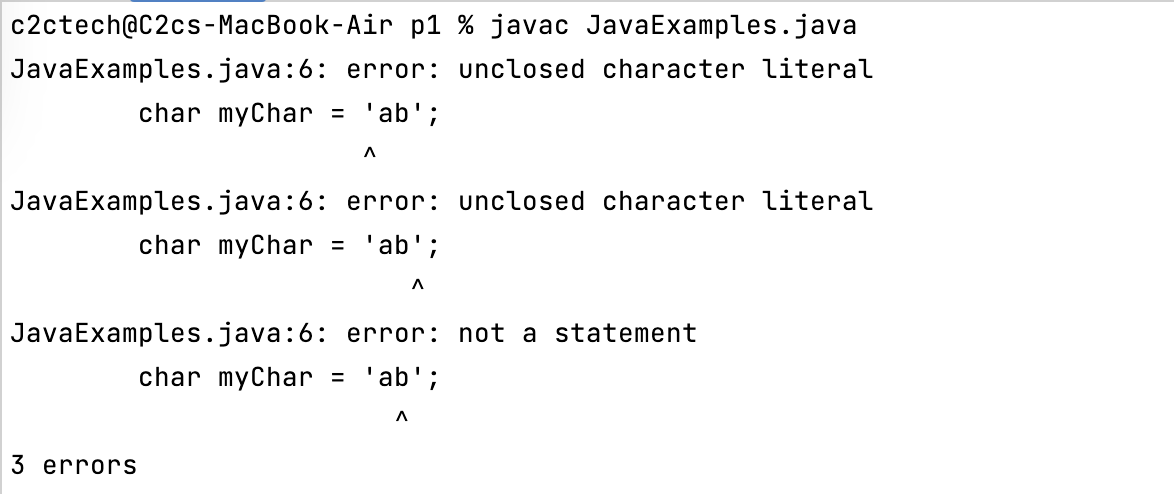
Example:char myChar = 'ab'; % javac JavaExamples.java
JavaExamples.java:6: error: unclosed character literal
char myChar = 'ab';
^
JavaExamples.java:6: error: unclosed character literal
char myChar = 'ab';
^
JavaExamples.java:6: error: not a statement
char myChar = 'ab';
^
3 errorsBased on what has caused this error, below are some fixes possible.
- Make sure the character literal is enclosed within single quotes: e.g. 'a'
- If literal contains more than one character than it should be considered as a String and not a char datatype.
Provide Feedback For This Article
We take your feedback seriously and use it to improve our content. Thank you for helping us serve you better!
😊 Thanks for your time, your feedback has been registered!
Comments & Discussion
Facing issues? Have questions? Post them here! We're happy to help!