
Java 8 brought in the much-awaited Date & Time API (JEP 150) with the new java.time package with a whole new set of Date and Time classes, with the new class, also came a new way of formatting Date and Time, let us look at some examples,
Example: Get the current local date and time - Java 8LocalDateTime localDateTime = LocalDateTime.now(); //ISO-8601: yyyy-MM-ddTHH:mm:ss.S
System.out.println(localDateTime);2022-04-24T12:21:31.113921
As you can see when by default the date is printed in yyyy-MM-dd format and the time in HH:mm:ss.S format. You can make use of the DataTimeFormatter class from java.time.format package.
Example 1: Format Date in dd-MM-yyyy format - Java 8
DateTimeFormatter dateTimeFormatter = DateTimeFormatter.ofPattern("dd-MM-yyyy");
LocalDate localDate = LocalDate.now();
System.out.println(dateTimeFormatter.format(localDate));
Output: 24-04-2022
Example 2: Format Date in MM-dd-yy format - Java 8
DateTimeFormatter dateTimeFormatter = DateTimeFormatter.ofPattern("MM-dd-yy");
LocalDate localDate = LocalDate.now();
System.out.println(dateTimeFormatter.format(localDate));
Output: 04-24-22
Example 3: Format Date in dd-MMM-yyyy format - Java 8
DateTimeFormatter dateTimeFormatter = DateTimeFormatter.ofPattern("dd-MMM-yyyy");
LocalDate localDate = LocalDate.now();
System.out.println(dateTimeFormatter.format(localDate));
Output: 24-Apr-2022
Example 4: Format Date in dd, MMMM yyyy format - Java 8
DateTimeFormatter dateTimeFormatter = DateTimeFormatter.ofPattern("dd, MMMM yyyy");
LocalDate localDate = LocalDate.now();
System.out.println(dateTimeFormatter.format(localDate));
Output: 24, April 2022
Now let us see some examples of formatting LocalTime using DateTimeFormatter,
Example 1: Format Time in HH:mm format - Java 8
DateTimeFormatter dateTimeFormatter = DateTimeFormatter.ofPattern("HH:mm");
LocalTime localTime = LocalTime.now();
System.out.println(dateTimeFormatter.format(localTime));
Output: 12:24
Example 2: Format Time in HH:mm:ss format - Java 8
DateTimeFormatter dateTimeFormatter = DateTimeFormatter.ofPattern("HH:mm:ss");
LocalTime localTime = LocalTime.now();
System.out.println(dateTimeFormatter.format(localTime));
Output: 12:25:24
Finally, a few examples of formatting LocalDateTime class using DateTimeFormatter,
Example 1: Format DateTime in dd-MM-yyyy HH:mm:ss format - Java 8
DateTimeFormatter dateTimeFormatter = DateTimeFormatter.ofPattern("dd-MM-yyyy HH:mm:ss");
LocalDateTime localDateTime = LocalDateTime.now();
System.out.println(dateTimeFormatter.format(localDateTime));
Output: 24-04-2022 12:47:53
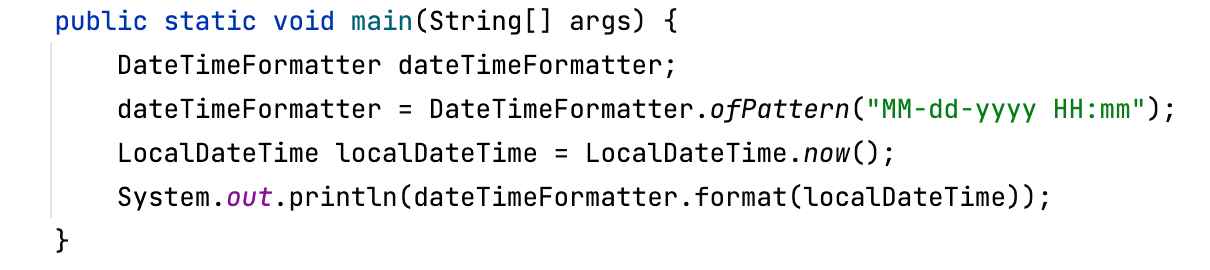
Example 2: Format DateTime in MM-dd-yyyy HH:mm format - Java 8
DateTimeFormatter dateTimeFormatter = DateTimeFormatter.ofPattern("MM-dd-yyyy HH:mm");
LocalDateTime localDateTime = LocalDateTime.now();
System.out.println(dateTimeFormatter.format(localDateTime));
Output: 04-24-2022 12:50
Read more: https://docs.oracle.com/javase/8/docs/api/java/time/format/DateTimeFormatter.htmlProvide Feedback For This Article
We take your feedback seriously and use it to improve our content. Thank you for helping us serve you better!
😊 Thanks for your time, your feedback has been registered!
Comments & Discussion
Facing issues? Have questions? Post them here! We're happy to help!