
Let's see step by step how to make use of the java.io.BufferedWriter class to write to a file in Java.
- First let's create a String that holds data that we need to write to a file.
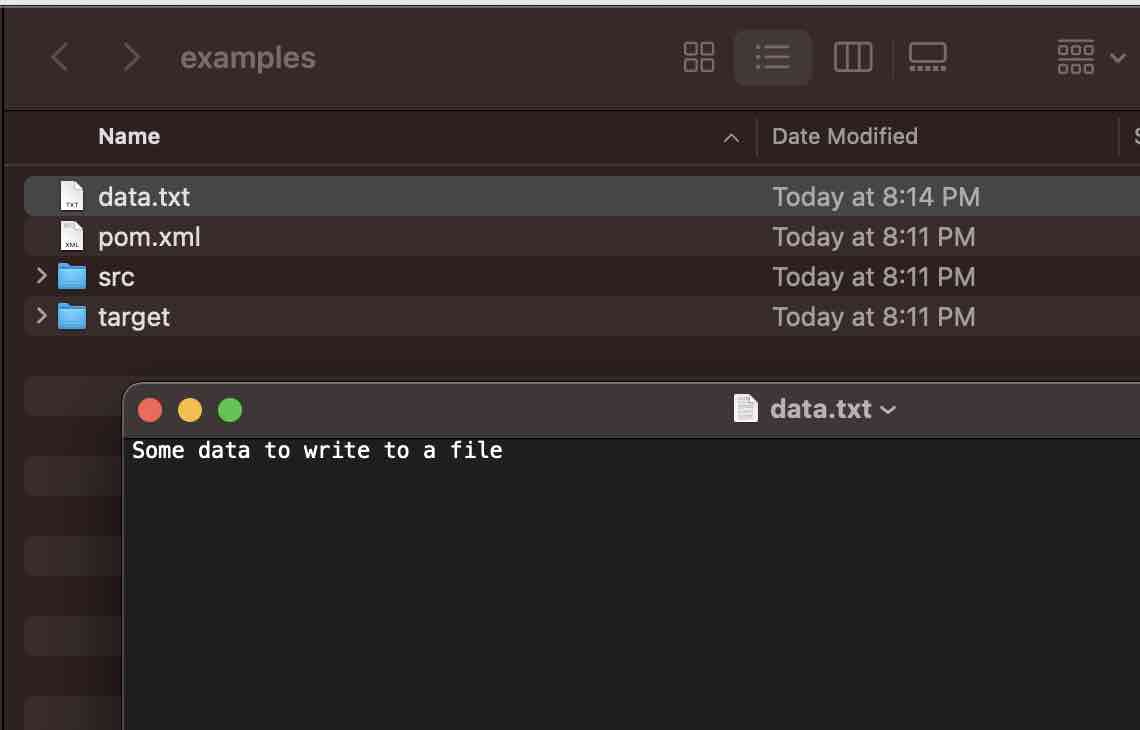
String data = "Some data to write to a file"; - Next, let's say we want to write to a file named data.txt
String fileName = "data.txt"; - Next we need to create an object of java.io.FileWriter and pass in the fileName and a boolean flag to say if we want text to be appended to the file or not.
FileWriter fileWriter = new FileWriter(fileName, true); - Now we can make use of the object of java.io.BufferedWriter and pass the FileWriter object to its constructor. BufferedWriter will create a buffered character-output stream which is a file in our case.
- Next, make use of the write() method from BufferedWriter to write the String data to the file.
- Finally make sure to close the stream using the close() method.
Complete Code:
package org.code2care.example;

import java.io.BufferedWriter;
import java.io.FileWriter;
import java.io.IOException;

/**
 * <pre>
 * Example: Write a file using BufferedWriter
 *
 * Author: Code2care.org
 * Version: v1.0
 * Date: 5th July 2023
 * </pre>
 */
public class WriteFileUsingBufferedWriterExample {

    public static void main(String[] args) {

        String data = "Some data to write to a file";
        String fileName = "data.txt";

        try (FileWriter fileWriter = new FileWriter(fileName, true);
             BufferedWriter bufferedWriter = new BufferedWriter(fileWriter)) {
            bufferedWriter.write(data);
        } catch (IOException ioException) {
            System.out.println("Error occurred writing the file!");
        }
    }
}
Provide Feedback For This Article
We take your feedback seriously and use it to improve our content. Thank you for helping us serve you better!
😊 Thanks for your time, your feedback has been registered!
Comments & Discussion
Facing issues? Have questions? Post them here! We're happy to help!