
If you have recorded a video for YouTube or any other video platform and you hear that the video has a lot of surrounding background noise and want to filter it out. iMovies is the application on Mac that can help you with this.
Steps to reduce Background noise using iMovies
- Open the Video in iMovies.
- Drag your video to the project timeline.
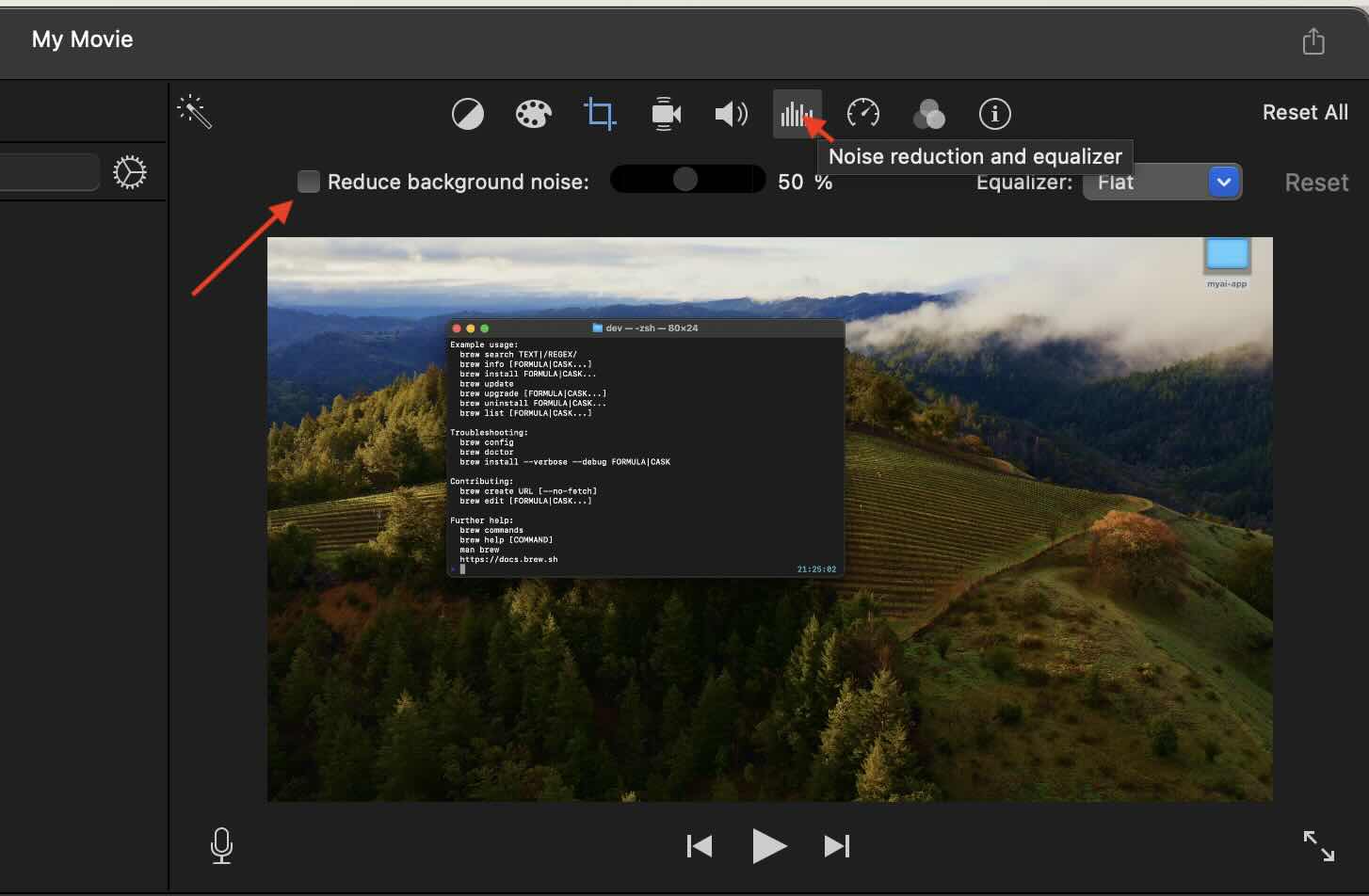
- Now select the video and click on the "Noise reduction and equalizer" tool icon.
- Select "Reduce background noise" checkbox.
- Adjust the percentage of noise reduction you want.
Provide Feedback For This Article
We take your feedback seriously and use it to improve our content. Thank you for helping us serve you better!
😊 Thanks for your time, your feedback has been registered!
Comments & Discussion
Facing issues? Have questions? Post them here! We're happy to help!