
If you are trying to create a new Java Project using IDEA IntelliJ IDE, you may see <NO SDK> for JDK option if you do not have any JDK available on your device.

The fix is simple, just under the JDK dropdown click on "Download JDK..."
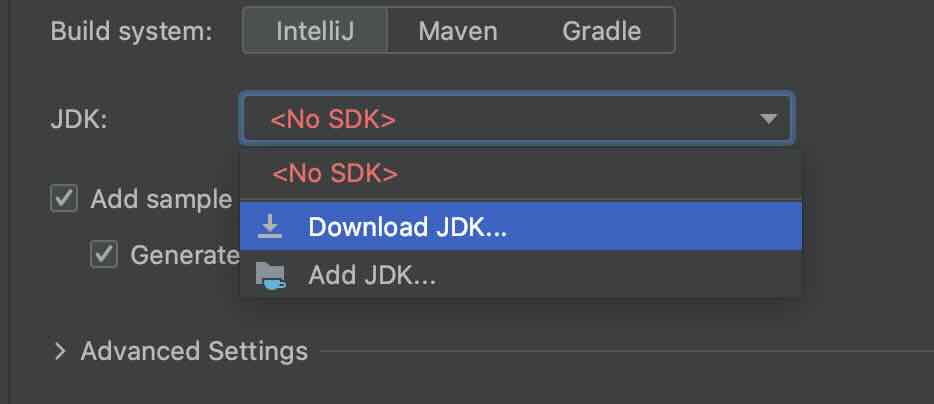
Now select the Java Version you want to download:
Java versions:

20
19
18
17
16
15
14
13
12
11
10
9
1.8
Now select the Java Vendor:
Amazon Corretto
Azul Zulu Community™
BellSoft Liberica JDK
Eclipse Temurin (AdoptOpenJDK HotSpot)
Oracle OpenJDK
SAP SapMachine

Other Versions
GraalVM Community Edition
IBM Semeru (AdoptOpenJDK OpenJ9)
JetBrains Runtime
IA+DrAinA DIntimA / ICCEl
And finally the location where you want to install the JDK
Eg: on macOS~/Library/Java/JavaVirtualMachines/corretto-20.0.1

Once the installation is done, there should be no issues to create a new project.
Provide Feedback For This Article
We take your feedback seriously and use it to improve our content. Thank you for helping us serve you better!
😊 Thanks for your time, your feedback has been registered!
Comments & Discussion
Facing issues? Have questions? Post them here! We're happy to help!