
If your project has hidden files and folders with dot prefixes, for example .gitignore, .htaccess, or .config, then they will not be visible in your project in Eclipse IDE.
In order to show hidden files,
- Open your project in Eclipse.
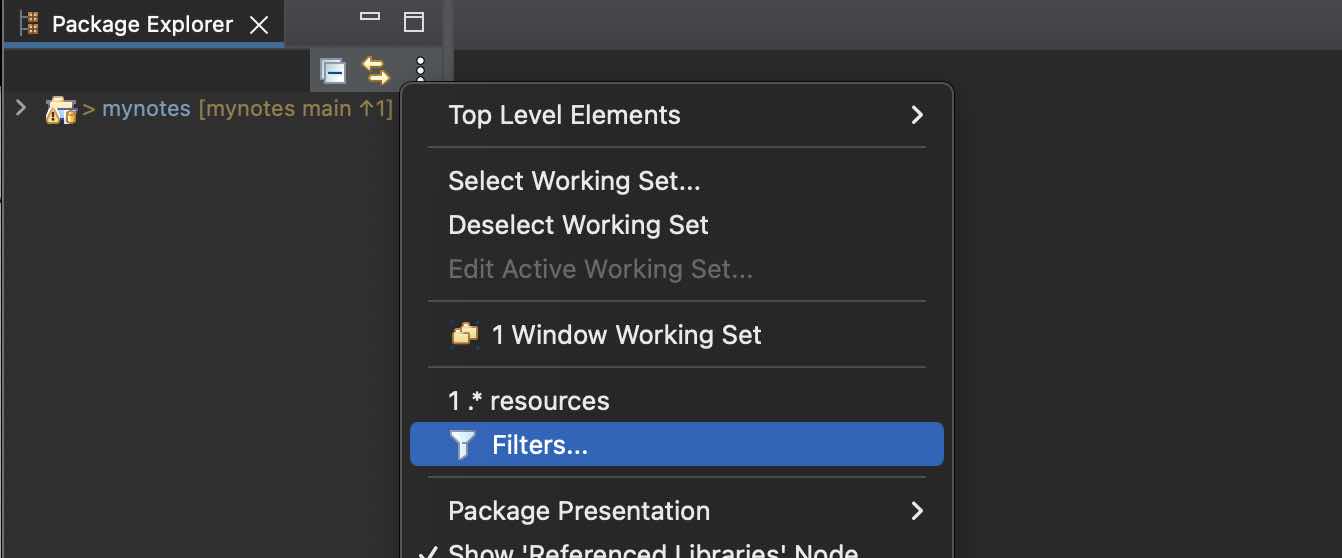
- Click on the 3 dots next to Package Explorer,
- Go to Filters... and uncheck *.resources
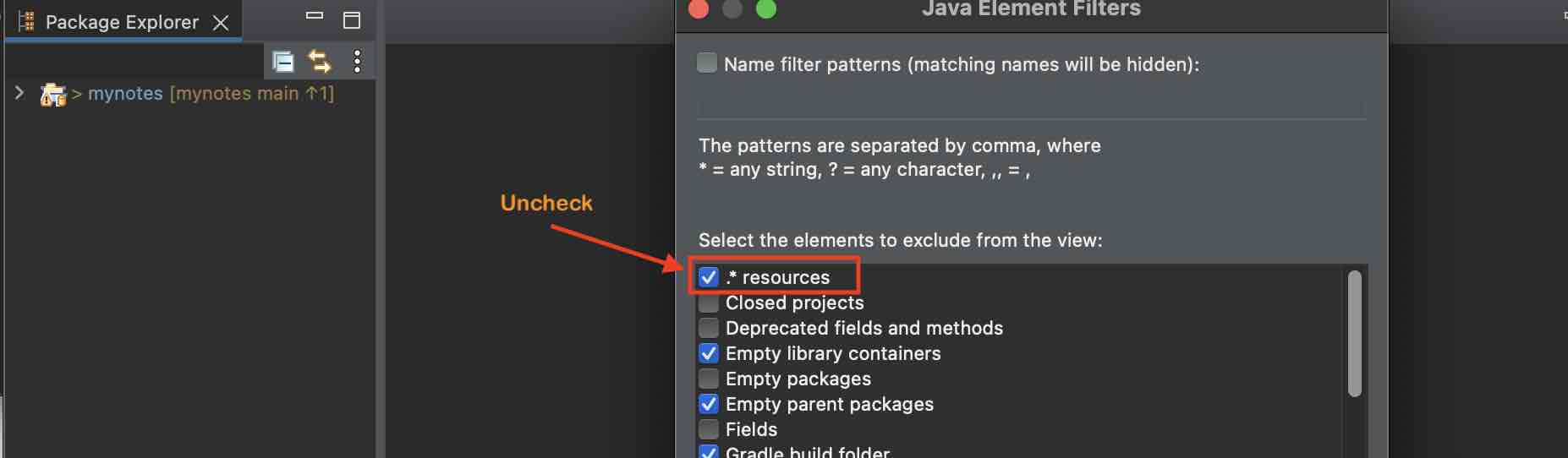
- You should now see the hidden files in your eclipse project.

Provide Feedback For This Article
We take your feedback seriously and use it to improve our content. Thank you for helping us serve you better!
😊 Thanks for your time, your feedback has been registered!
Comments & Discussion
Facing issues? Have questions? Post them here! We're happy to help!