
If you want to make use of OpenAI GPT models with Notepad++ you can make use of the NppOpenAI plugin.
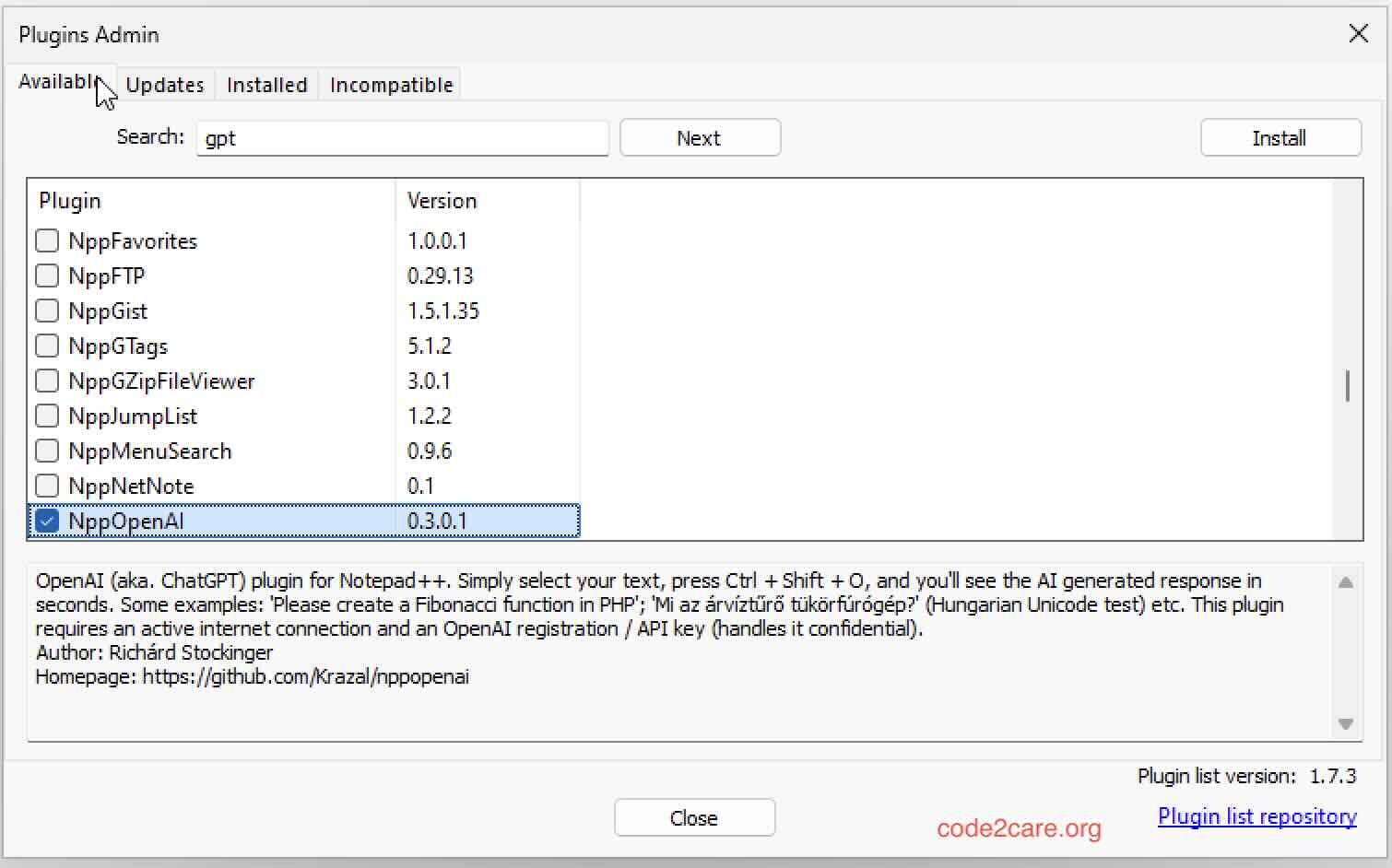
NppOpenAI is a simple yet powerful plugin that allows you to communicate with OpenAI directly from your favorite code editor, Notepad++. This integration enhances your coding experience by providing AI-generated responses right within the editor.
- How It Works: Simply select your text in Notepad++, press
Ctrl + Shift + O, and receive AI-generated responses in seconds. (Additional settings required.) - Examples: You can ask the AI to create functions in various programming languages, such as "Please write Python code to add two numbers".
- Configuration: To remove your original question/request, uncheck
Plugins -> NppOpenAI -> Keep my question. For additional settings, edit theNppOpenAI.inifile fromPlugins -> NppOpenAI -> Edit Config. - System Messages: To send instructions with your question, edit the
NppOpenAI_instructionsfile fromPlugins -> NppOpenAI -> Edit Instructions. - Chat Feature: Enable chat by clicking
Plugins -> NppOpenAI » Chat: offand checkingUse chat. Adjust the chat limit for optimal token usage.
How to Configure NppOpenAI
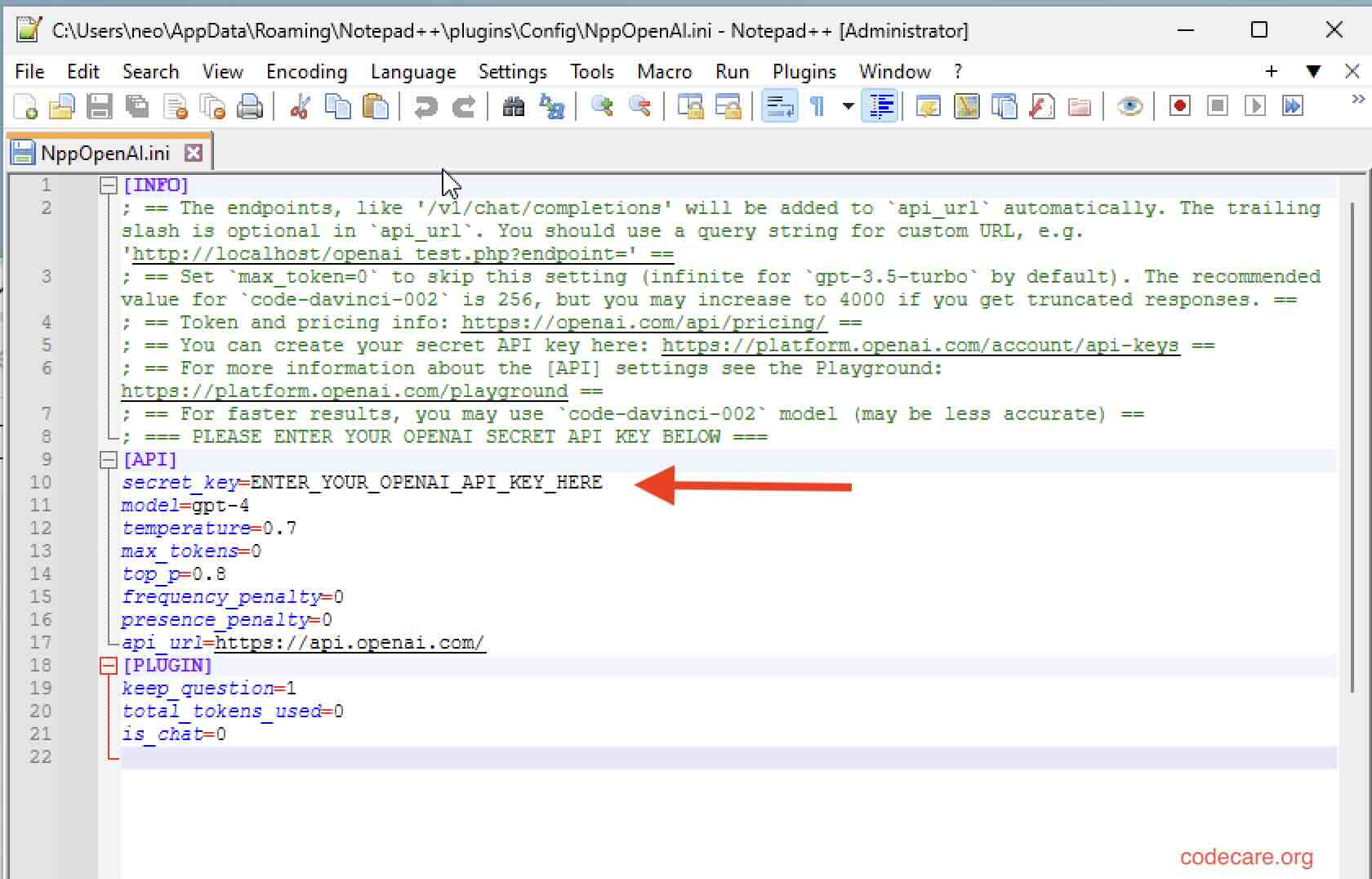
- Open the configuration file
NppOpenAI.inifromPlugins -> NppOpenAI -> Edit Configand edit the [API] section. - Track your token usage with the
total_tokens_usedsetting in the [PLUGIN] section. - After editing and saving the configuration files, always load your settings via
Plugins -> NppOpenAI -> Load Config.
In conclusion, NppOpenAI enhances Notepad++ by integrating OpenAI's capabilities, making it a valuable tool for developers looking to leverage AI in their coding workflow. With easy configuration and powerful features, it significantly boosts productivity and creativity.
Provide Feedback For This Article
We take your feedback seriously and use it to improve our content. Thank you for helping us serve you better!
😊 Thanks for your time, your feedback has been registered!
Comments & Discussion
Facing issues? Have questions? Post them here! We're happy to help!