HTML pages have a default while color background if you wish to use a specific color to your webpage here are different ways you can do it,
- Using bgcolor attribute in body tag:
- Using inline style CSS
- Using embedded CSS
- Using CSS class
- Using external CSS
⛏️ You will set the background color to the <body> tag.
1. Using bgcolor attribute in body tag:
This is a special attribute that you use in body tag that would change the color of your webpage as defined, there are multiple ways you can use it,
- Using color names: aqua, black, gray, fuchsia, white, maroon, olive, navy, teal, red, green, blue, purple, yellow, lime, silver e.t.c.
- Using hex # color codes: #f2f2f2, #eeeeee, #784264, #aa7722, #189d1920
- Using rgb color codes: rgb(128, 128, 128), rgb(0, 0, 0)
<!DOCTYPE html>
<html lang="en">
<head>
<title>HTML : bogy bgcolor Example</title>
</head>

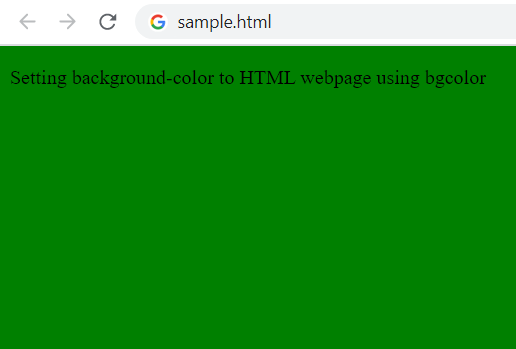
<body bgcolor="green">
<p>Setting background-color to HTML webpage using bgcolor</p>
 </body>
</html>
2. Using inline style CSS:
You can make use of inline style element to set background color using background-color property,
Example:<!DOCTYPE html>
<html lang="en">
<head>
<title>HTML : background-color inline css Example</title>
</head>
<body style="background-color:#777777">
<p>Setting background-color to HTML webpage using background-color property</p>
</body>
</html>3. Using embedded CSS:
This is one of the most preferred ways of setting a background for your webpage, just take the embedded style into a style element in your head section.
Example:<!DOCTYPE html>
<html lang="en">
<style>
body {
background-color:#cccccc;
}
</style>
<head>
<title>HTML : background-color embeded CSSExample</title>
</head>
<body>
<p>Setting background-color to HTML webpage using background-color property embeded CSS</p>
</body>
</html>4. Using CSS class:
Example:<!DOCTYPE html>
<html lang="en">
<style>
.page-background {
background-color:#550055;
}
</style>
<head>
<title>HTML : background-color using CSS Class Example</title>
</head>
<body class="page-background">
<p>Setting background-color to HTML webpage using background-color property as a CSS class</p>
</body>
</html>5. Using External CSS:
If you are using an external .css file then you just take the code in the style section to that file!
<!DOCTYPE html>
<html lang="en">
<link rel="stylesheet" type="text/css" href="style.css" />
<head>
<title>HTML : background-color using external CSS file Example</title>
</head>

<body>
<p>Setting background-color to HTML webpage using background-color using external CSS file.</p>
</body>
</html>body {
background-color:#eeefff;
}
⚡️ Supported by all browsers: Safari, Google Chrome, Internet Explorer, Opera, Firefox.

This is not an AI-generated article but is demonstrated by a human.
Please support independent contributors like Code2care by donating a coffee.
Buy me a coffee!
Comments & Discussion
Facing issues? Have questions? Post them here! We're happy to help!