
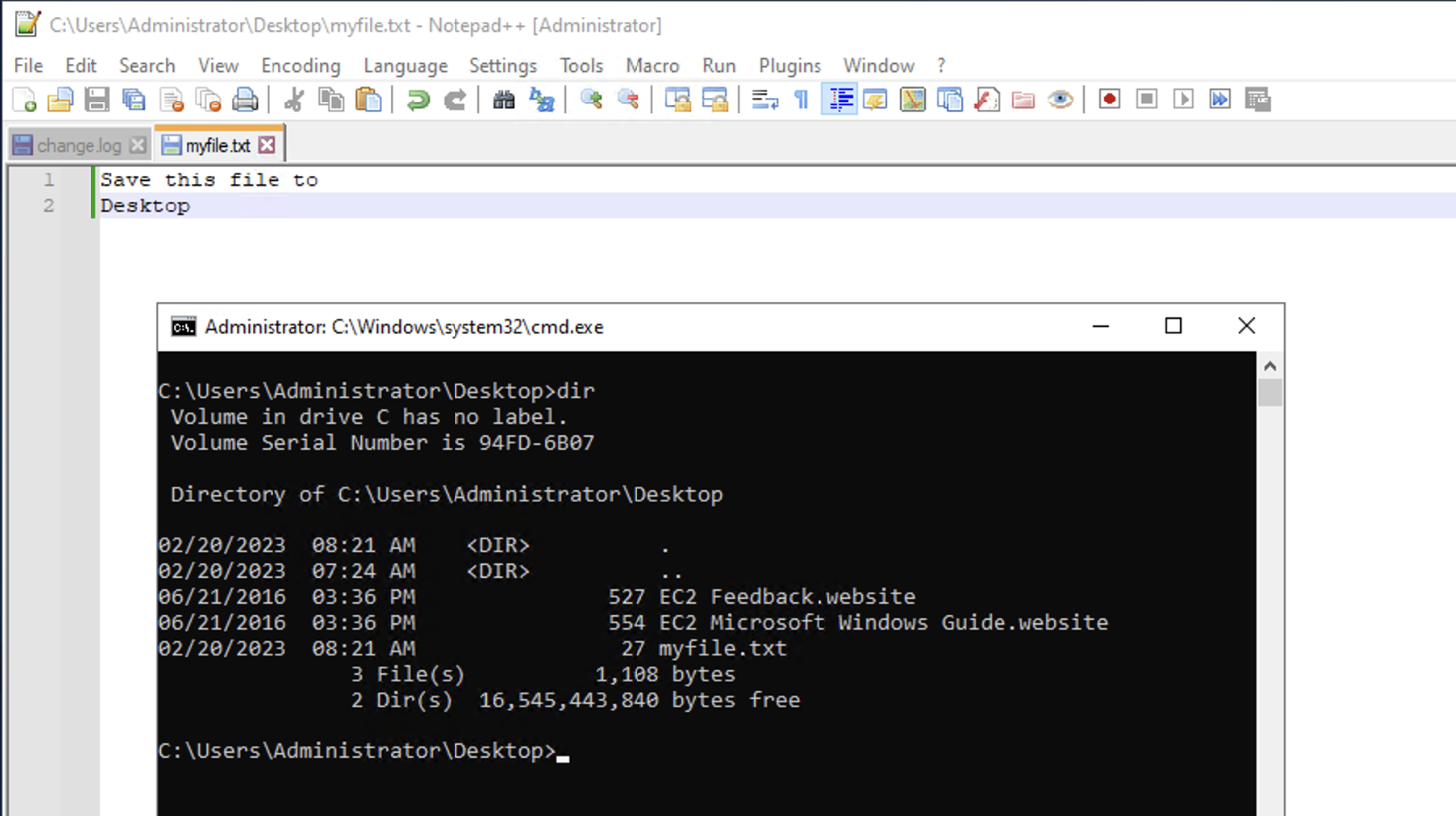
If you have a use case where you want to open the location of the current tab (file) in Notepad++ with your Command Prompt (CMD) on Windows, you can make use of the option "Open Containing Folder" under File menu option and select "CMD"
Steps:
- Open Notepad++
- Be on the tab (file) that you want to open using CMD.
- Now go to File -> Open Containing Folder -> CMD
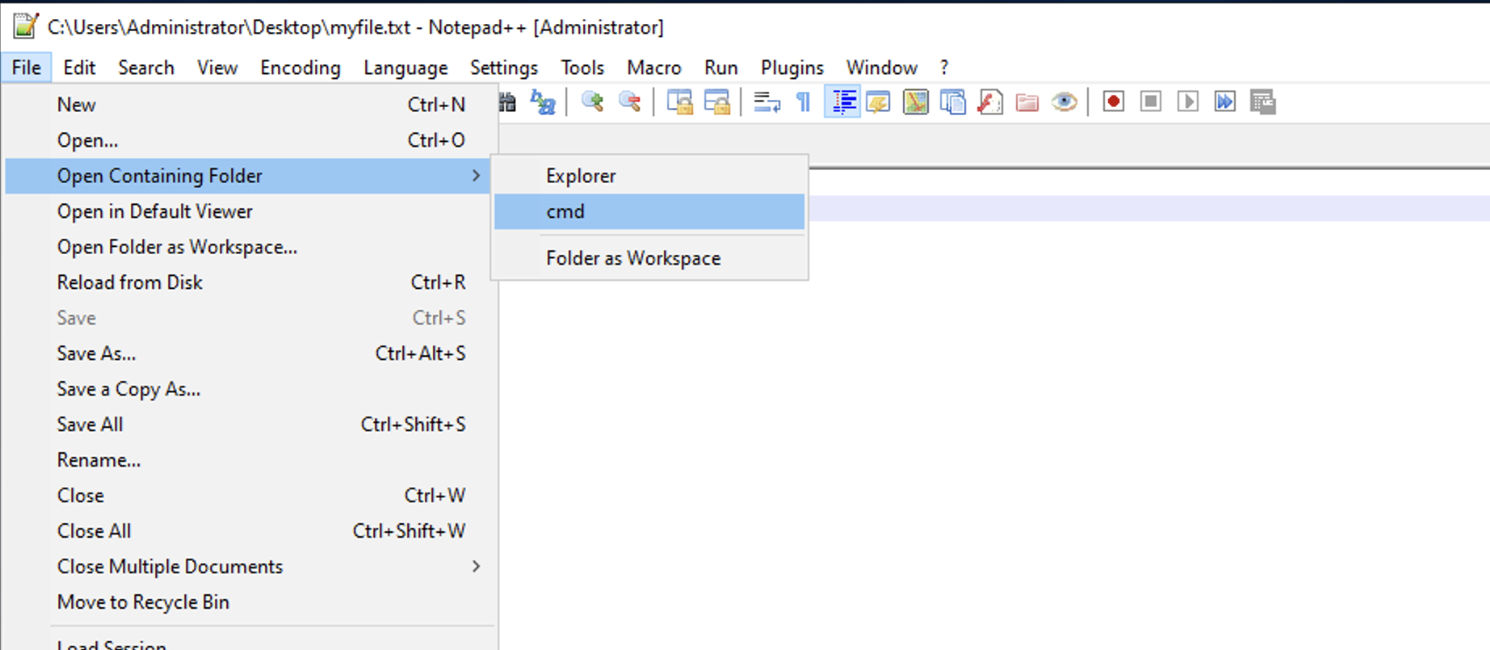
- This will open up CMD, with the path of the folder where the file is located.
Provide Feedback For This Article
We take your feedback seriously and use it to improve our content. Thank you for helping us serve you better!
😊 Thanks for your time, your feedback has been registered!
Comments & Discussion
Facing issues? Have questions? Post them here! We're happy to help!