
Note: This article is applicable to macOS Ventura 13.0 and above.
Start typing to search commands...
Press Enter to search or Esc to close
Note: This article is applicable to macOS Ventura 13.0 and above.
At times you may not want your Mac device to go to sleep as you keep it idle. In such a case you need to change the settings on your macOS so that the device do not get locked.
Do take note if you are using a MacBook Air/Pro Laptop - Never letting your display go to sleep may shorten battery life.
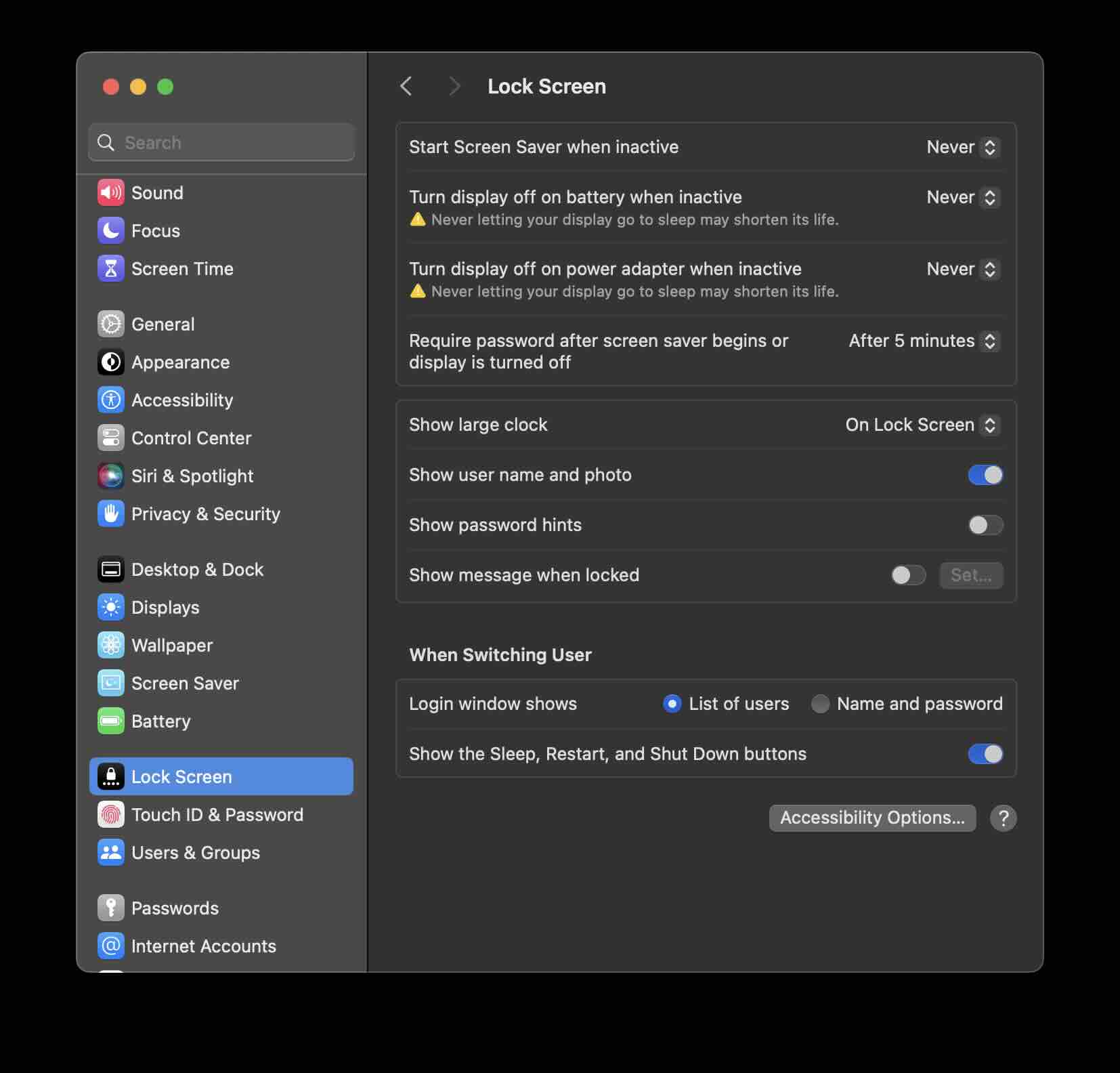
This article is demonstrated on macOS Sonoma 14.
Read more:
We take your feedback seriously and use it to improve our content. Thank you for helping us serve you better!
😊 Thanks for your time, your feedback has been registered!
Comments & Discussion
Facing issues? Have questions? Post them here! We're happy to help!