
In order to change the home page on Safari web browser on Mac running on macOS, follow the below steps,
- Open the Safari Web Browser and be on the Application,
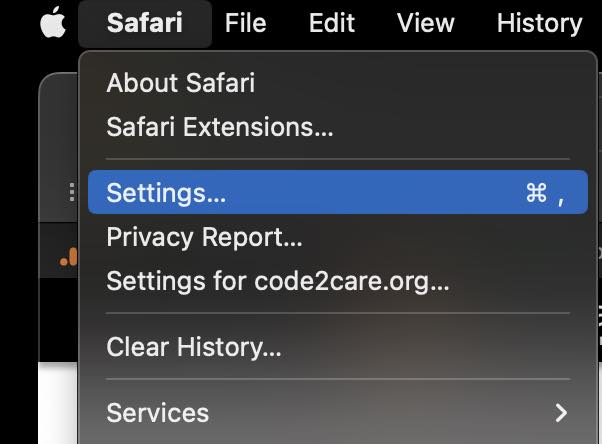
- On the Menu Click on Safari -> Preferences ... (Settings if on macOS Ventura 13 or higher)
- On the General Tab, add your homepage
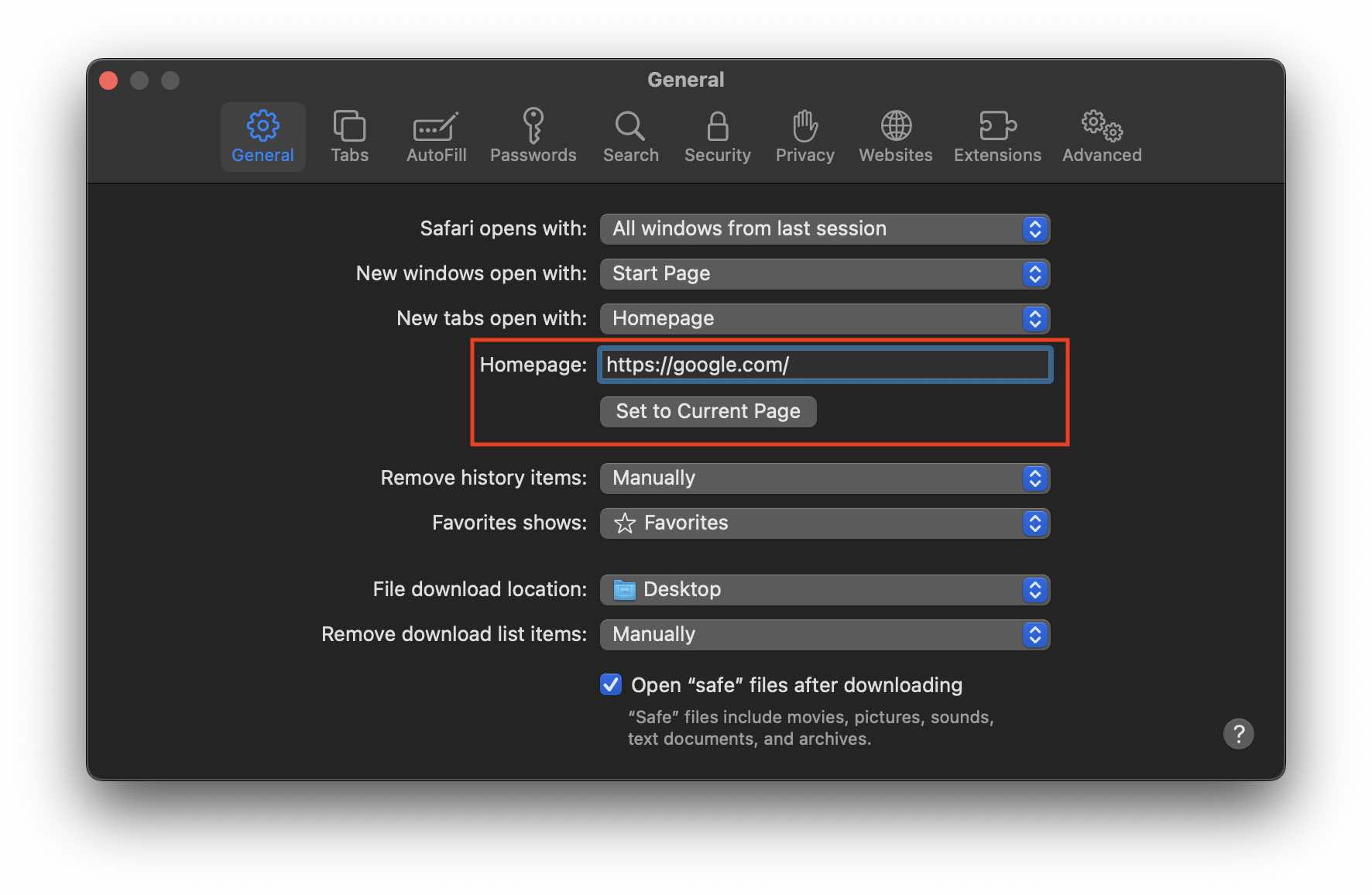
- Click on Set to Current Page - If you want the currently open page to be your homepage
- Close Settings window.
Provide Feedback For This Article
We take your feedback seriously and use it to improve our content. Thank you for helping us serve you better!
😊 Thanks for your time, your feedback has been registered!
Comments & Discussion
Facing issues? Have questions? Post them here! We're happy to help!