
The default user for RabbitMQ is guest and the password is also as guest, you might want to change it so that others cannot access it.
To change the default guest user password in RabbitMQ, follow these steps:
-
Access the RabbitMQ Management Interface:
- Open a web browser and go to the RabbitMQ management interface, typically available at:
http://localhost:15672 - Log in using the default credentials (
guestas both username and password). Note that the defaultguestuser is only allowed to connect fromlocalhost.
- Open a web browser and go to the RabbitMQ management interface, typically available at:
-
Change the Password:
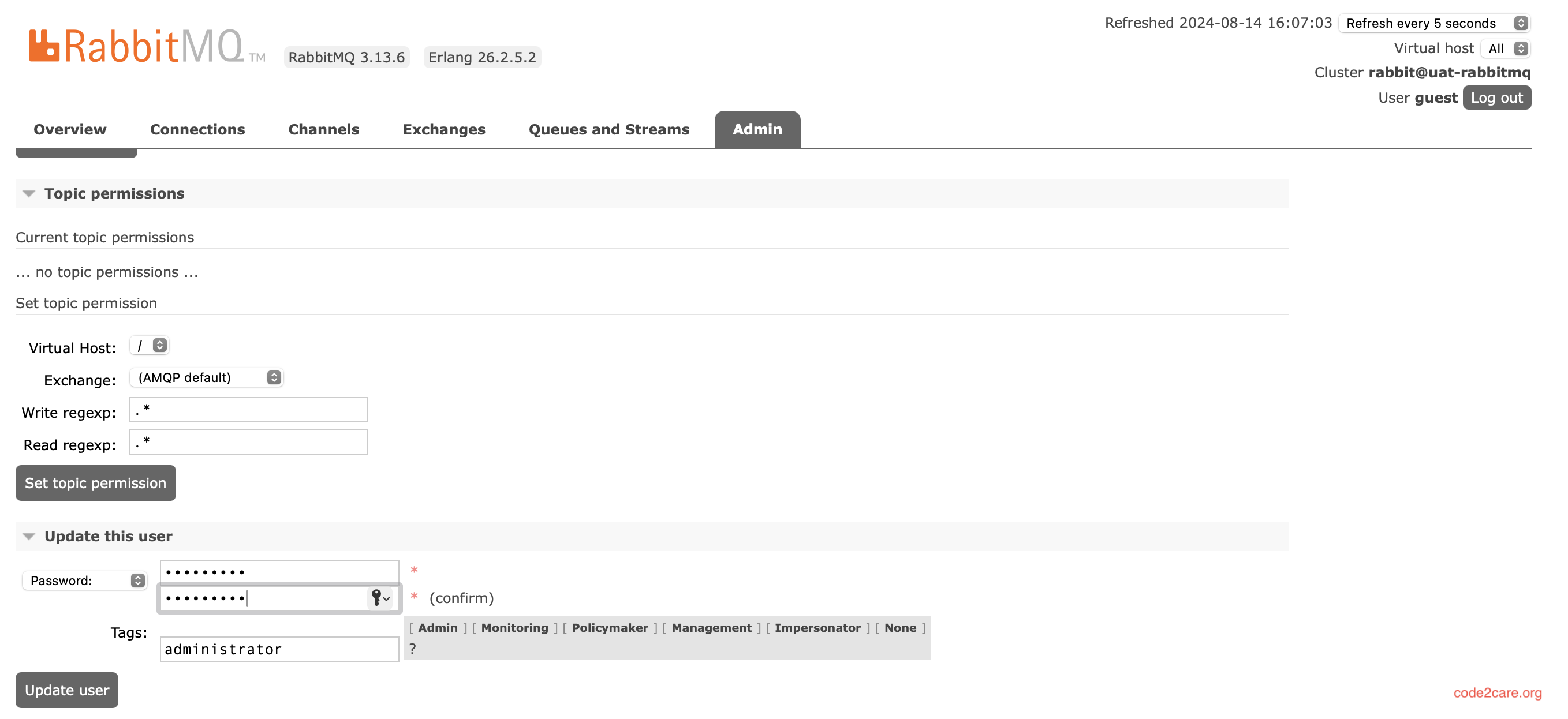
- Once logged in, navigate to the Admin tab.
- Click on the Users section.
- Select the
guestuser from the list of users. - Click on the Update this user button.
- Enter the new password in the Password and Confirm Password fields.
- Click on Update user to save the changes.
You can also change the password using command line.
-
Command Line Method:
- Alternatively, you can change the password using the command line. Open a terminal and execute the following command, replacing
new_passwordwith the desired password:
rabbitmqctl change_password guest new_password - Alternatively, you can change the password using the command line. Open a terminal and execute the following command, replacing
-
Restart RabbitMQ (if necessary):
- In some cases, you may need to restart RabbitMQ for the changes to take effect. This can be done using the following command:
Remember, after changing the password, any clients or services using the old credentials must be updated to use the new password to ensure uninterrupted service.
Provide Feedback For This Article
We take your feedback seriously and use it to improve our content. Thank you for helping us serve you better!
😊 Thanks for your time, your feedback has been registered!
Comments & Discussion
Facing issues? Have questions? Post them here! We're happy to help!