- Open both documents in Notepad++.
- Right-click on the tab of the document you wish to move.
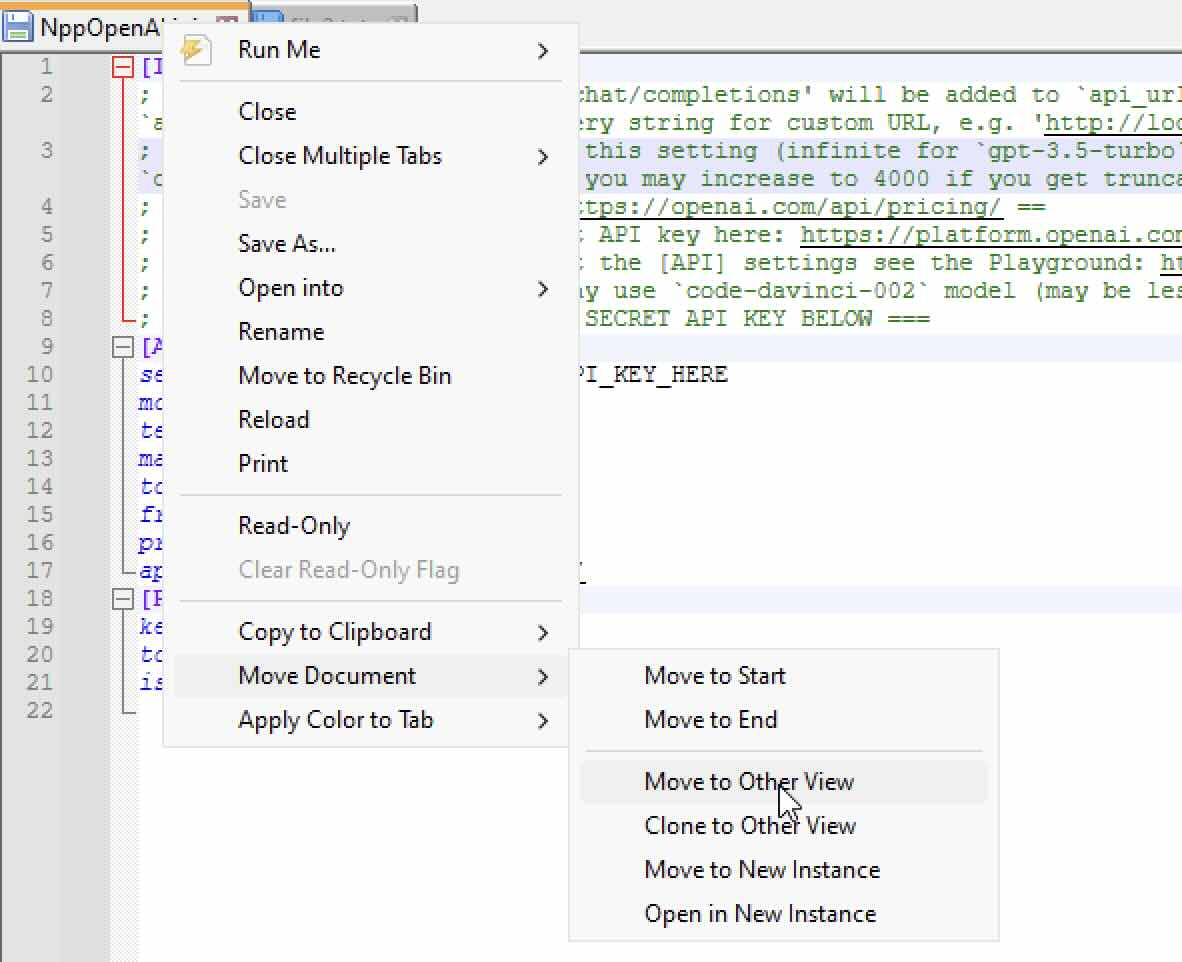
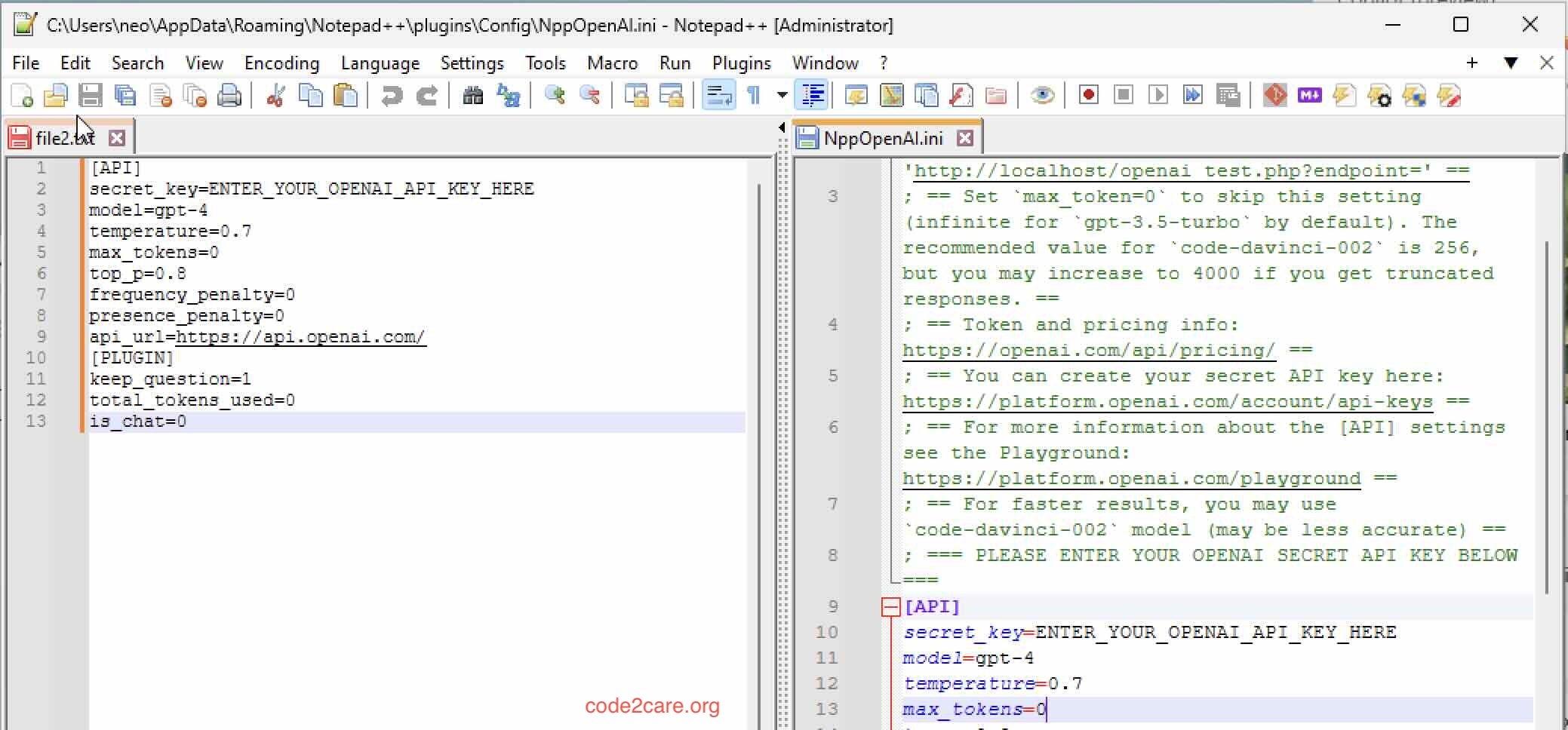
- Select Move to Other View to place it in a new pane, or Clone to Other View to open the same file in both panes.
- To enable synchronized scrolling, navigate to
View » Synchronize Vertical ScrollingorView » Synchronize Horizontal Scrollingfor horizontal alignment.

This is not an AI-generated article but is demonstrated by a human.
Please support independent contributors like Code2care by donating a coffee.
Buy me a coffee!
Comments & Discussion
Facing issues? Have questions? Post them here! We're happy to help!