If you do not want any spaces in a file using Notepad++ you can make use of the Replace option with Regular Expression as follows,
- Open File in Notepad++
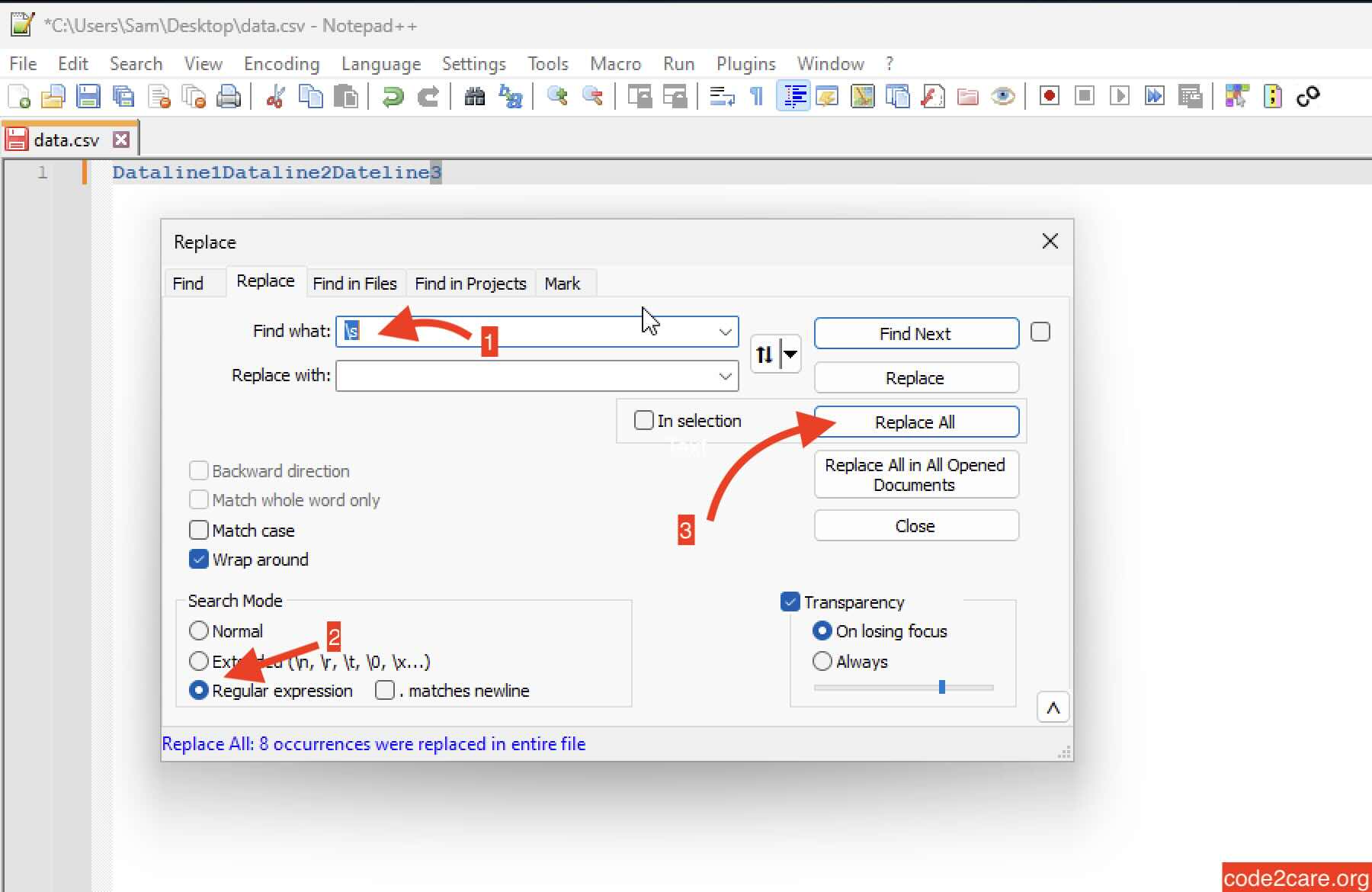
- Now go to Menu: Search -> Replace... (keyboard shortcut: Ctrl + H)
- Now in "Find What" add regular expression \s
- Keep the "Replace With" option blank.
- Click on Replace All.
- All spaces in the file will be removed.

This is not an AI-generated article but is demonstrated by a human with Notepad++ running on Windows 11 PC.
Please support independent contributors like Code2care by donating a coffee.
Buy me a coffee!
Provide Feedback For This Article
We take your feedback seriously and use it to improve our content. Thank you for helping us serve you better!
😊 Thanks for your time, your feedback has been registered!
Comments & Discussion
Facing issues? Have questions? Post them here! We're happy to help!