IntelliJ Android Studio is now the Official IDE for Android Application development. Most of the developers have moved to it just like me. If you are looking to update Android Studio manually then you can go to,
On the macOS:
1. Open Android Studio.
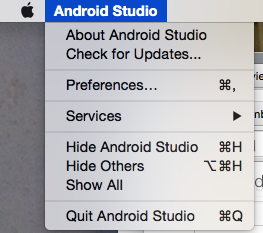
2. Click on Menu : Android Studio -> Check for Updates.
On the Windows:
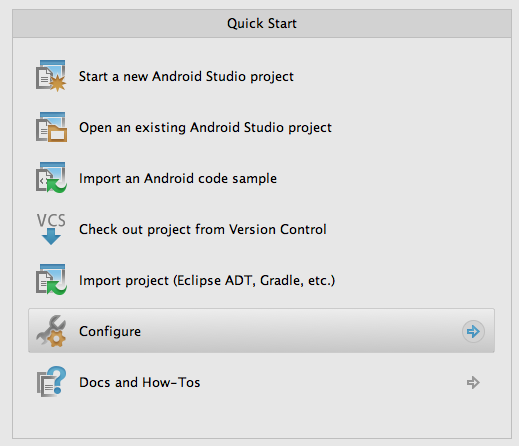
1. Open Android Studio: You will get the "Welcome to Android Studio" screen.
2. Click on Configure under Quick Start
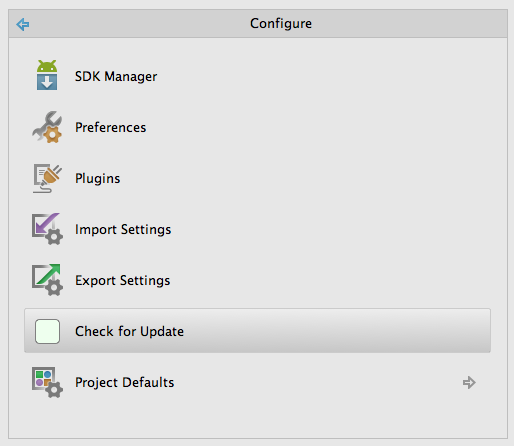
3. Now click on Check for Updates.

This is not an AI-generated article but is demonstrated by a human.
Please support independent contributors like Code2care by donating a coffee.
Buy me a coffee!
Comments & Discussion
Facing issues? Have questions? Post them here! We're happy to help!