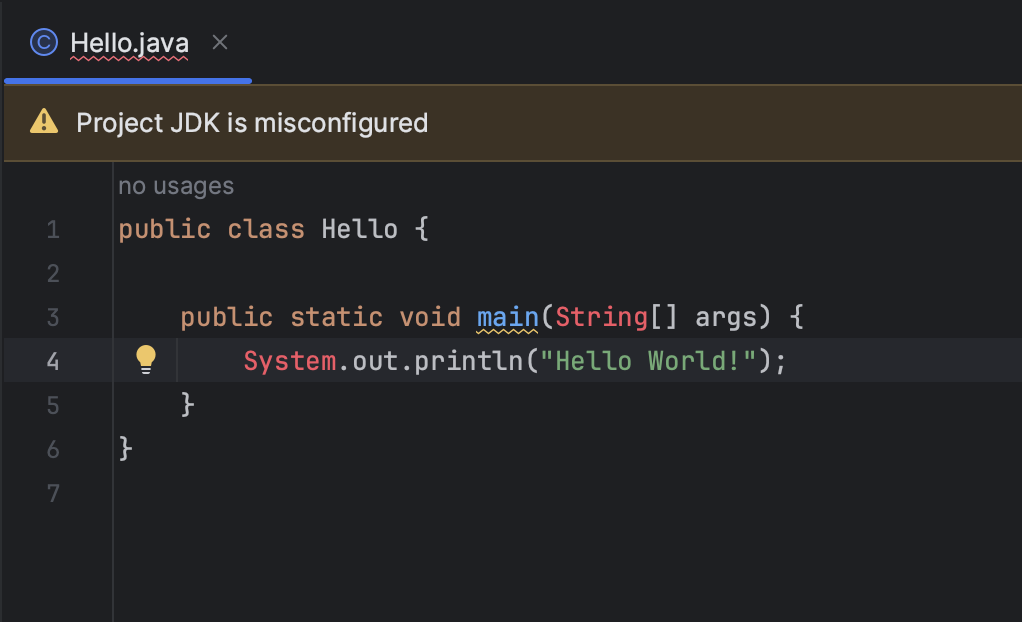
If you are using IDEA IntelliJ IDE for your Java project and you see an error message that says "Project JDK is misconfigured in IntelliJ" then you can fix this by following the below steps.
- Click on Setup SDK button you see next to the error.
- Now select one of the JDK that you want to make use of for your Project from the list.
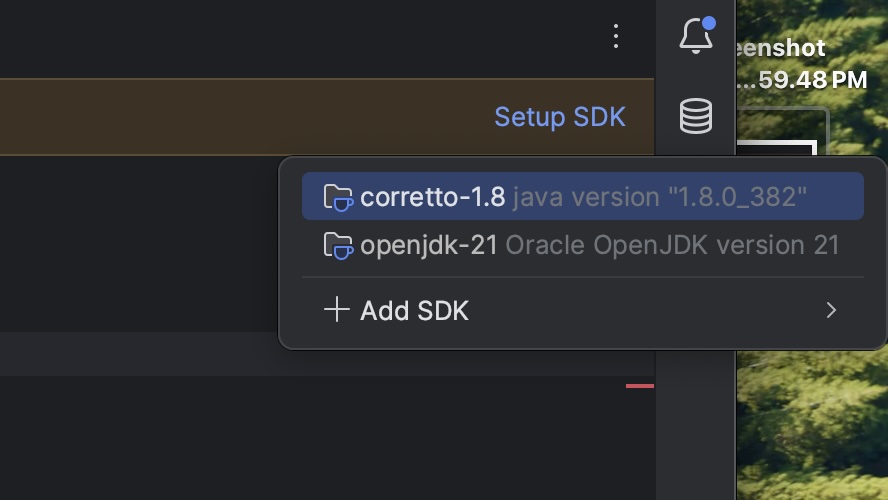
- If you do not see any SDK, click on Add SDK and download one of the Java JDKs.
Once the SDK is downloaded and set, the error must go away and you should be able to run your Java programs.

This is not an AI-generated article but is demonstrated by a human on IntelliJ 2023.2.2 (Ultimate Edition) on a M1 Mac running macOS Sonoma 14.0.
Please support independent contributors like Code2care by donating a coffee.
Buy me a coffee!
Comments & Discussion
Facing issues? Have questions? Post them here! We're happy to help!