
If you are looking to know if the Bluetooth device is turned on or off you follow the below tutorial,
✔️ Check Bluetooth is turned on or off on Android device programmatically [Java Code]
If you are looking to programmatically turn off or on the Bluetooth then you can follow this tutorial. You need to make use of the BluetoothAdapter class,
Example to turn on the Bluetooth programmatically:
BluetoothAdapter bluetoothAdapter = BluetoothAdapter.getDefaultAdapter();
bluetoothAdapter.enable();
Example to turn off the Bluetooth programmatically:
BluetoothAdapter bluetoothAdapter = BluetoothAdapter.getDefaultAdapter();
bluetoothAdapter.disable();
Note: Make sure you add the two below permissions in the AndoridManifest.xml file or else you will get Runtime errors,
<uses-permission android:name="android.permission.BLUETOOTH" />
<uses-permission android:name="android.permission.BLUETOOTH_ADMIN" />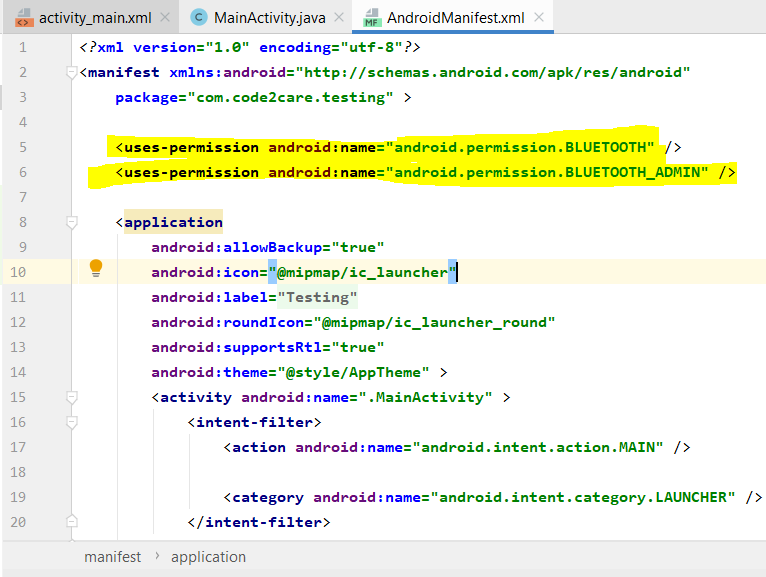
Provide Feedback For This Article
We take your feedback seriously and use it to improve our content. Thank you for helping us serve you better!
😊 Thanks for your time, your feedback has been registered!
Comments & Discussion
Facing issues? Have questions? Post them here! We're happy to help!