
To delete a file or files on a Mac (macOS) all you need to do is a two-finger tap on your trackpad on your MacBook or right-click using the Mouse after selecting the file(s) to delete and click on "Move to trash".
But if you want to make use of the Keyboard shortcut to perform the same operation you can press - ⌘ Command + Delete keys together, the file will be moved to the trash and you should hear the sound,
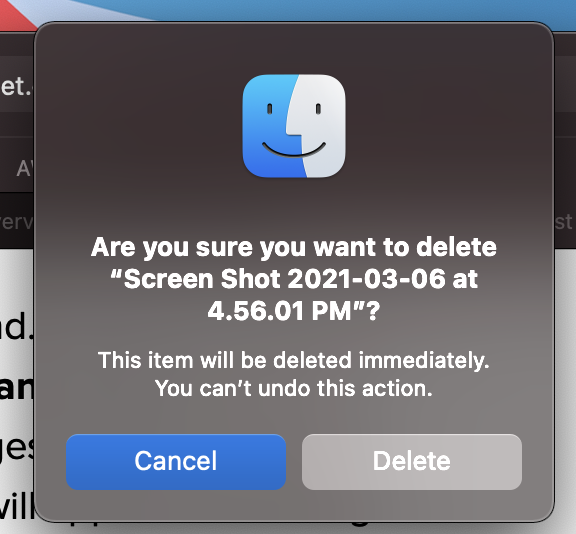
If you want to delete the file completely, without moving it to the trash, press Command + Option + Delete keys, and you will see a prompt that says,
Are you sure you want to delete FILE?

The item will be deleted
immediately you can't undo this action.
You need to click on the Delete button of the option to delete the file permanently.
Provide Feedback For This Article
We take your feedback seriously and use it to improve our content. Thank you for helping us serve you better!
😊 Thanks for your time, your feedback has been registered!
Comments & Discussion
Facing issues? Have questions? Post them here! We're happy to help!