
In this article, we will take a look at how to ignore white space while comparing two files line-by-line in Notepad++,
- Open both files or tabs that you want to compare,
- Be on the first file/tab and set it as first file by going to Plugins -> Compare -> Set as first Compare
- Now go to the second file/tab and Plugins -> Compare -> Compare (or press Control + Alt + C)
- The files will be displayed side-by-side
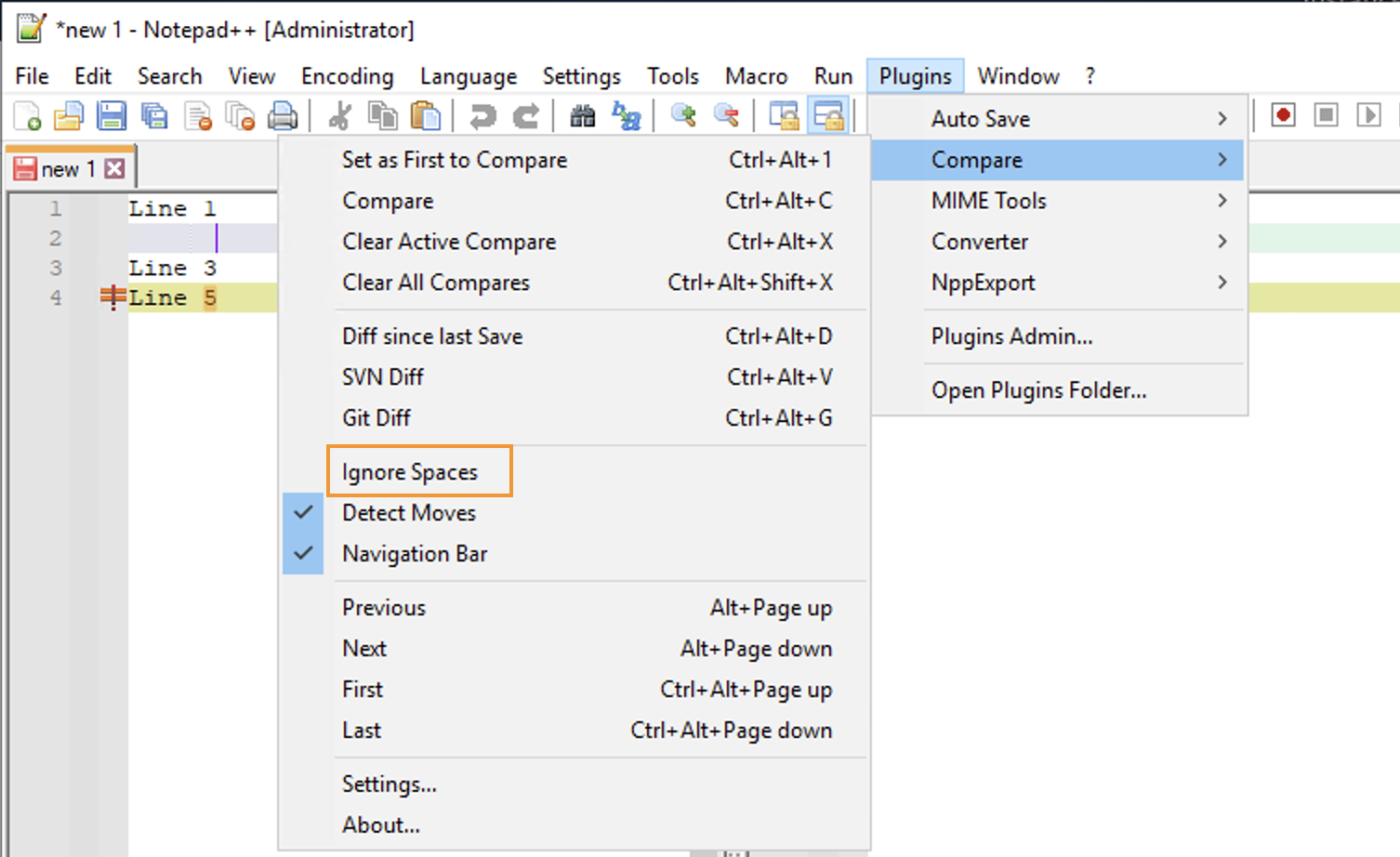
To ignore white space while comparing two files go to Menu: Plugins -> Plugins -> Ignore Spaces
Provide Feedback For This Article
We take your feedback seriously and use it to improve our content. Thank you for helping us serve you better!
😊 Thanks for your time, your feedback has been registered!
Comments & Discussion
Facing issues? Have questions? Post them here! We're happy to help!