
By default spell check is disabled when you install Sublime Text editor on your Mac computer (afaik), if you want it to be enabled you can do it by going to View and selecting Spell Check.
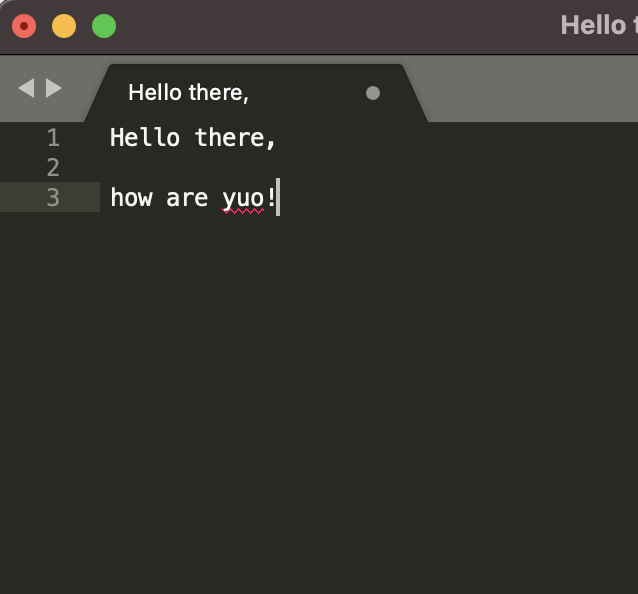
- Goto Sublime Menu,
- Goto View,
- Select Spell Check,
- You should see that the misspelled works are highlighted in red.
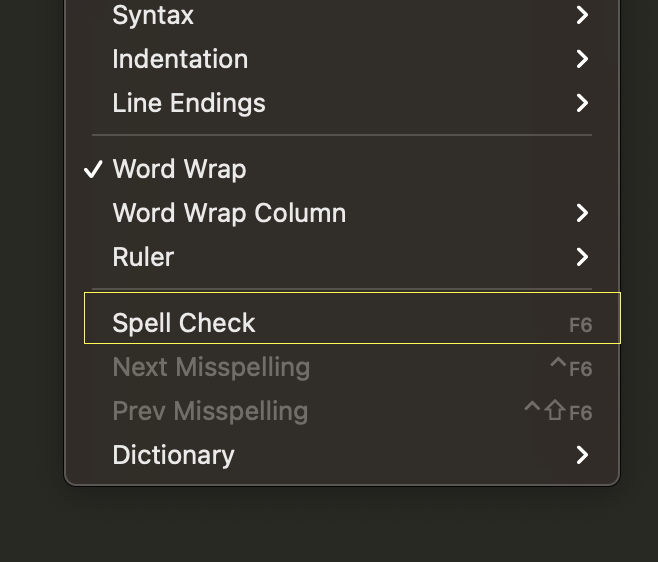
You can also use Function Key + F6 to toggle between enabling and disabling spell check option.
Provide Feedback For This Article
We take your feedback seriously and use it to improve our content. Thank you for helping us serve you better!
😊 Thanks for your time, your feedback has been registered!
Comments & Discussion
Facing issues? Have questions? Post them here! We're happy to help!