
By default all that you download on your Mac using the Safari web browser will get downloaded into the Downloads folder of your user account.
Default download location of files in Safari
/Users/your-user-name/Downloads/Users/code2care/DownloadsIf you want to change this to some other location such as Desktop, or some other directory, you can do that by the Safari Settings menu options.
Step-by-Step: Change Safari file download location
- Make sure you are on the Safari browser window,
- Click on the Safari on the Mac menu bar,
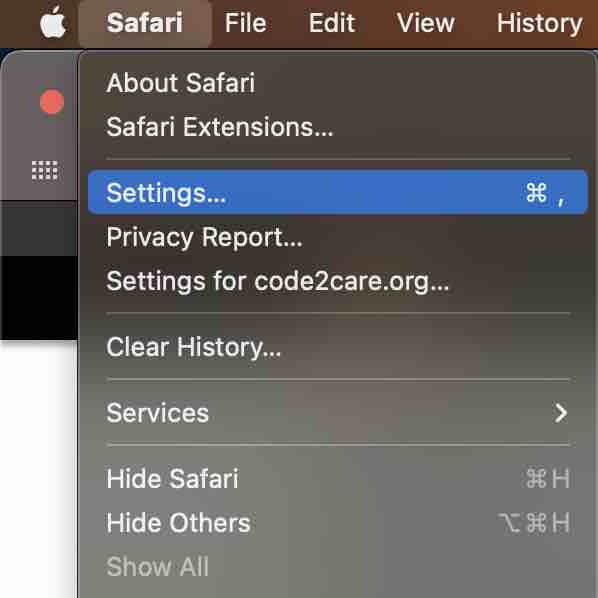
- Click on Settings...,
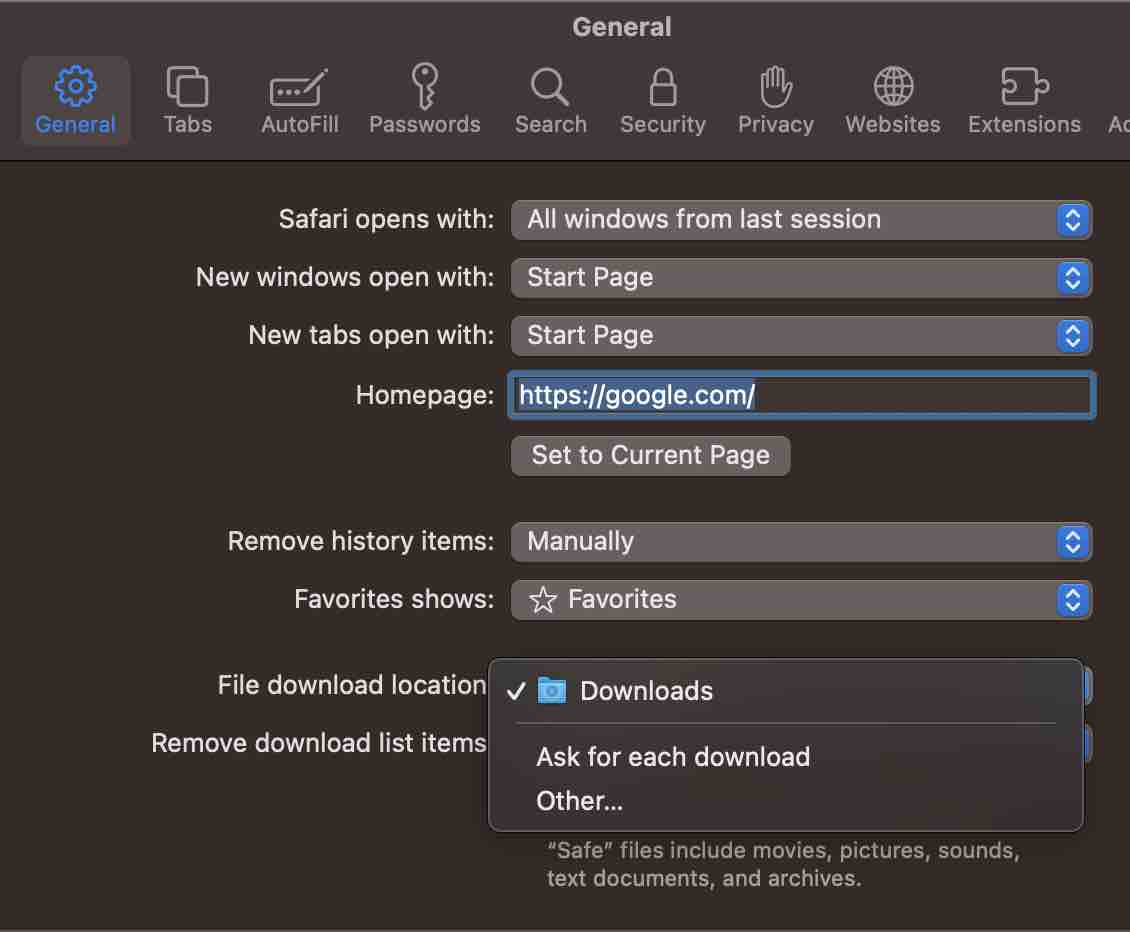
- Under General Tab,
- Click on the dropdown next to "File Download Location",
- Click on Others... and select the location you want to set.
Provide Feedback For This Article
We take your feedback seriously and use it to improve our content. Thank you for helping us serve you better!
😊 Thanks for your time, your feedback has been registered!
Comments & Discussion
Facing issues? Have questions? Post them here! We're happy to help!