

If you get the above error in the activity XML file when trying to add an element in the UI say a Button or an EditText, well it's because you have not set the vertical or horizontal constraints. When you are on the design view you may also see the errors below,
❗️ Not Horizontally Contrained.
❗️ Not Horizontally Contrained.
- Go to your activity.xml file,
- Move to Design View,
- Under Pallette, select Layouts -> ConstraintLayout,
- Now click on the wand icon -> Infer Constraint.
- You should see layout_margin Top and Right added to the XML and error is gone.
<Button
  android:id="@+id/button4"
  android:layout_width="wrap_content"
  android:layout_height="wrap_content"
  android:text="Button"
  tools:layout_editor_absoluteX="140dp"
tools:layout_editor_absoluteY="316dp" /><Button
android:id="@+id/button4"
android:layout_width="wrap_content"
android:layout_height="wrap_content"
android:layout_marginStart="140dp"
android:layout_marginTop="316dp"
android:text="Button"
app:layout_constraintStart_toStartOf="parent"
app:layout_constraintTop_toTopOf="parent" />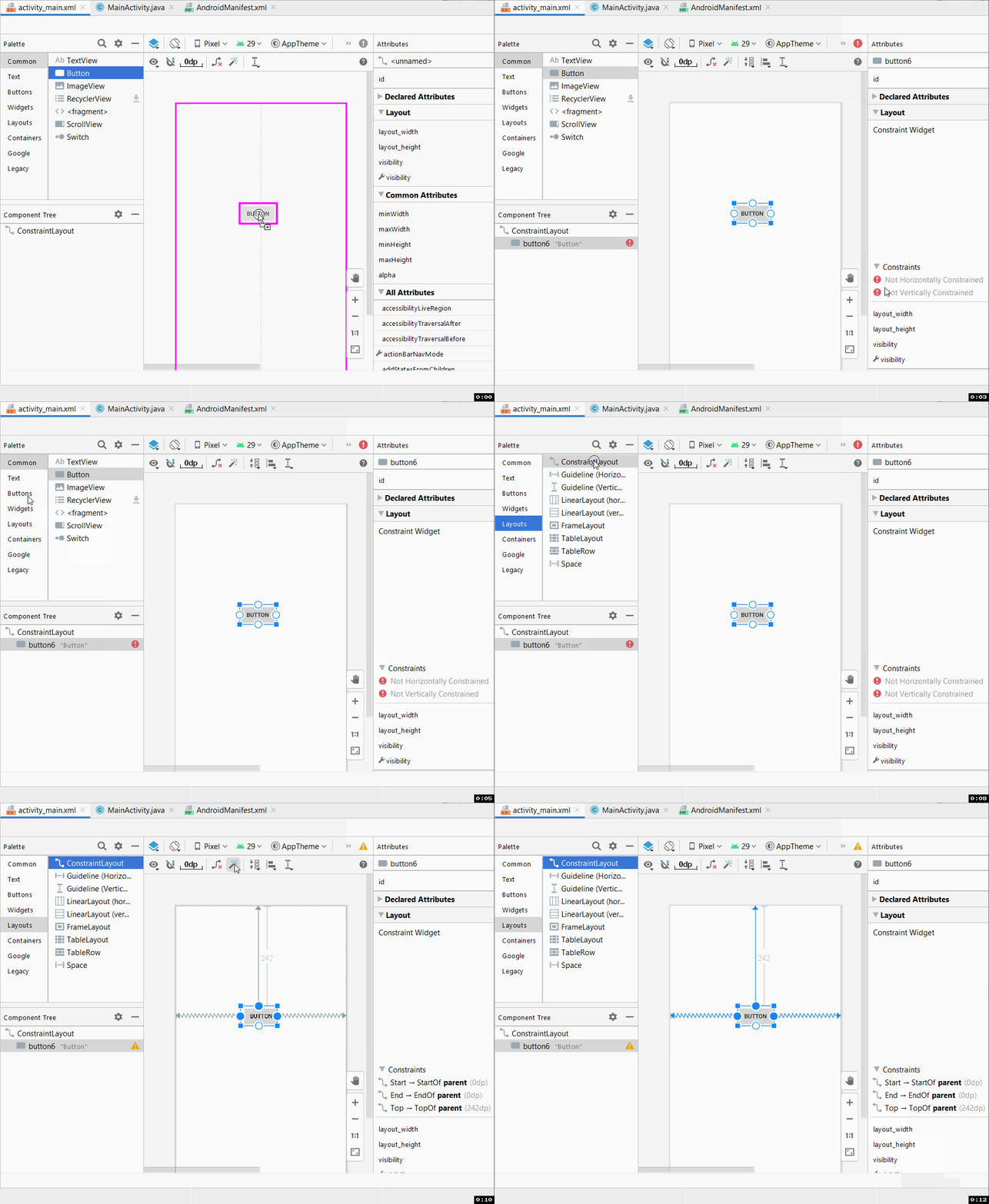
Provide Feedback For This Article
We take your feedback seriously and use it to improve our content. Thank you for helping us serve you better!
😊 Thanks for your time, your feedback has been registered!
Comments & Discussion
Facing issues? Have questions? Post them here! We're happy to help!