
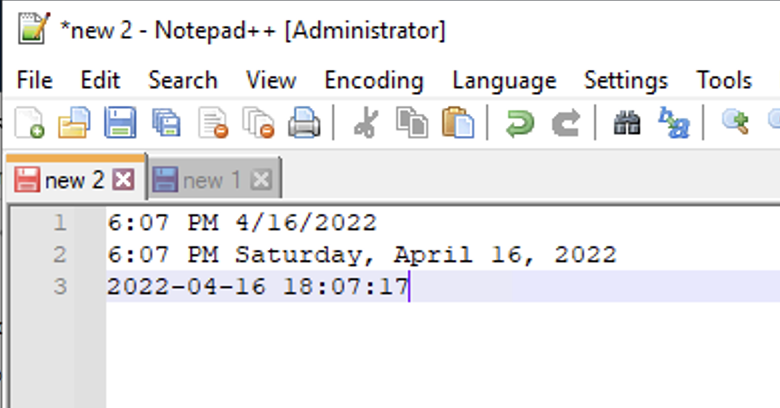
Date Time (short): 6:07 PM 4/16/2022
Date Time (long): 6:07 PM Saturday, April 16, 2022
Date Time (customized): 2022-04-16 18:07:17
In this tutorial, we will take a look at how to add the current Date and Time in the Notepad++ tab.
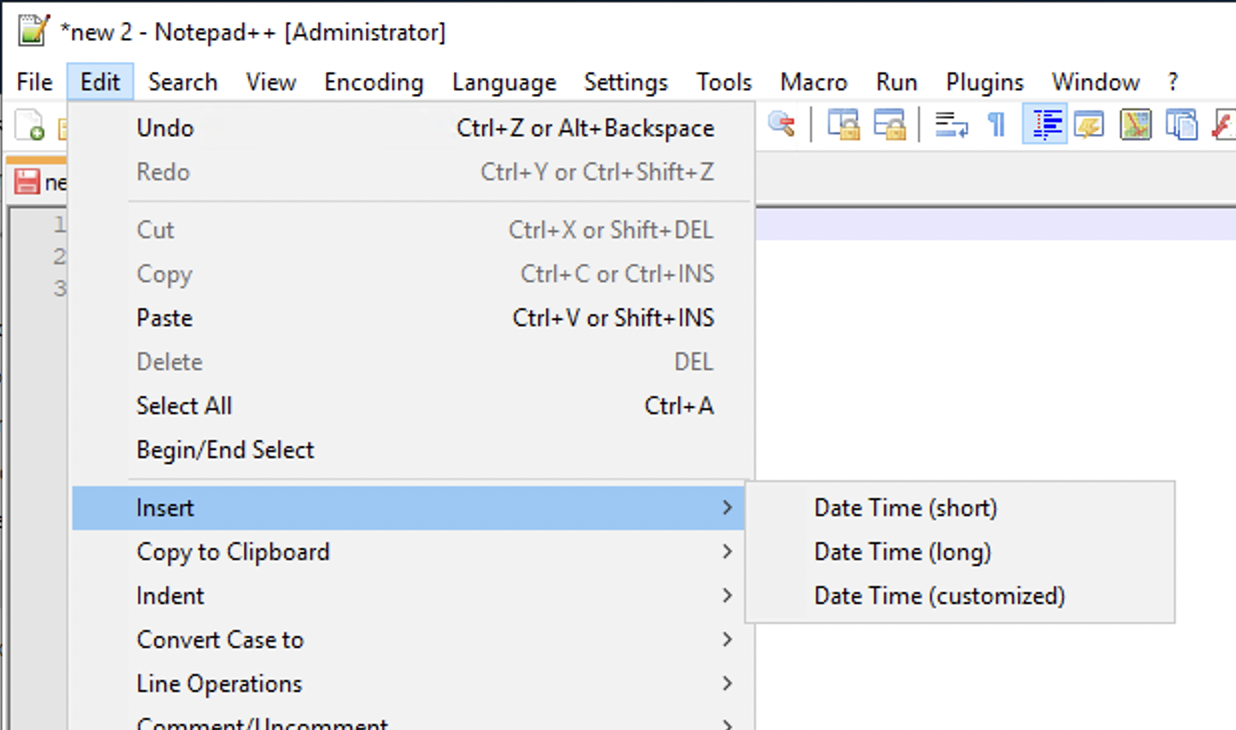
There are three options available under Edit -> Insert that let you add date and time at the current cursor position in the file,
Provide Feedback For This Article
We take your feedback seriously and use it to improve our content. Thank you for helping us serve you better!
😊 Thanks for your time, your feedback has been registered!
Comments & Discussion
Facing issues? Have questions? Post them here! We're happy to help!